 kage
kage
sponkly.com

Design analysis
A slim white navigation bar anchors the page with the product mark, compact links, locale controls, sign-in, and a strong primary action.
Prompt preview
## Reference images

Study these alongside the description below: hierarchy, rhythm, spacing, colour. Build for the product you are asked about, using this design language.

- Component: https://kage-design-assets.t3.tigrisfiles.io/components/sponkly/bd3f409f-e542-449e-8bba-263211d90a1c-1792735452-0.webp
- Full page it was cut from: https://kage-design-assets.t3.tigrisfiles.io/screenshots/sponkly/bd3f409f-e542-449e-8bba-263211d90a1c-1792735346298-full.webp
- Component on Kage: https://kage.design/component/sponkly-navigation

## Before you start
Ask me what my product is, who it is for, and what brand personality and visual identity it should use. Then apply the principles below to create an original navigation for that product.

Build a slim desktop-first navigation bar with a small brand mark at the left, a restrained row of product links in the middle, and language/account/primary-action controls at the right. Use a white background, approximately #FFFFFF, near-black text around #171717, muted secondary text around #6F6F6F, a subtle bottom border around #ECECEC, and a compact 6–8px radius on the primary button. Keep the container centered with generous horizontal padding, align every item on one baseline, and make the primary action visually dominant without becoming oversized. Use a small, clear type scale: 12–13px utility links and 13–14px button text.

Make the menu keyboard accessible, with visible focus states, a responsive collapse on narrow screens, and a locale selector that is clearly interactive.

### Never
- Never copy logos, product names, or navigation labels from the reference.
- Never reuse reference copy, illustrations, imagery, or brand assets.
More components
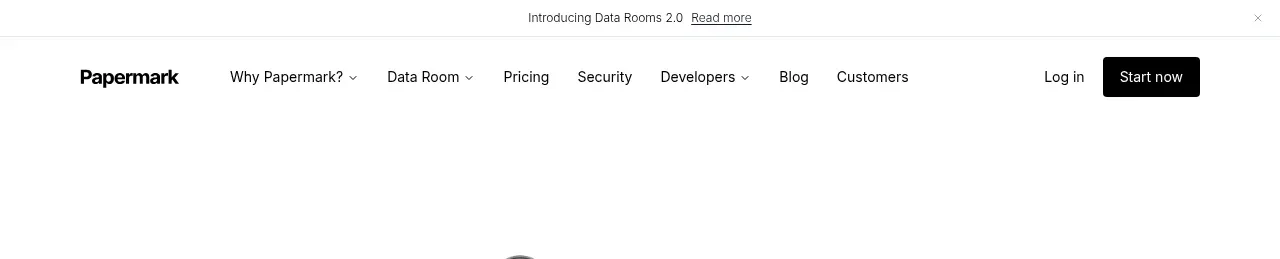
 Announcement bar and primary navigation
Papermark Data Rooms · Navigation
Announcement bar and primary navigation
Papermark Data Rooms · Navigation

 Minimal product navigation
Badgey · Navigation
Minimal product navigation
Badgey · Navigation

 Floating product navigation
Clips by Plastic · Navigation
Floating product navigation
Clips by Plastic · Navigation

 Top navigation
AgentGrid.io · Navigation
Top navigation
AgentGrid.io · Navigation

 Announcement bar and primary navigation
Context Engine · Navigation
Announcement bar and primary navigation
Context Engine · Navigation

 Minimal brand navigation
Peras · Navigation
Minimal brand navigation
Peras · Navigation