kage
kage
sponkly.com

Design analysis
A long-form product landing page uses a restrained white canvas, thin gray borders, compact sans-serif typography, and sparse black CTAs. The hero establishes the promise with a split text/product-demo composition, then the page alternates dark feature bands, softly tinted product panels, image-led use cases, card grids, pricing, and FAQ sections to progressively move from capabilities to trust, audiences, and conversion. Rounded rectangles, subtle shadows, checkmark lists, and generous vertical spacing keep the dense information legible without introducing strong decorative branding.
Prompt preview
## Reference images

Study these alongside the description below: hierarchy, rhythm, spacing, colour. Build for the product you are asked about, using this design language.

- Full page: https://kage-design-assets.t3.tigrisfiles.io/screenshots/sponkly/bd3f409f-e542-449e-8bba-263211d90a1c-1792735346298-full.webp
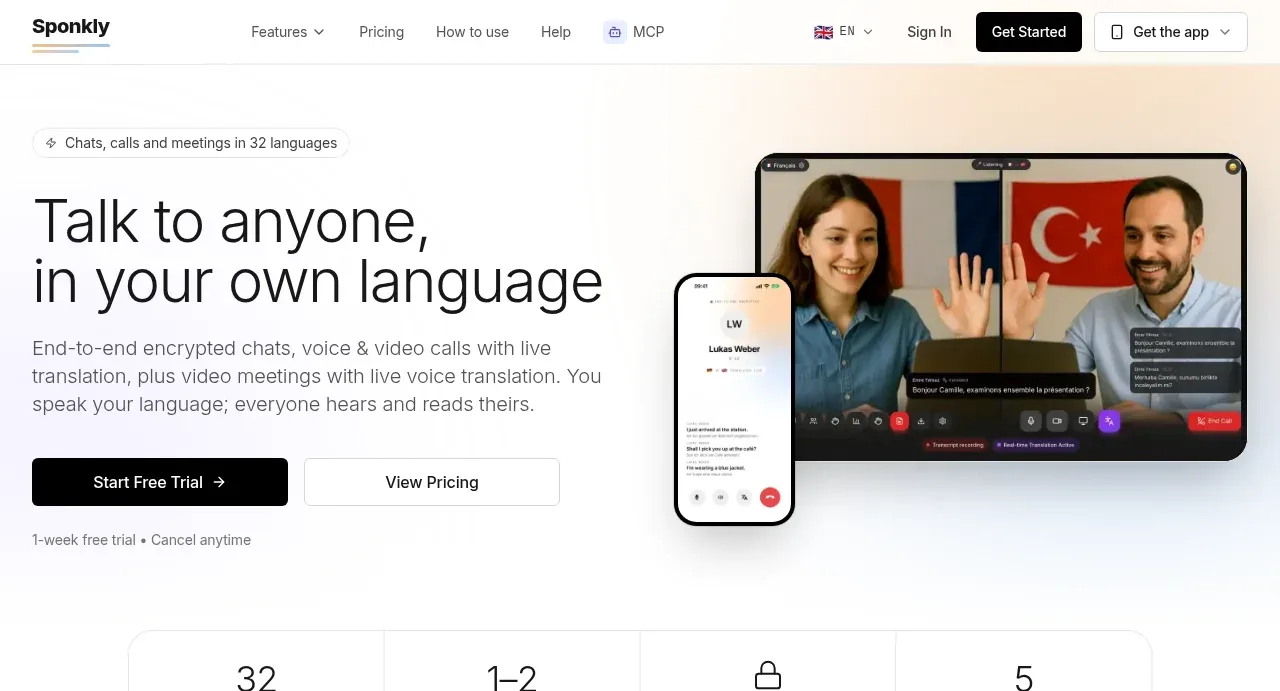
- Above the fold: https://kage-design-assets.t3.tigrisfiles.io/screenshots/sponkly/bd3f409f-e542-449e-8bba-263211d90a1c-1792735341503.webp
- Design on Kage: https://kage.design/designs/sponkly-landing-page

## Before you start
Ask the user what they are building, who it is for, and what brand assets they already have, including the product name, colours, type choices, logo, imagery, and any existing content. Wait for their answers before designing. Apply the system below to their product, not to the reference product.

## Page structure
- **Header/navigation:** Create a slim white navigation bar with a small left-aligned brand treatment, compact links for product areas and pricing/help, language/account controls, and a dark primary CTA on the right.
- **Hero:** Use a two-column layout: a small eyebrow above a large, sentence-case headline and supporting paragraph on the left, with primary and secondary actions; show a large, rounded product/device demonstration on the right. Add a small reassurance line beneath the actions.
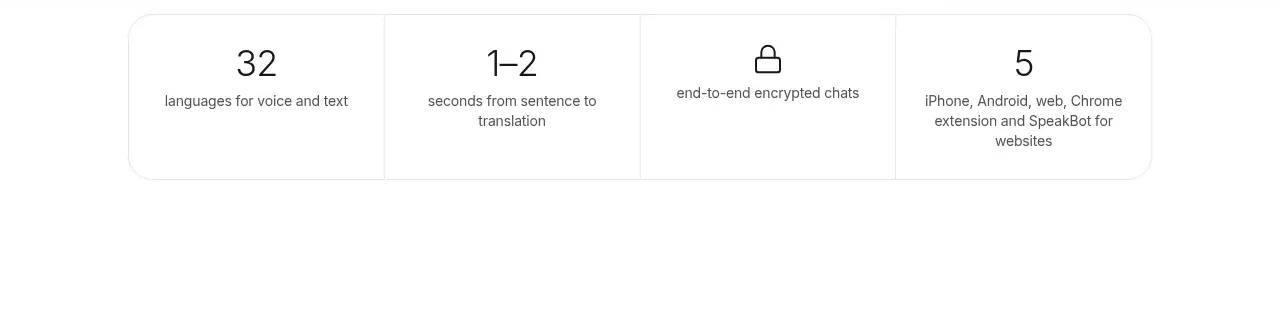
- **Proof/stat strip:** Follow with a centered four-column strip of concise metrics or capability facts, separated by faint vertical rules and framed with a light border.
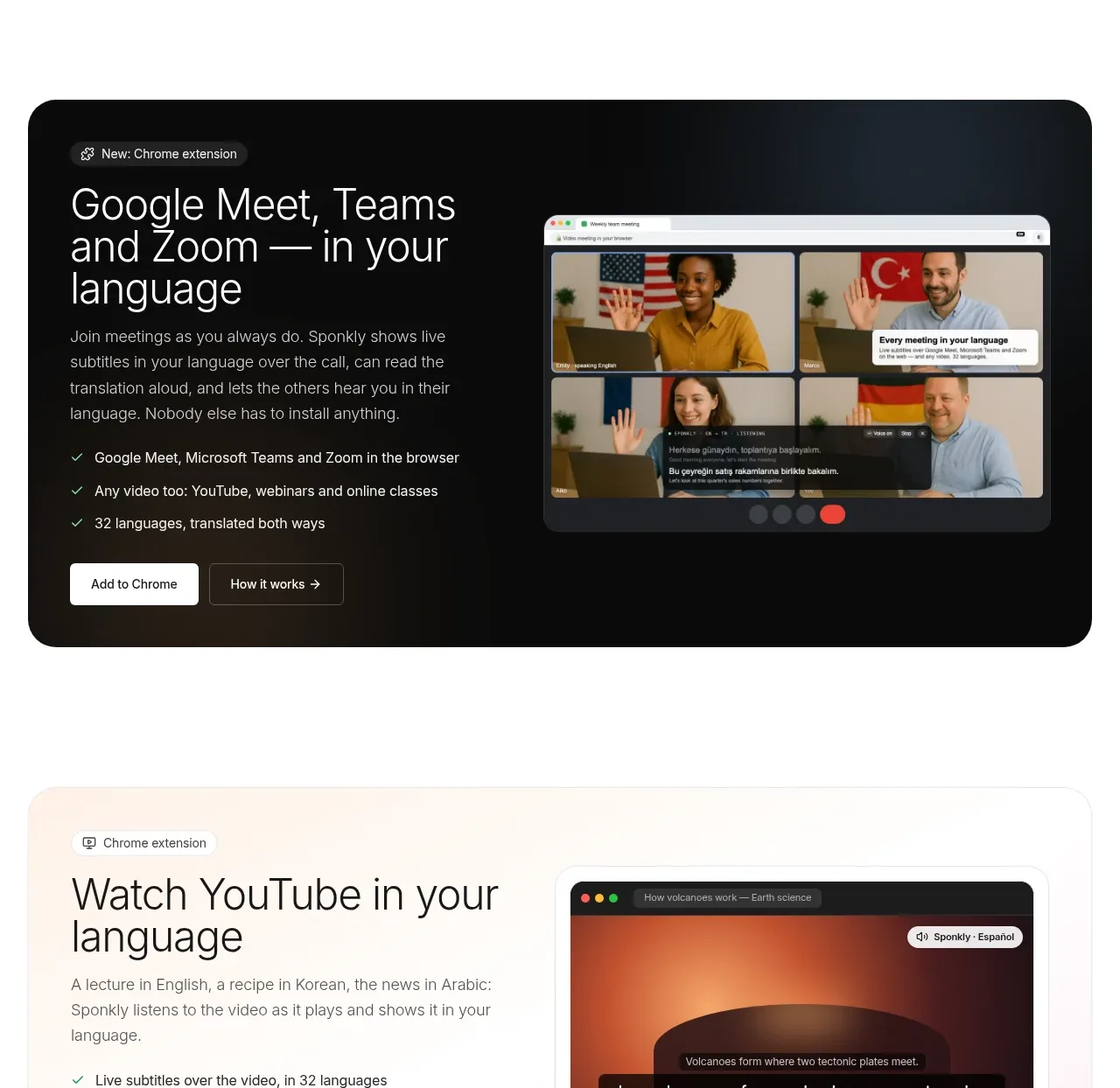
- **Browser-meeting feature band:** Introduce a wide dark rounded panel with a small product label, large headline, explanatory copy, checkmarked benefits, CTA buttons, and a browser/video mockup on the opposite side.
- **YouTube feature panel:** Return to a pale, lightly tinted rounded panel with the same split structure, placing explanatory copy and checks on the left and a video-player mockup on the right.
- **Website visitor feature panel:** Use a softly blue-tinted split panel with a chat/product screenshot on one side and the text, benefits, and actions on the other; reverse the visual balance from the previous section.
- **AI assistant feature panel:** Use a pale lavender-tinted split panel describing an assistant/integration and pair it with a conversation UI mockup; keep the compact eyebrow, checks, and dual actions.
- **App overview:** Add a centered heading and subtitle, followed by three equal cards for the core conversation modes. Each card contains a phone/product image, a small icon, a short title, supporting copy, and a text link.
- **Capability bento section:** On a very light gray background, introduce a centered heading and subtitle, then build a bento grid. Give one large dark card prominent treatment with a product image and privacy message, and surround it with smaller pastel cards for related capabilities.
- **New app features:** Add a centered heading, subtitle, and two side-by-side feature cards with phone screenshots, short descriptions, “only in the app” metadata, and learn-more links. Place app-store badges beneath.
- **How it works:** Present a centered heading and short explanation above three equal numbered cards. Keep each card simple: circular number, bold step title, and a brief paragraph.
- **Editorial use-case rows:** Create a sequence of wide alternating image-and-copy rows. Cover immediate translated speech, translated chat messages, meeting transcripts, and global expansion; alternate which side holds the image to create rhythm.
- **Web dashboard CTA:** Insert another wide dark rounded panel with a small eyebrow, headline, supporting copy, checklist, white CTA, and a dark dashboard/browser mockup.
- **Privacy section:** Use a centered privacy eyebrow, heading, and supporting line, then a two-by-two grid of compact bordered cards explaining message privacy, call handling, account protection, and meeting controls. Finish with a small security link.
- **Audience section:** Add a centered heading and subtitle followed by four equal softly tinted cards for audience groups such as friends, clients, travel, and international teams.
- **Feature inventory:** Add a centered “everything you need” heading and a six-card two-row grid. Each compact card has an icon, bold feature name, one-sentence description, and restrained borders.
- **Pricing:** Create a centered pricing heading and subtitle with a monthly/yearly toggle, then a multi-card pricing grid. Use three prominent plans across the first row and additional enterprise/team cards below; show price, billing note, CTA, and dense checkmarked feature lists. Emphasize the recommended plan with a darker border and a small top label.
- **FAQ:** Follow with a centered heading and a narrow accordion list of bordered rows. Keep one answer expanded and the remaining questions collapsed with chevrons.
- **Language footer:** End with a full-width black footer band containing a centered headline and subtitle, followed by compact pill-like language labels with flags/icons.

## Design language
- Build hierarchy with a compact sans-serif body and oversized but not heavy sentence-case headlines; use roughly 48–64px for the hero, 30–40px for section headings, and 13–16px for body copy.
- Use generous vertical whitespace between sections, but increase density inside capability grids, pricing cards, and the FAQ so the page becomes more information-rich near conversion points.
- Keep the base palette near white and charcoal: white `#ffffff`, off-white `#fafafa`, pale gray `#f1f1f1`, text `#171717`, and secondary text `#777777`. Reserve black or near-black `#111111` for CTA buttons, dark feature bands, and the final footer.
- Introduce colour through quiet section backgrounds rather than bright decoration: warm cream `#fffaf2`, pale blue `#f4f9ff`, lavender `#f8f5ff`, mint `#f2fbf7`, and soft yellow `#fffbed`.
- Pair short eyebrow labels and small metadata with larger plain headlines; avoid all-caps display typography and keep line lengths narrow in explanatory copy.
- Use rounded corners consistently, approximately 12–18px on feature panels and 8–12px on cards and controls. Prefer 1px `#e8e8e8` borders and extremely soft shadows; the dark panels may use subtle inner contrast rather than heavy elevation.
- Treat product screenshots as the main visual language: place them inside browser, phone, video, chat, and dashboard frames with realistic interface detail, but keep surrounding decoration minimal.
- Use checkmarks, small line icons, arrows, and chevrons as functional accents. Keep icons monochrome or muted green and avoid decorative icon clouds.
- Alternate light, dark, and softly tinted sections to change rhythm down the long page. Use full-width background changes for major narrative shifts while keeping content inside a centered max-width container.
- Use black filled buttons for primary actions, white or transparent outlined buttons for secondary actions, and simple text-arrow links for tertiary actions. Give controls compact height, modest radius, and clear hover contrast.
- Make interactions understated: buttons should darken or lift slightly on hover, cards may gain a small shadow, accordions should expand without dramatic animation, and mockups should not overpower the content with motion.
- On smaller screens, stack every split panel and editorial row, preserve the alternating section backgrounds, turn stat and feature grids into one-column or two-column layouts, and keep pricing cards readable with horizontal overflow only as a last resort.

## Never
- Do not copy any logos, wordmarks, product names, copy, illustrations, photography, screenshots, flags, or icon sets from the reference.
- Do not present the result as Sponkly or imply affiliation with it.
- Do not reproduce the reference’s exact text, imagery, brand assets, or UI content; create original content and visuals for the user’s product while preserving the reusable layout principles.
Components from this page
All components
 Minimal product navigation
Sponkly · Navigation
Minimal product navigation
Sponkly · Navigation
 Language translation hero
Sponkly · Hero
Language translation hero
Sponkly · Hero
 Translation capability stats
Sponkly · Stats
Translation capability stats
Sponkly · Stats
 Browser meeting translation feature
Sponkly · Feature grid
Browser meeting translation feature
Sponkly · Feature grid
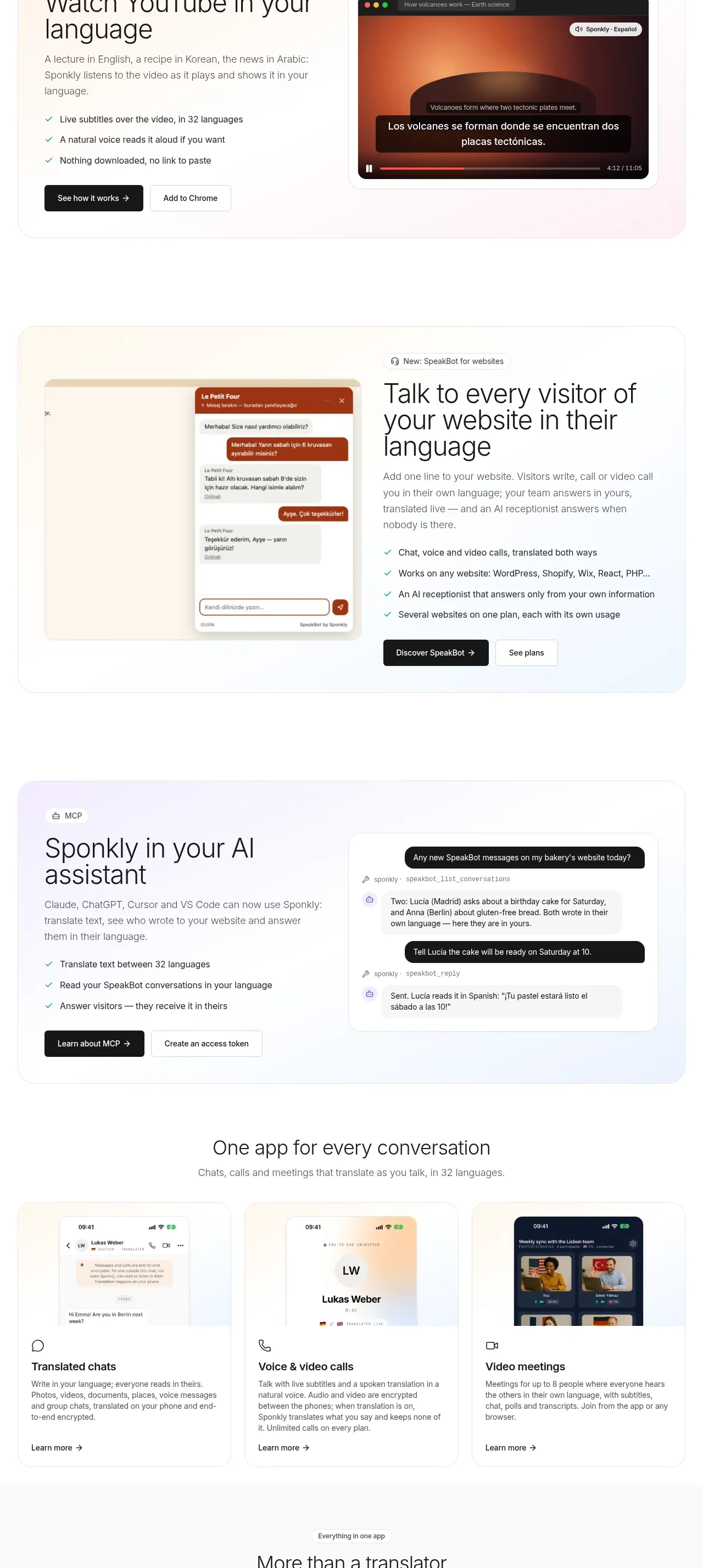 Product capability showcase
Sponkly · Feature grid
Product capability showcase
Sponkly · Feature grid
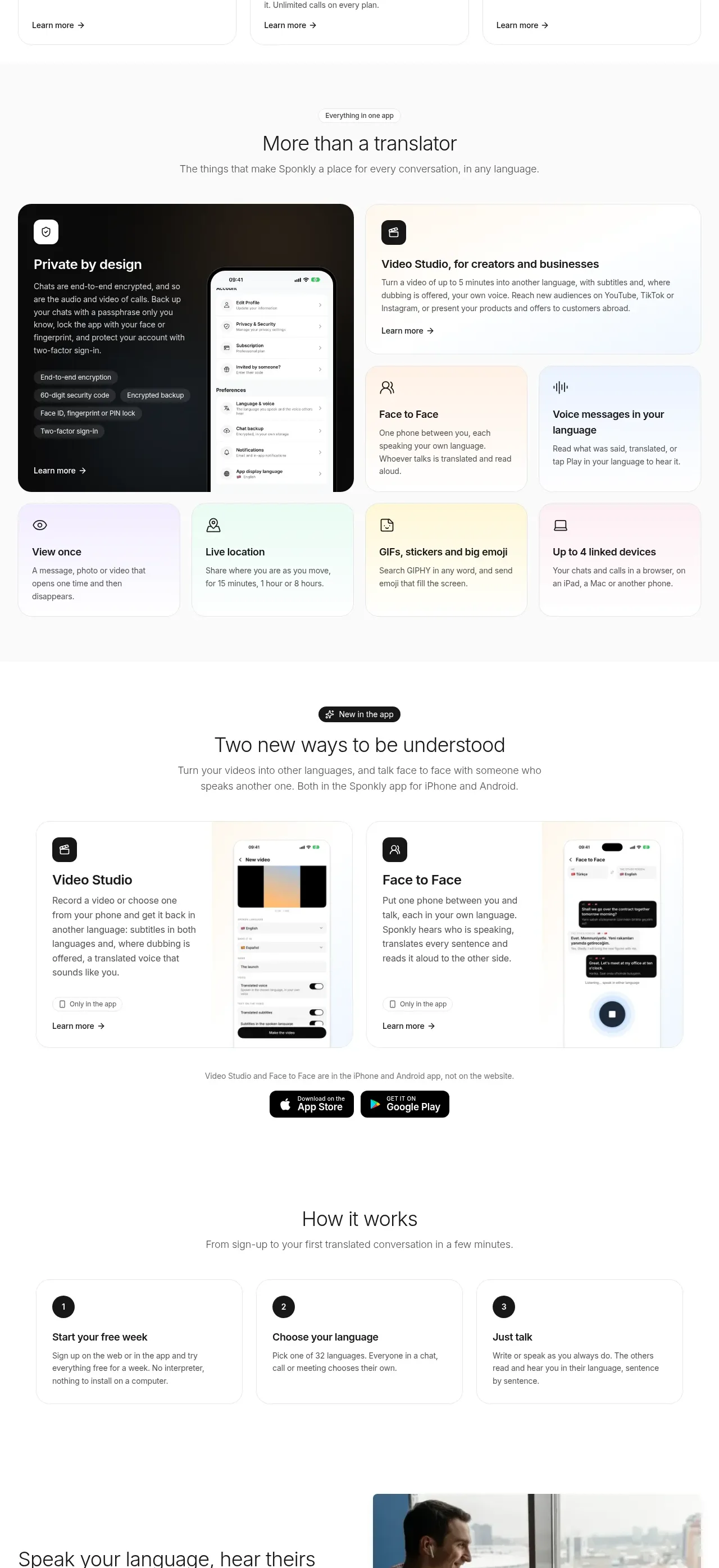 Conversation app and benefit cards
Sponkly · Feature grid
Conversation app and benefit cards
Sponkly · Feature grid
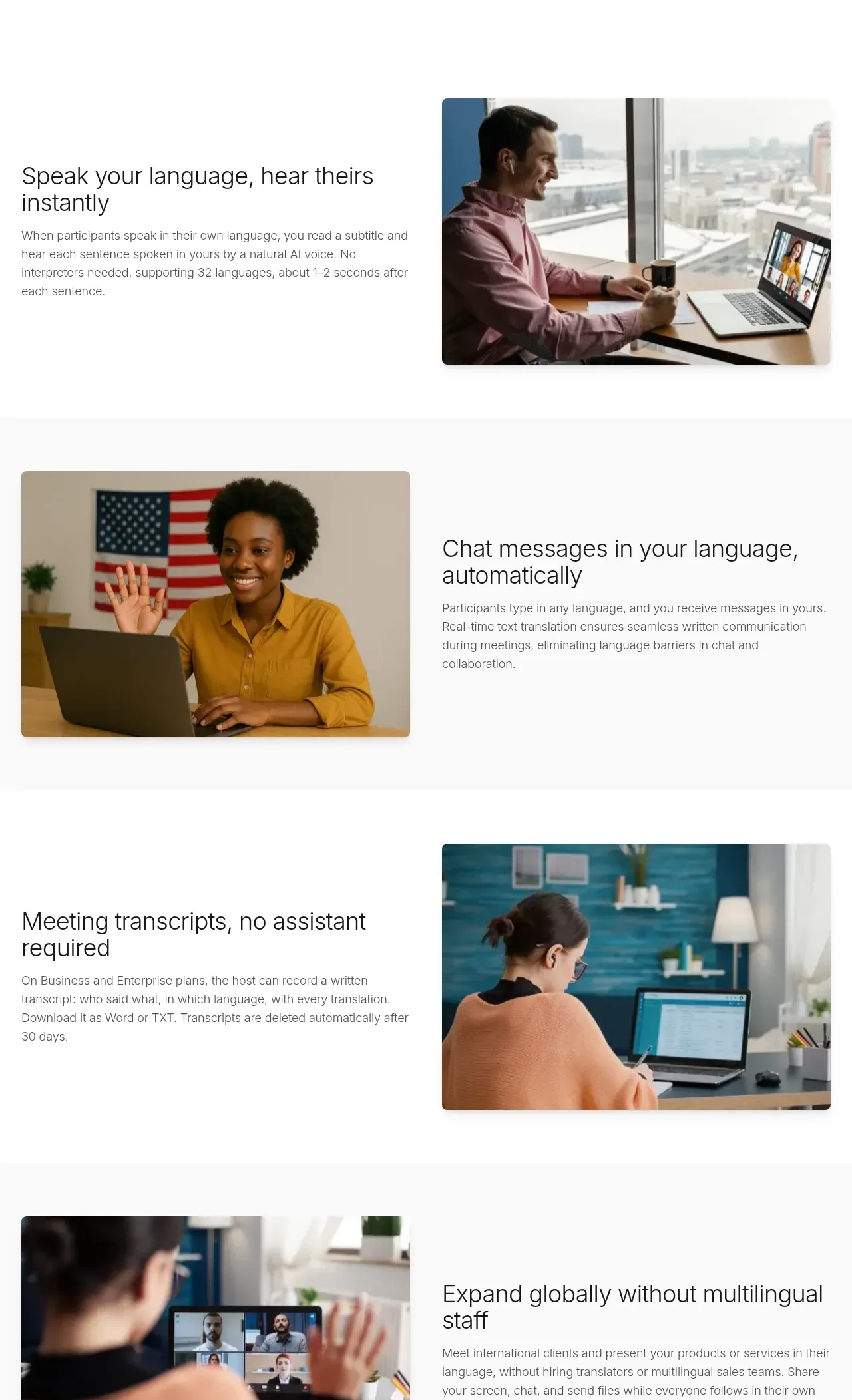 Mobile workflows and getting started
Sponkly · Feature grid
Mobile workflows and getting started
Sponkly · Feature grid
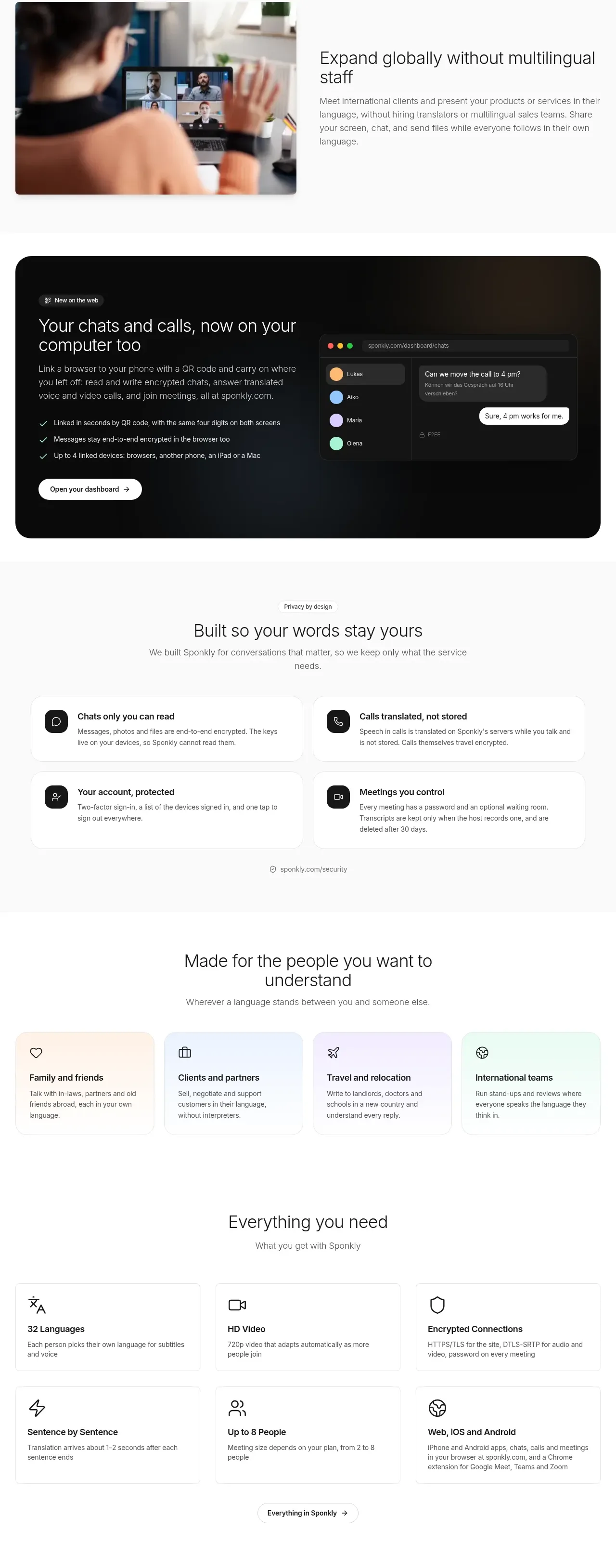 Audience use-case stories
Sponkly · Feature grid
Audience use-case stories
Sponkly · Feature grid
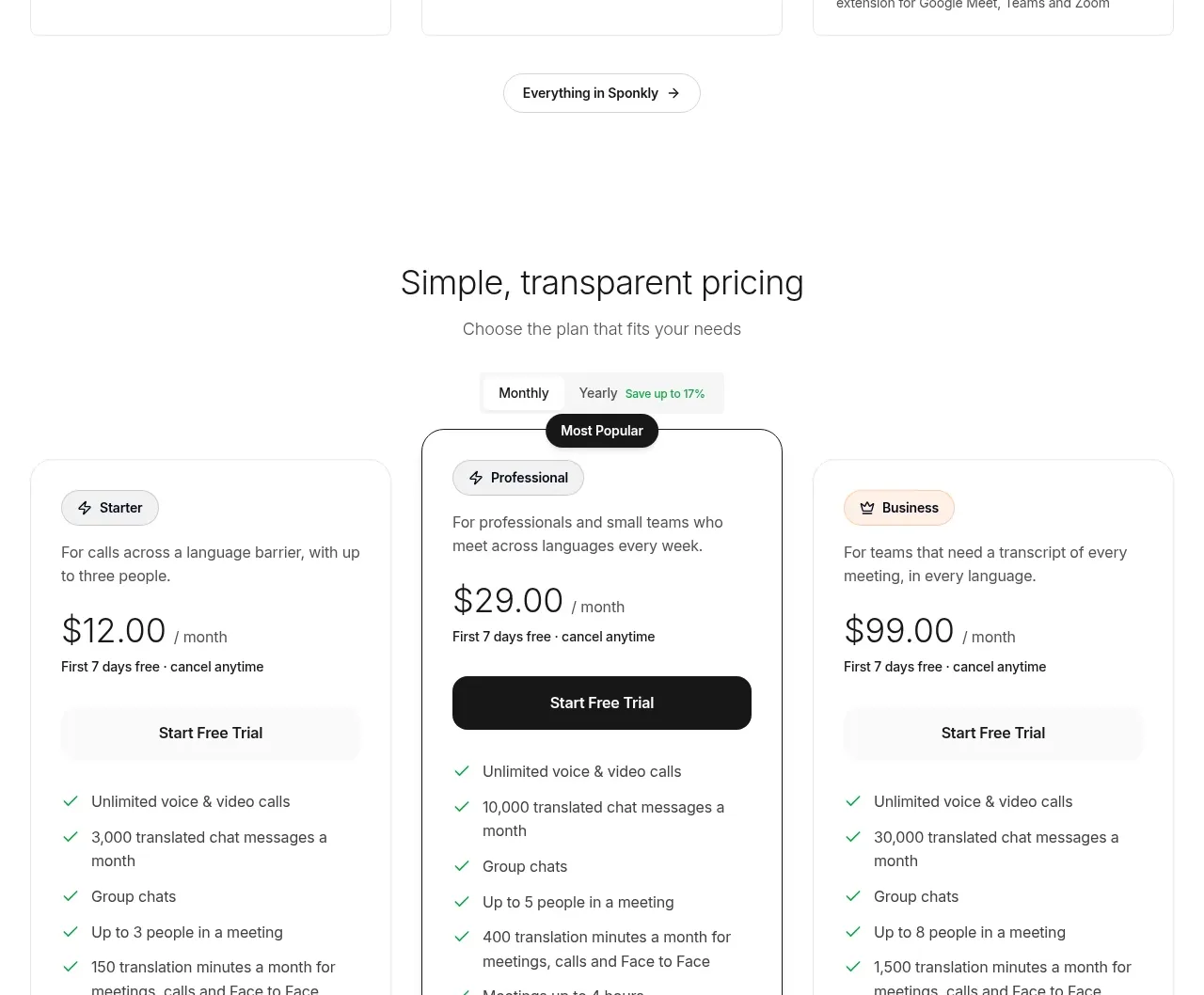 Web dashboard conversion CTA
Sponkly · Call to action
Web dashboard conversion CTA
Sponkly · Call to action
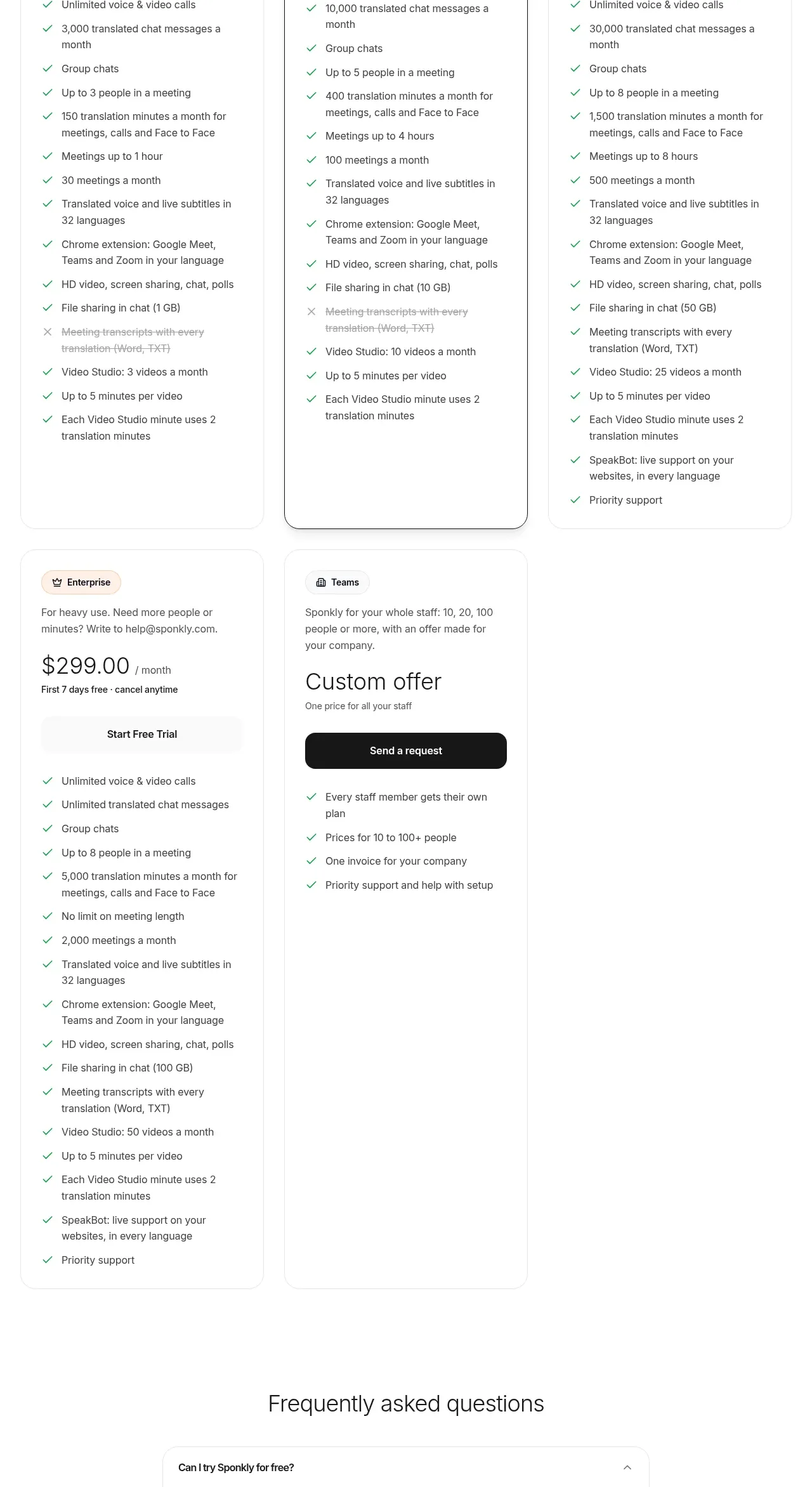 Security, audiences, and platform coverage
Sponkly · Feature grid
Security, audiences, and platform coverage
Sponkly · Feature grid
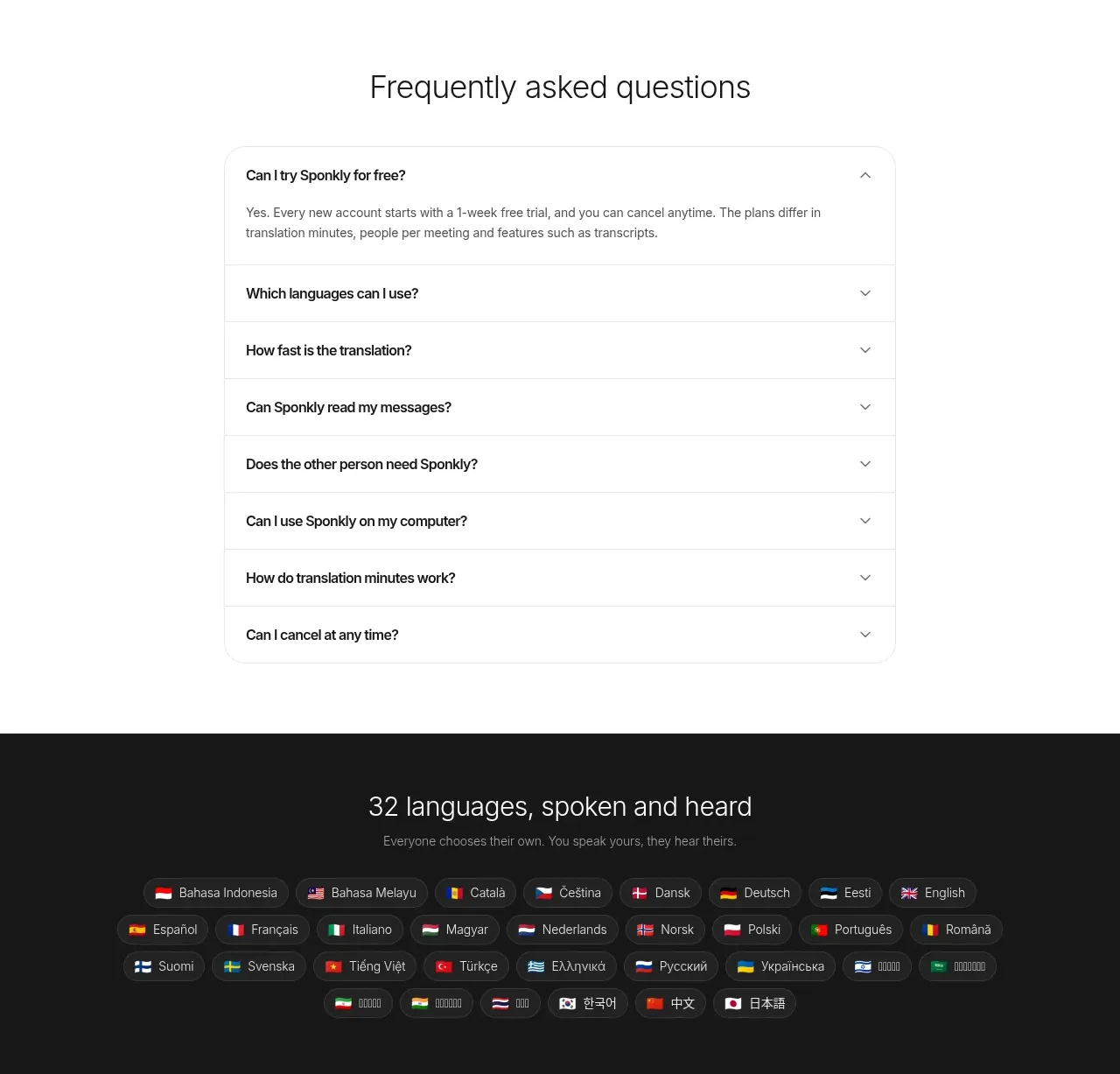 Transparent multi-tier pricing
Sponkly · Pricing table
Transparent multi-tier pricing
Sponkly · Pricing table