kage
kage
composio.dev
Design analysis
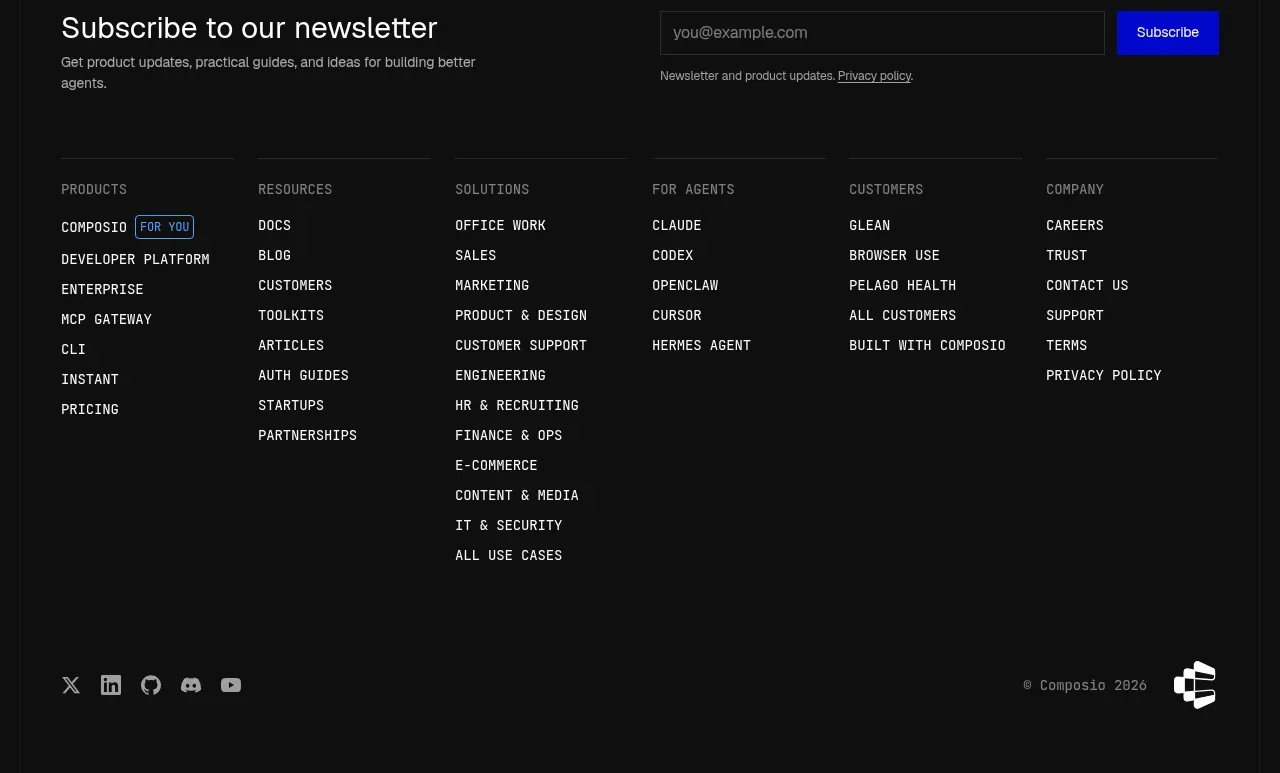
A near-black footer begins with a newsletter signup, then organizes many links into columns and ends with social, copyright, and brand marks.
Prompt preview
## Reference images

Study these alongside the description below: hierarchy, rhythm, spacing, colour. Build for the product you are asked about, using this design language.

- Component: https://kage-design-assets.t3.tigrisfiles.io/components/composio-instant/90b73b03-e2b9-4385-8074-6e8e2bc32f62-1792562875-10.webp
- Full page it was cut from: https://kage-design-assets.t3.tigrisfiles.io/screenshots/composio-instant/90b73b03-e2b9-4385-8074-6e8e2bc32f62-1792562787795-full.webp
- Component on Kage: https://kage.design/component/composio-instant-footer

## Before you start
Ask what the user's product is, who it serves, and what its brand voice and visual identity are. Apply the following principles to that product rather than copying the reference.

Build a dark footer with #101010 background and white/light-gray text. Start with a horizontal newsletter row: heading and short description on the left, email field and bright primary submit button on the right. Follow with a thin divider and five or six link columns, each using small uppercase gray headings and compact stacked links. End with another divider, social icon buttons, a muted copyright line, and a simple abstract brand mark. Use 64px horizontal padding, 24–32px column gaps, 12–14px body text, subtle #252525 rules, and responsive stacking. Validate the email field and provide visible focus states.

Never: use logos, product names, copy, illustrations, or imagery from the reference.