kage
kage
bytemailapp.com
Design analysis
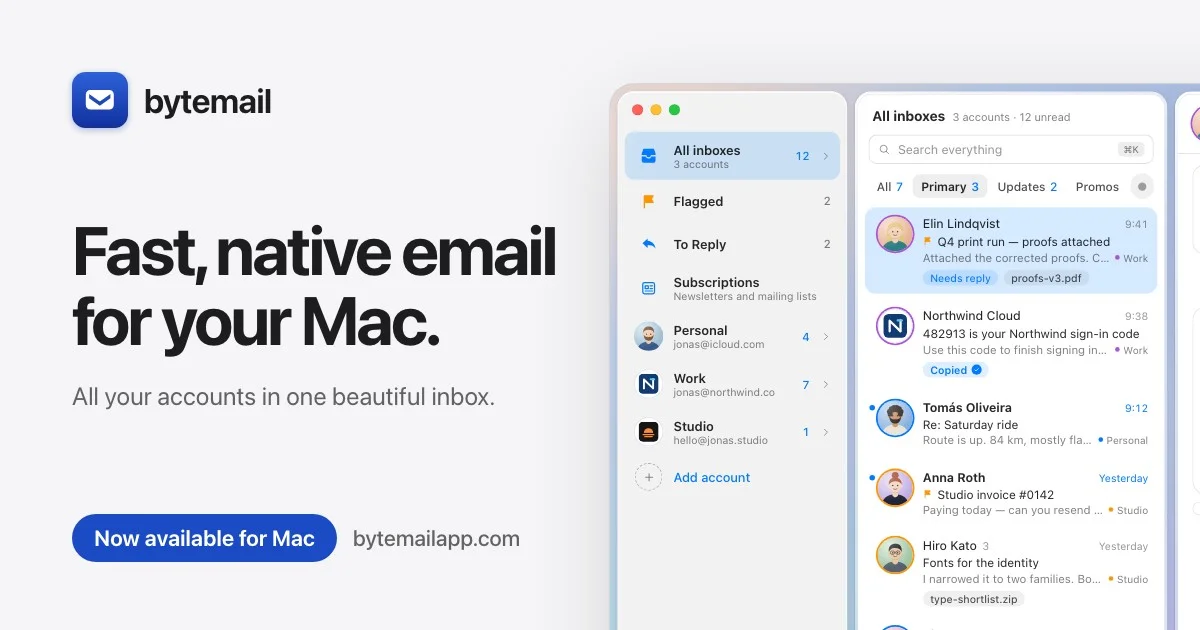
A 1200×630 social card uses a pale gray-white canvas with a strong left-right split: compact app branding sits at the upper left, a large black two-line headline anchors the left half, and a small blue pill CTA with the URL provides the lower-left finish. The right half is dominated by a cropped, softly rounded macOS email interface screenshot, while restrained shadows, blue accents, and oversized sans-serif type create a crisp product-led hierarchy.
Prompt preview
## Reference images

Study these alongside the description below: hierarchy, rhythm, spacing, colour. Build for the product you are asked about, using this design language.

- Screenshot: https://kage-design-assets.t3.tigrisfiles.io/screenshots/bytemail/c4225395-9766-4508-9835-7353b0d1a964-1793253663661.webp
- Design on Kage: https://kage.design/designs/bytemail-og-image

## Before you start
Ask the user what they are building, who it is for, and what brand assets they already have, including the product name, logo, colours, and type choices. Wait for their answers before designing. Apply everything below to that product, using placeholder branding and copy until those details are provided.

## Page structure
- **1200×630 social-card canvas:** Create a fixed 1200×630 image intended for Open Graph sharing, with a pale near-white background and generous outer margins.
- **Upper-left brand lockup:** Place a small rounded-square app icon followed by a compact placeholder wordmark near the top-left, aligned to the main text column.
- **Primary headline:** Set a large, heavy, two-line headline in the left half of the canvas; keep the measure short enough to form a strong rectangular block and make the product benefit immediately legible.
- **Supporting sentence:** Add one muted gray sentence below the headline, using a smaller size and relaxed line height.
- **Bottom-left CTA and URL:** Use a blue rounded pill containing short availability or action copy, followed by a dark-gray URL or descriptor outside the pill on the same baseline.
- **Right-side product imagery:** Fill the right half with a cropped product UI image or abstract interface mockup. Show a desktop window with rounded corners, subtle chrome, panels, rows, and realistic content density; allow it to extend beyond the right and bottom edges for an energetic crop.

## Design language
- **Build hierarchy through scale and alignment:** Use one dominant black headline, a compact brand lockup, a quiet supporting line, and a single saturated CTA. Align the left column to a consistent vertical axis and reserve the right side for visual proof.
- **Use a calm canvas with one accent:** Set the background around `#F7F7F8` or `#F5F6F8`, headline text around `#111216`, secondary text around `#6B6D73`, and the CTA/accent blue around `#1759C7` to `#2869D8`. Keep the interface image lighter than the headline so it supports rather than competes.
- **Pair a modern sans-serif with restrained weights:** Use a clean system or contemporary grotesk sans. Set the headline approximately 62–72px at 1200×630 with tight letter spacing and 0.95–1.02 line height; use 18–24px for the supporting line and 16–22px for CTA and URL text.
- **Treat the card as a two-column composition:** Give the text roughly 48–52% of the width and the UI image the remaining area. Preserve generous whitespace around the brand and headline, then increase visual density on the right through interface rows, panels, and small labels.
- **Use soft geometry, not decoration:** Apply 10–18px corner radii to the app icon, CTA, and UI windows. Use faint gray borders such as `#DDE1E7` and very soft shadows like `0 12px 30px rgba(20,30,50,.10)`; avoid heavy outlines and ornamental effects.
- **Make the product screenshot legible at a glance:** Use blue selection states, pale blue highlights, neutral panels, small circular avatars or status marks, and compact metadata. Blur or simplify fine details only when necessary for the final raster size.
- **Keep interaction implied and static:** This is a single still image, so show clear selected states and interface hierarchy without animation. If rendering from HTML/CSS or SVG, create the card at exactly 1200×630 and export it to PNG, preserving the crop and anti-aliased type.

## Never
- Do not copy any logos, wordmarks, product names, exact copy, illustrations, photography, UI text, or icon sets from the reference.
- Do not present the result as Bytemail or imply affiliation with it.
- Use placeholder branding, placeholder copy, and an original interface mockup tailored to the user's product.
- Do not make a generic full-bleed screenshot: preserve the left text/right product-visual composition, generous whitespace, blue CTA treatment, and 1200×630 social-card format.