kage
kage
base44.com
Design analysis
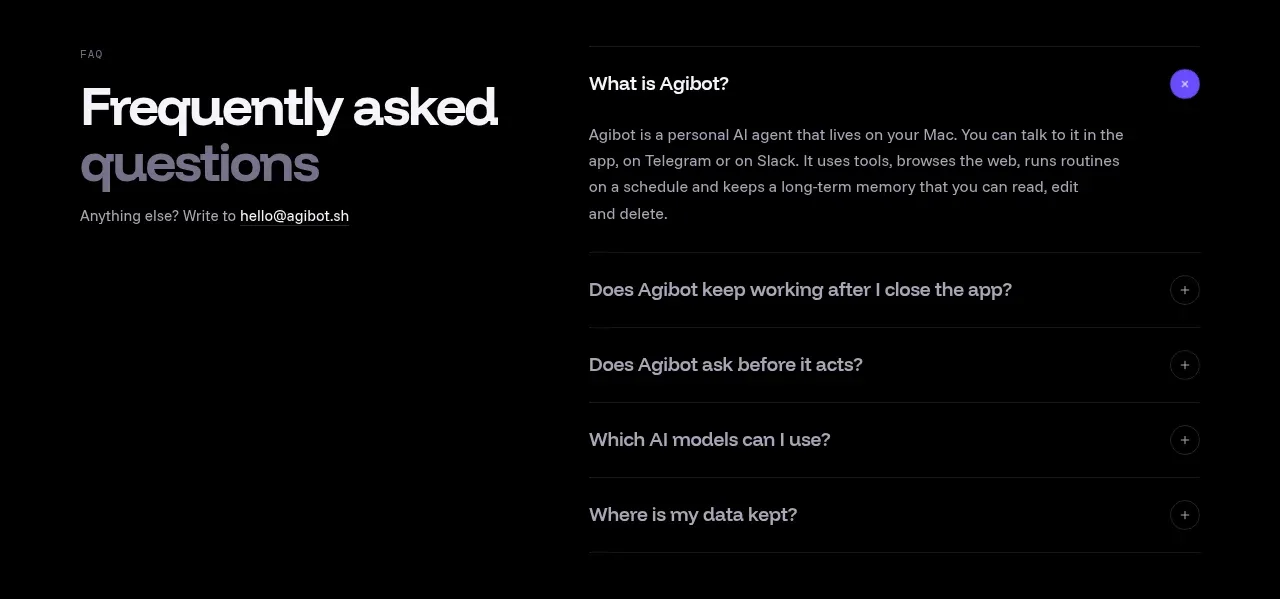
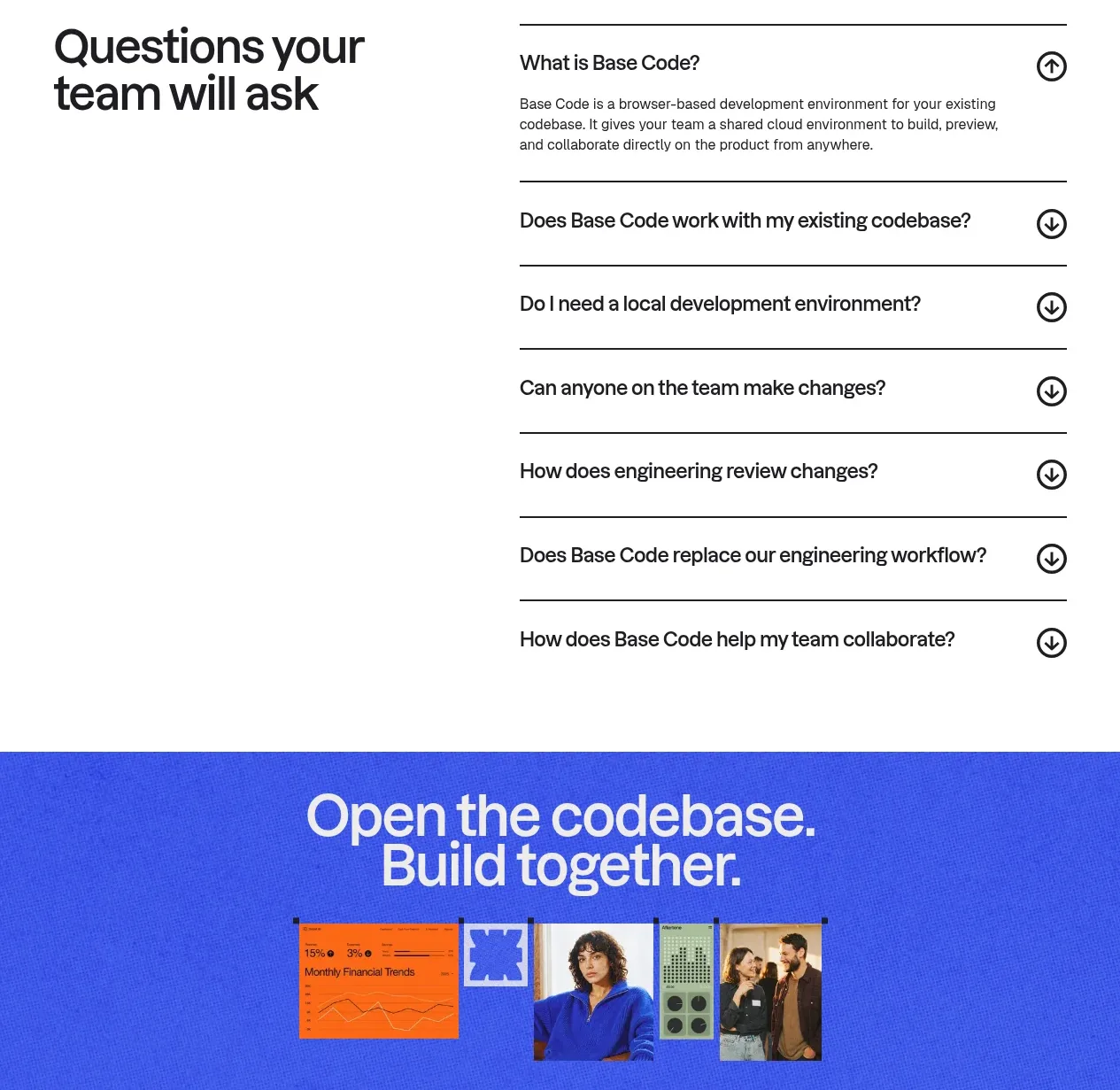
A spacious FAQ uses a large left heading and a ruled question list on the right, with the first answer open to reduce uncertainty immediately.
Prompt preview
## Reference images

Study these alongside the description below: hierarchy, rhythm, spacing, colour. Build for the product you are asked about, using this design language.

- Component: https://kage-design-assets.t3.tigrisfiles.io/components/base-code/bec5af88-964e-4f0a-90b9-76aa2444b6f5-1791871472-7.webp
- Full page it was cut from: https://kage-design-assets.t3.tigrisfiles.io/screenshots/base-code/bec5af88-964e-4f0a-90b9-76aa2444b6f5-1791871315791-full.webp
- Component on Kage: https://kage.design/component/base-code-faq

## Before you start
Ask what questions users repeatedly have about the product and what tone the brand should use. Generate original questions and answers for that product.

Create a two-column FAQ section on a clean white background. Place a large, compact heading in the left column and a vertically ruled accordion list in the right column. Use generous row height, dark one-pixel separators, strong question text, circular arrow controls, and one expanded answer at the top. Keep the answer readable but brief, and use a clear open/closed state with rotation or direction change in the icon. Make all rows keyboard accessible and announce expanded state to assistive technology. On mobile stack the heading above the questions and retain comfortable touch targets.

Never use logos, product names, copy, illustrations, or imagery from the reference.