kage
kage
bonds.chat
Design analysis
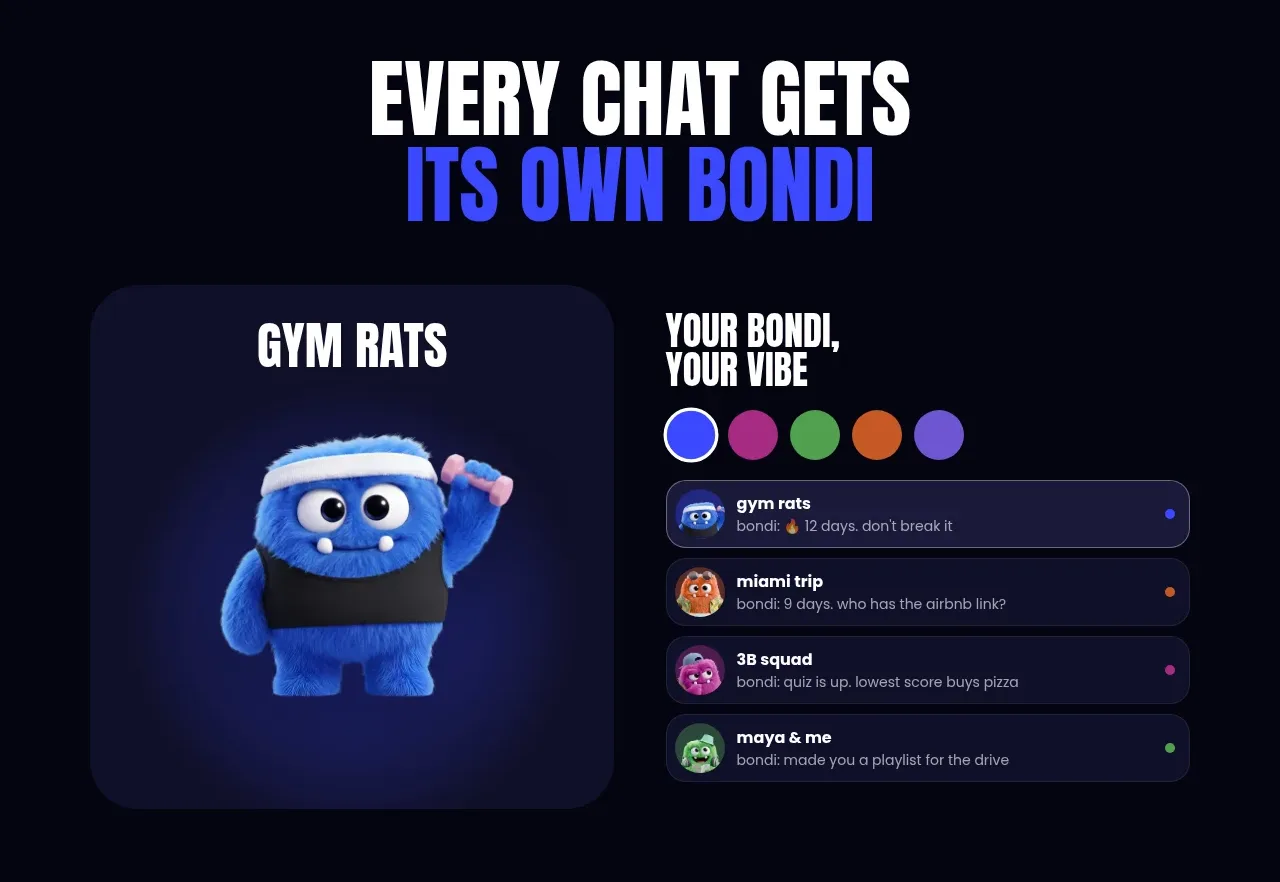
A bold section heading introduces the idea that each chat has its own identity, then pairs a large character card with a chat-list interface and colour choices.
Prompt preview
## Reference images

Study these alongside the description below: hierarchy, rhythm, spacing, colour. Build for the product you are asked about, using this design language.

- Component: https://kage-design-assets.t3.tigrisfiles.io/components/bonds/92b84629-52db-439e-9b50-1b68fbcd9bda-1792562653-2.webp
- Full page it was cut from: https://kage-design-assets.t3.tigrisfiles.io/screenshots/bonds/92b84629-52db-439e-9b50-1b68fbcd9bda-1792562529975-full.webp
- Component on Kage: https://kage.design/component/bonds-hero-2

## Before you start
Ask what the user's product is, what users personalize, and which UI state best demonstrates that value. Adapt the layout and styling to the user's brand.

Build a personalization showcase section on a dark navy canvas (`#050511`). Start with a centered two-line condensed headline, using white for the first line and a saturated blue accent (`#2d3cff`) for the second. Below it, create a balanced two-column demonstration: a large rounded visual card on the left and a compact chat/list interface on the right. Use near-black indigo cards (`#111128`), 18–24px radii, subtle borders (`#272750`), and generous internal padding. Show a small row of circular colour swatches above the list, then stacked rounded list rows with avatar placeholders, title, metadata, and a small status dot. Keep the visual and UI aligned to a shared baseline and stack them on mobile.

Never: use the reference's logos, product names, copy, illustrations, imagery, or exact visual assets.