kage
kage
composio.dev
Design analysis
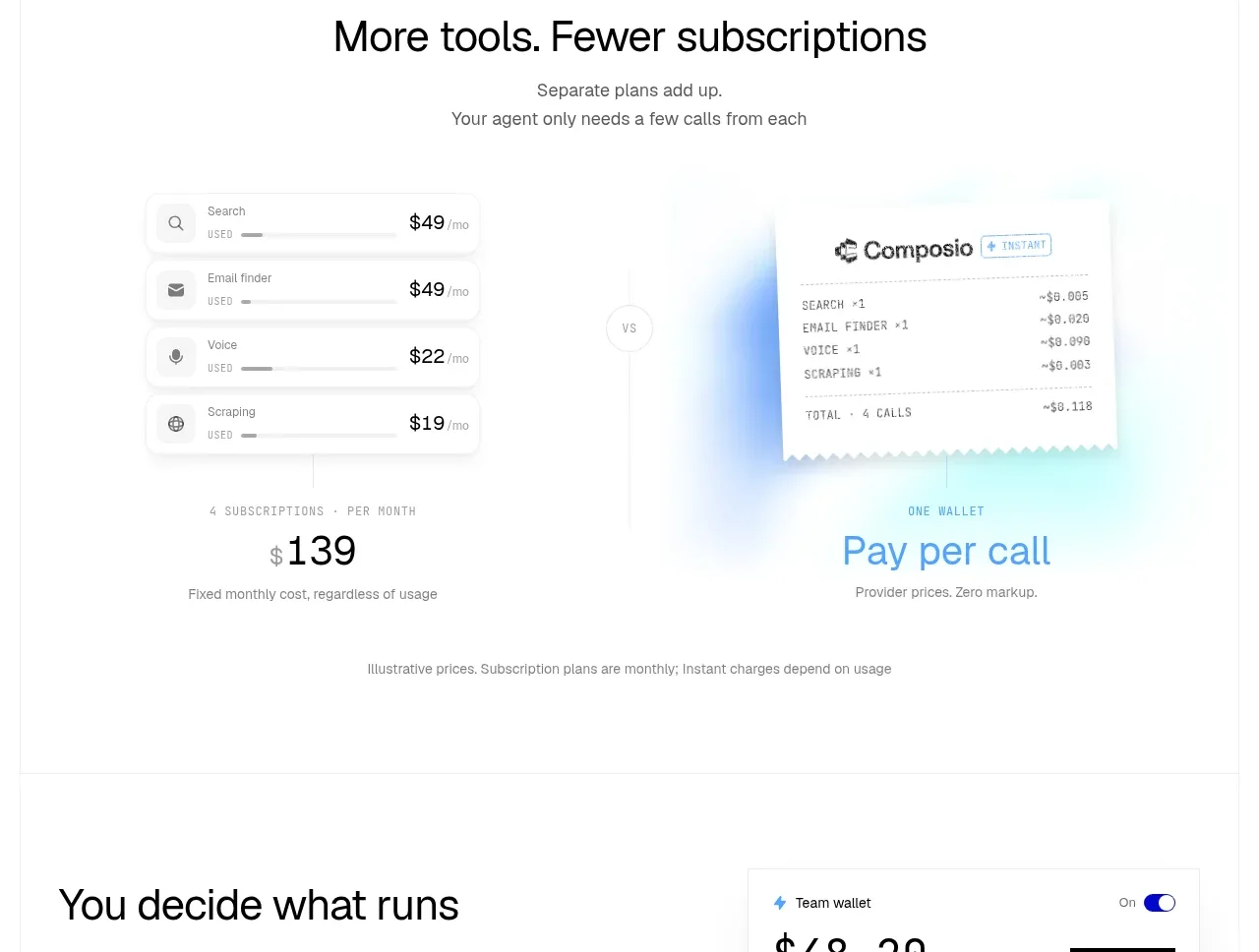
A large comparison section contrasts recurring subscription line items with a consolidated pay-per-use receipt and emphasizes the simpler total outcome.
Prompt preview
## Reference images

Study these alongside the description below: hierarchy, rhythm, spacing, colour. Build for the product you are asked about, using this design language.

- Component: https://kage-design-assets.t3.tigrisfiles.io/components/composio-instant/90b73b03-e2b9-4385-8074-6e8e2bc32f62-1792562873-6.webp
- Full page it was cut from: https://kage-design-assets.t3.tigrisfiles.io/screenshots/composio-instant/90b73b03-e2b9-4385-8074-6e8e2bc32f62-1792562787795-full.webp
- Component on Kage: https://kage.design/component/composio-instant-stats

## Before you start
Ask what the user's product is, who it serves, and what its brand voice and visual identity are. Apply the following principles to that product rather than copying the reference.

Build a pricing comparison band. Start with a centered heading and short explanatory copy, then show two side-by-side visual columns: several stacked recurring-cost rows on the left versus one clean receipt or usage summary on the right, with a small circular comparison marker between them. Below, emphasize the two outcomes as large numeric/stat callouts with short labels. Use white background, light gray row surfaces, hairline dividers, 30–36px numerals, muted blue accent for the favorable outcome, and compact 12–14px explanatory labels. Include a small disclaimer line at the bottom. Stack the columns on mobile.

Never: use logos, product names, copy, illustrations, or imagery from the reference.