kage
kage
maybloc.com
Design analysis
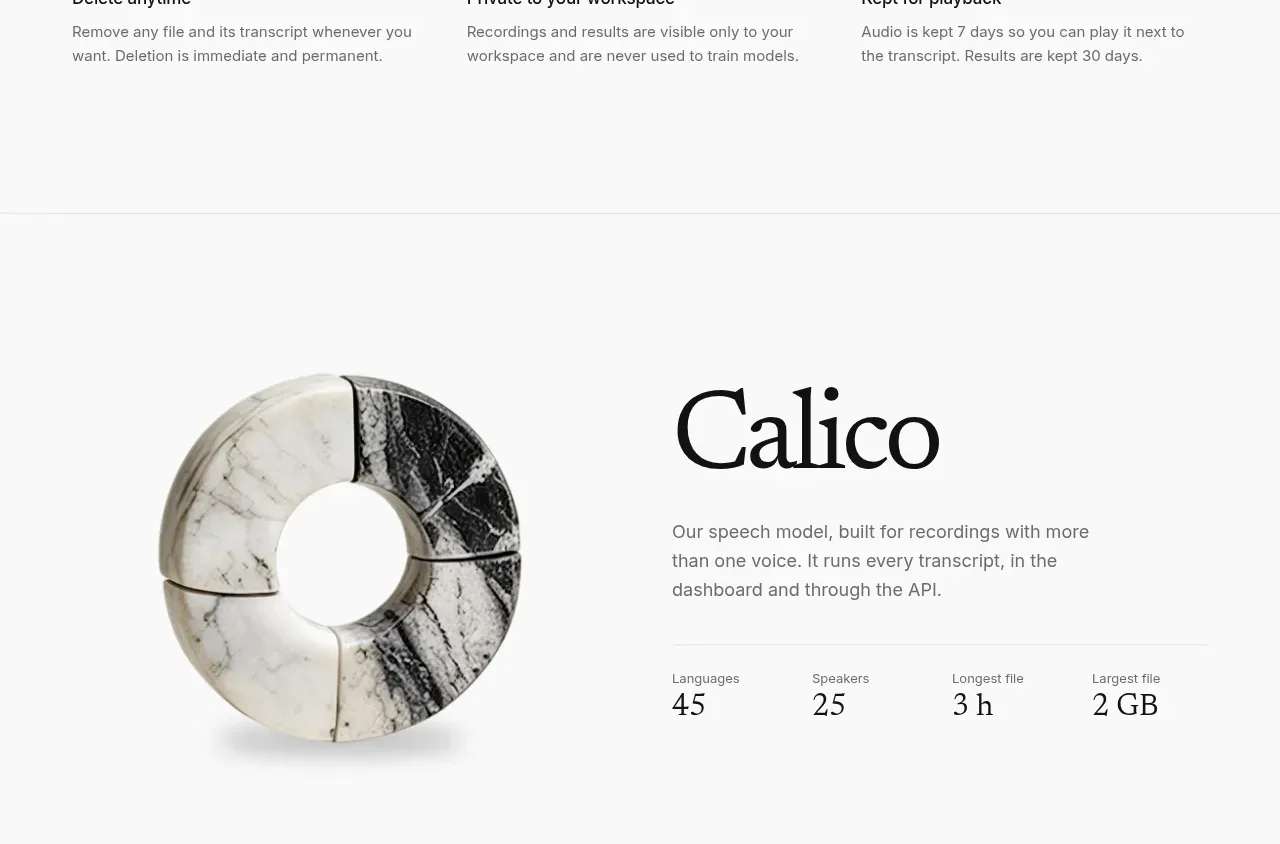
A product/model profile combines a large abstract visual with a name, short description, and four compact capability statistics.
Prompt preview
## Reference images

Study these alongside the description below: hierarchy, rhythm, spacing, colour. Build for the product you are asked about, using this design language.

- Component: https://kage-design-assets.t3.tigrisfiles.io/components/maybloc/1877ee03-3cf3-49f7-b006-226ca2ea42de-1792217042-7.webp
- Full page it was cut from: https://kage-design-assets.t3.tigrisfiles.io/screenshots/maybloc/1877ee03-3cf3-49f7-b006-226ca2ea42de-1792216974687-full.webp
- Component on Kage: https://kage.design/component/maybloc-stats-2

## Before you start
Ask what the user's product is, who it serves, and what brand voice and visual identity it should use. Apply the principles below to that product rather than reproducing the reference.

Build a split capability profile section. Place a large original abstract 3D or geometric visual on the left and, on the right, a serif title, a short sans-serif description, and a four-item stats row separated by a thin rule. Stats should use small uppercase labels and larger serif values. Maintain a calm white canvas, #111111 text, #707070 copy, #e4e4e4 rules, and generous 64–96px section padding. Keep the visual clipped or softly shadowed rather than dominant. On mobile stack the visual above the content and let the stat items wrap into a two-column grid.

Never: use the reference's logo, product name, copy, illustrations, imagery, or exact model name or figures.