 kage
kage
jackalope.dev

Design analysis
This section explains the product ecosystem with a central project node and four surrounding concepts, then reinforces it with four concise explanatory feature blocks.
Prompt preview
## Reference images

Study these alongside the description below: hierarchy, rhythm, spacing, colour. Build for the product you are asked about, using this design language.

- Component: https://kage-design-assets.t3.tigrisfiles.io/components/jackalope/0b3edf93-8385-4e4a-8f92-3c01052ad81d-1789193037-3.webp
- Full page it was cut from: https://kage-design-assets.t3.tigrisfiles.io/screenshots/jackalope/0b3edf93-8385-4e4a-8f92-3c01052ad81d-1789192903236-full.webp
- Component on Kage: https://kage.design/component/jackalope-feature-grid-2

## Before you start
Ask what parts of the user's product ecosystem need to work together and which relationships matter most. Apply this information to the structure below.

Create an ecosystem overview section with a centered headline, a wide diagram card showing one central project or workspace node connected to four peripheral concepts, and a two-column grid of four explanatory items below. Use thin indigo connector lines, small outlined icons, restrained labels, and a central visual anchor. Keep the diagram in a pale neutral/lilac panel near #f3f2fa, with indigo #4d3fe5 and charcoal #181821. Use 40–48px heading typography, 18–22px item headings, 14–16px body text, 1px separators, 24px internal padding, and 12–16px corner radii. Ensure the diagram has a clear mobile fallback that stacks nodes rather than becoming unreadable.

Never: use logos, product names, copy, illustrations, or imagery from the reference.
More components

 Workflow demonstrations
Papermark Data Rooms · Feature grid
Workflow demonstrations
Papermark Data Rooms · Feature grid
 Advanced data-room features
Papermark Data Rooms · Feature grid
Advanced data-room features
Papermark Data Rooms · Feature grid
 Data-room education and security overview
Papermark Data Rooms · Feature grid
Data-room education and security overview
Papermark Data Rooms · Feature grid

 Lanyard use-case feature
Badgey · Feature grid
Lanyard use-case feature
Badgey · Feature grid
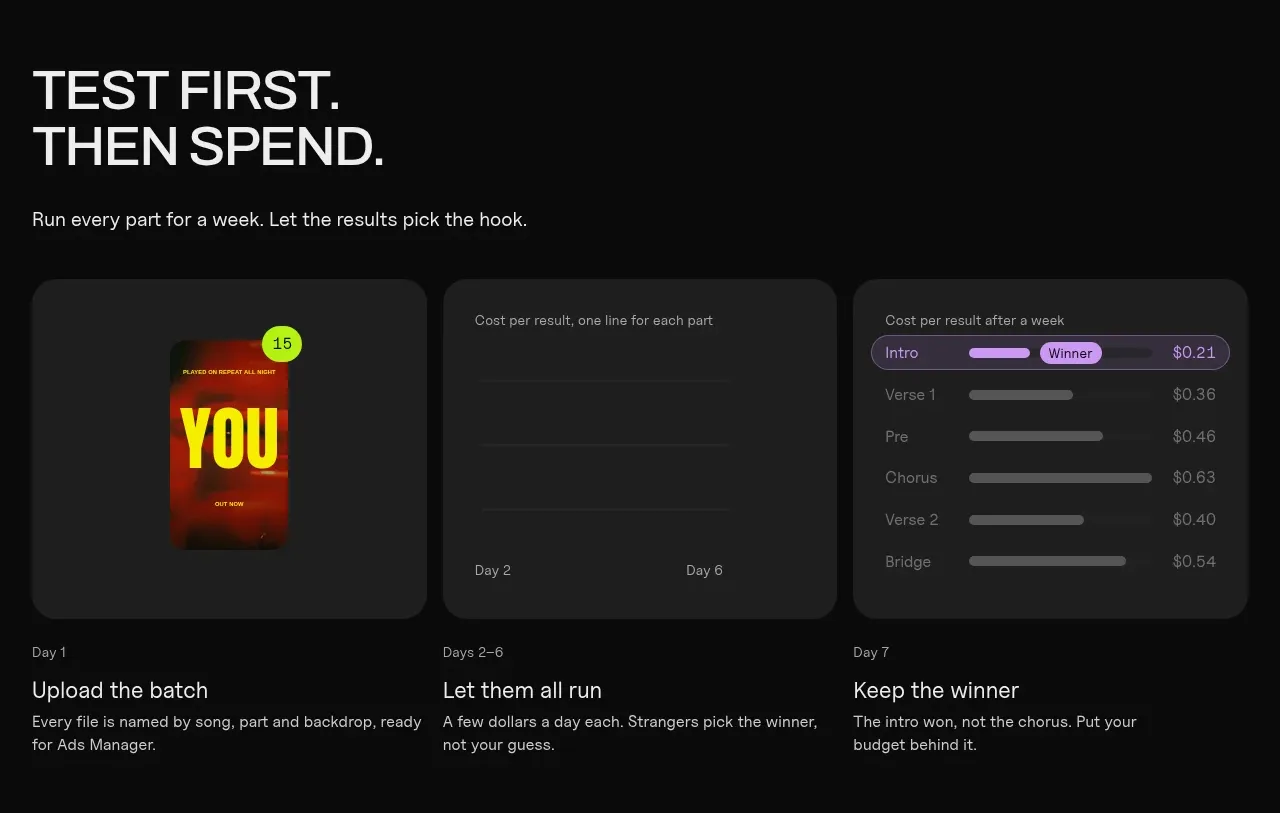
 Testing workflow
Clips by Plastic · Feature grid
Testing workflow
Clips by Plastic · Feature grid
 Four value propositions
Clips by Plastic · Feature grid
Four value propositions
Clips by Plastic · Feature grid