 kage
kage
papermark.com

Design analysis
This editorial section explains what a data room is, why it matters, and how security/compliance supports the use case. It shifts from two-column explanatory copy into a structured certification-and-capability grid.
Prompt preview
## Reference images

Study these alongside the description below: hierarchy, rhythm, spacing, colour. Build for the product you are asked about, using this design language.

- Component: https://kage-design-assets.t3.tigrisfiles.io/components/papermark-data-rooms/d90c2ffc-2788-45c6-a044-36fe7b171e0c-1792994578-4.webp
- Full page it was cut from: https://kage-design-assets.t3.tigrisfiles.io/screenshots/papermark-data-rooms/d90c2ffc-2788-45c6-a044-36fe7b171e0c-1792994482140-full.webp
- Component on Kage: https://kage.design/component/papermark-data-rooms-feature-grid

## Before you start
Ask what concept needs explaining, what objections users have, and which security or compliance claims are genuinely supported by the user's product. Apply the principles below to that product.

Build an educational feature section that begins with a clear heading and subtitle, then uses a two-column editorial layout: the left column explains the category and business problem, while the right column explains why the product is a fit and lists practical use cases. Follow it with a security overview split into a narrative column and a dense grid of certification, infrastructure, and protection cards. Use strong section rhythm with 64–96px outer spacing, 28–36px headline type, 14–16px body copy, and small 12–13px labels. Keep the grid cards compact but readable, with white surfaces, #E5E5E5 borders, 4–8px radii, and very light shadows. Use black and gray typography with a restrained accent for compliance marks or bullets. On mobile, stack the columns and convert the cards to one column; preserve visible grouping and avoid tiny text.

Never: use logos, product names, copy, illustrations, or imagery from the reference.
More components

 Workflow demonstrations
Papermark Data Rooms · Feature grid
Workflow demonstrations
Papermark Data Rooms · Feature grid
 Advanced data-room features
Papermark Data Rooms · Feature grid
Advanced data-room features
Papermark Data Rooms · Feature grid

 Lanyard use-case feature
Badgey · Feature grid
Lanyard use-case feature
Badgey · Feature grid

 Effects and customization panel
Clips by Plastic · Feature grid
Effects and customization panel
Clips by Plastic · Feature grid
 Problem statement
Clips by Plastic · Feature grid
Problem statement
Clips by Plastic · Feature grid
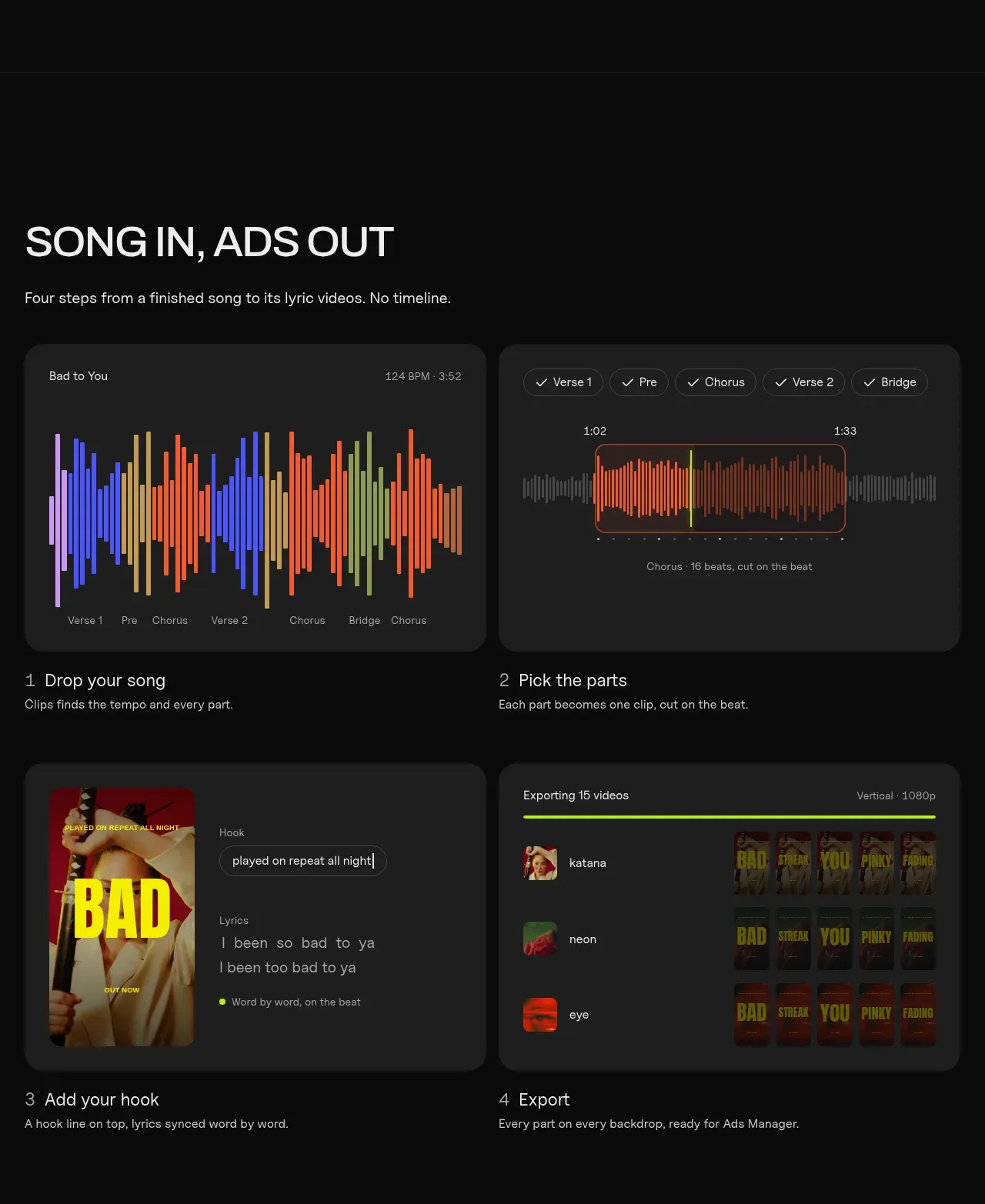 Four-step workflow
Clips by Plastic · Feature grid
Four-step workflow
Clips by Plastic · Feature grid