 kage
kage
papermark.com

Design analysis
A feature explorer pairs a vertical capability list with a large contextual product image. The active item is highlighted subtly, keeping the section interactive while showing the actual workflow rather than abstract claims.
Prompt preview
## Reference images

Study these alongside the description below: hierarchy, rhythm, spacing, colour. Build for the product you are asked about, using this design language.

- Component: https://kage-design-assets.t3.tigrisfiles.io/components/papermark-data-rooms/d90c2ffc-2788-45c6-a044-36fe7b171e0c-1792994579-5.webp
- Full page it was cut from: https://kage-design-assets.t3.tigrisfiles.io/screenshots/papermark-data-rooms/d90c2ffc-2788-45c6-a044-36fe7b171e0c-1792994482140-full.webp
- Component on Kage: https://kage.design/component/papermark-data-rooms-feature-grid-2

## Before you start
Ask which 5–10 capabilities should be explored and what interface states best demonstrate them. Apply the principles below to that product.

Create an interactive feature explorer with a heading and subtitle, then a two-column panel: a narrow vertical list of capabilities on the left and a large contextual product preview on the right. The active capability should use a soft tinted background, darker text, and a small indicator; inactive items should remain quiet. Clicking an item should update the explanatory text and screenshot with a short crossfade, while the default state remains useful without interaction. Use 14–15px feature labels, 12–14px supporting descriptions, a 32–40px section heading, and 24–32px panel padding. Use white surfaces, #F7F8FA inactive panels, #F1F1F1 borders, 8–12px radius, and one subtle brand tint. Stack the list above the visual on mobile.

Never: use logos, product names, copy, illustrations, or imagery from the reference.
More components

 Workflow demonstrations
Papermark Data Rooms · Feature grid
Workflow demonstrations
Papermark Data Rooms · Feature grid
 Data-room education and security overview
Papermark Data Rooms · Feature grid
Data-room education and security overview
Papermark Data Rooms · Feature grid

 Lanyard use-case feature
Badgey · Feature grid
Lanyard use-case feature
Badgey · Feature grid

 Effects and customization panel
Clips by Plastic · Feature grid
Effects and customization panel
Clips by Plastic · Feature grid
 Problem statement
Clips by Plastic · Feature grid
Problem statement
Clips by Plastic · Feature grid
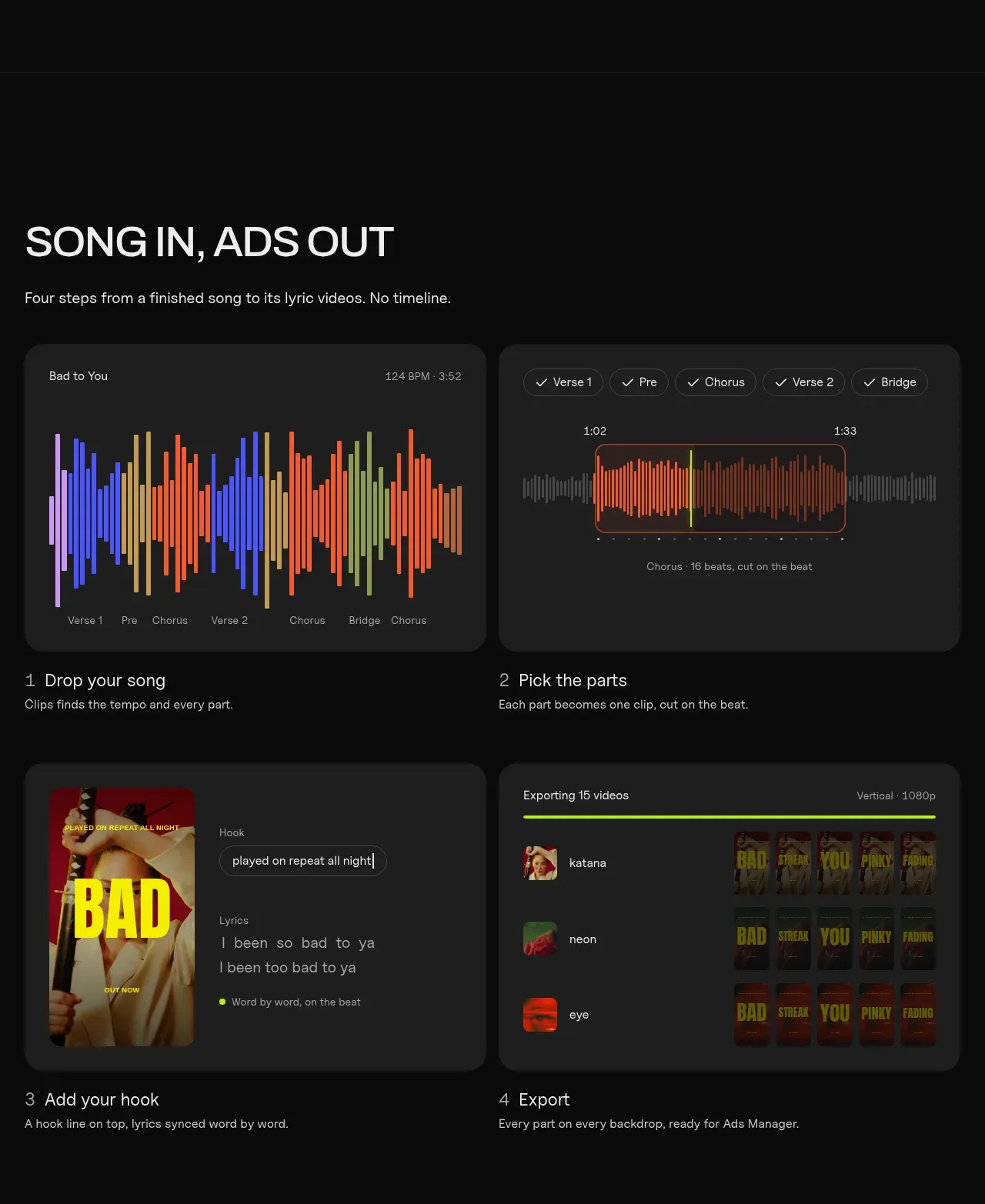 Four-step workflow
Clips by Plastic · Feature grid
Four-step workflow
Clips by Plastic · Feature grid