kage
kage
layernote.io
Design analysis
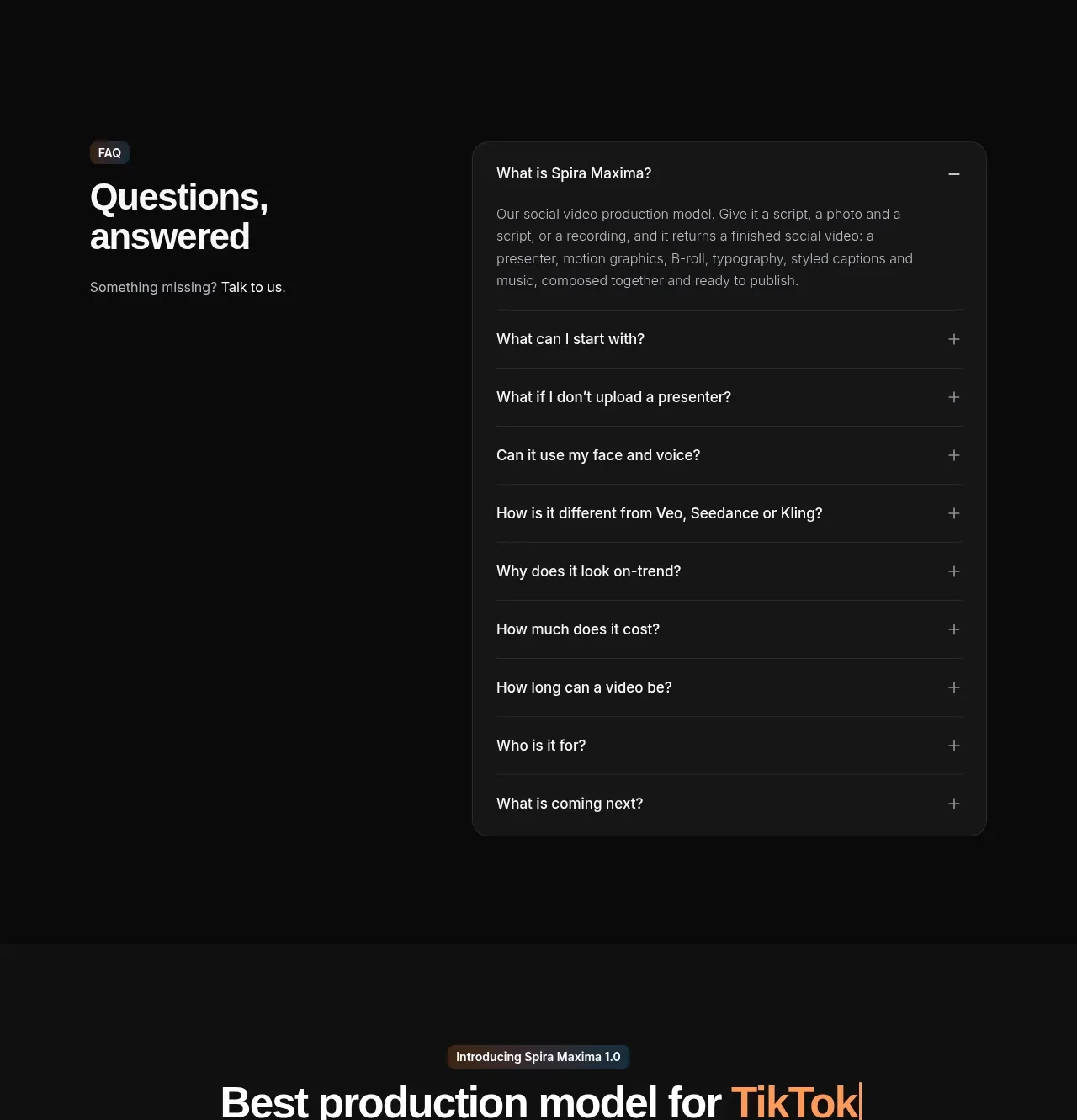
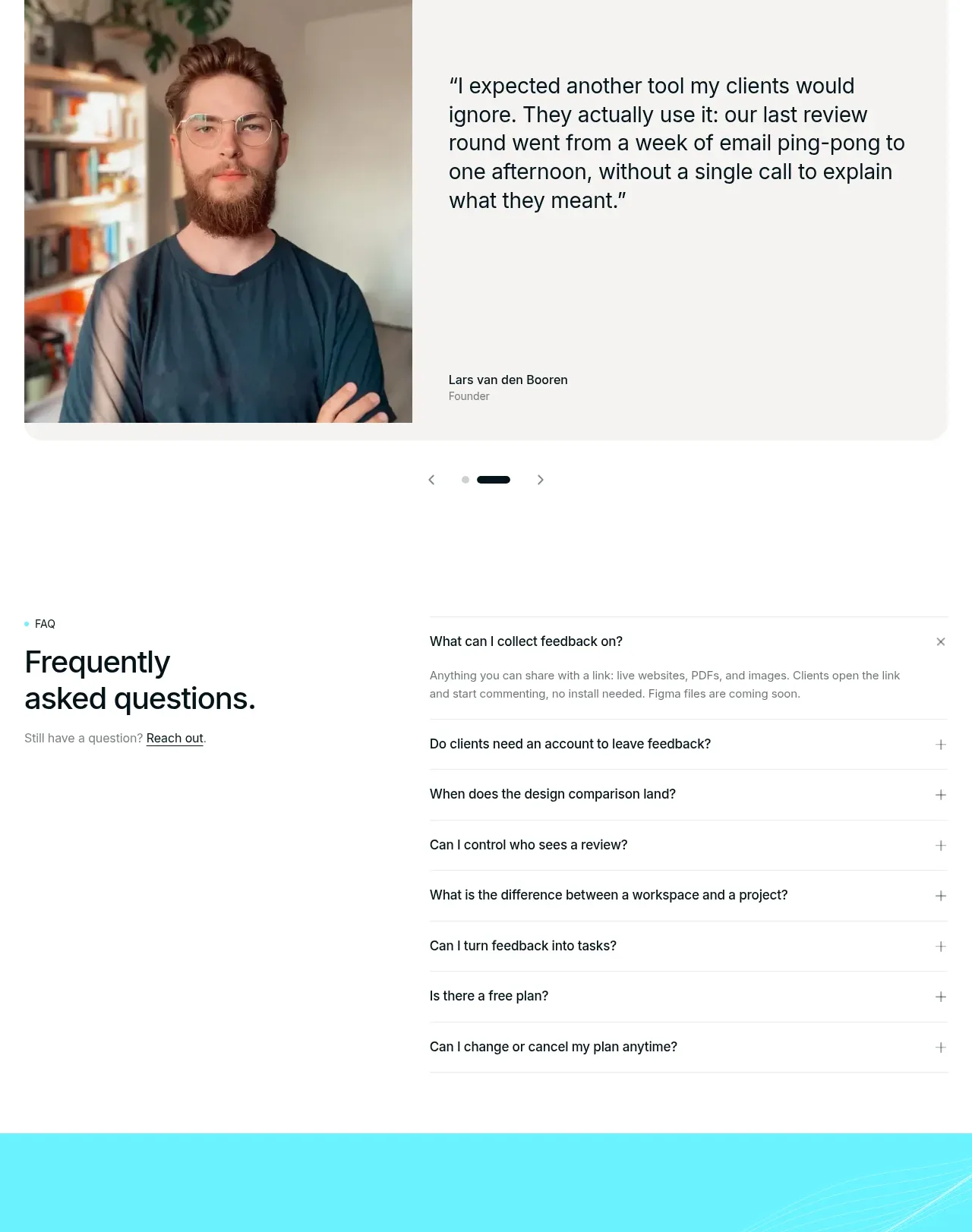
The FAQ uses a two-column layout: a stable intro and contact prompt on the left, and a clean accordion list on the right. One answer is open while the remaining questions stay compact.
Prompt preview
## Reference images

Study these alongside the description below: hierarchy, rhythm, spacing, colour. Build for the product you are asked about, using this design language.

- Component: https://kage-design-assets.t3.tigrisfiles.io/components/layernote/c87f4990-99cd-473d-ba2e-c718b2a2f8cb-1790402580-10.webp
- Full page it was cut from: https://kage-design-assets.t3.tigrisfiles.io/screenshots/layernote/c87f4990-99cd-473d-ba2e-c718b2a2f8cb-1790402512875-full.webp
- Component on Kage: https://kage.design/component/layernote-faq

## Before you start
Ask what objections, setup questions, billing concerns, and support topics the user's audience has. Turn those verified answers into a useful FAQ.

Build a spacious FAQ section with a small cyan eyebrow, a strong two-line heading, and a short support link or contact CTA on the left. On the right, render questions as full-width accordion rows separated by 1px #e6ece9 rules; each row has a clear question, plus/minus control, and answer text when expanded. Use #101617 headings, #6f7979 body copy, generous 18–24px vertical padding, and a subtle cyan focus ring. Open only the most useful first answer by default, animate height and icon rotation respectfully, and stack the columns on mobile. Ensure keyboard operation, ARIA expanded state, and sufficient contrast.

Never use the reference's logo, product name, copy, illustrations, imagery, or exact visual assets.