kage
kage
naise.ai
Design analysis
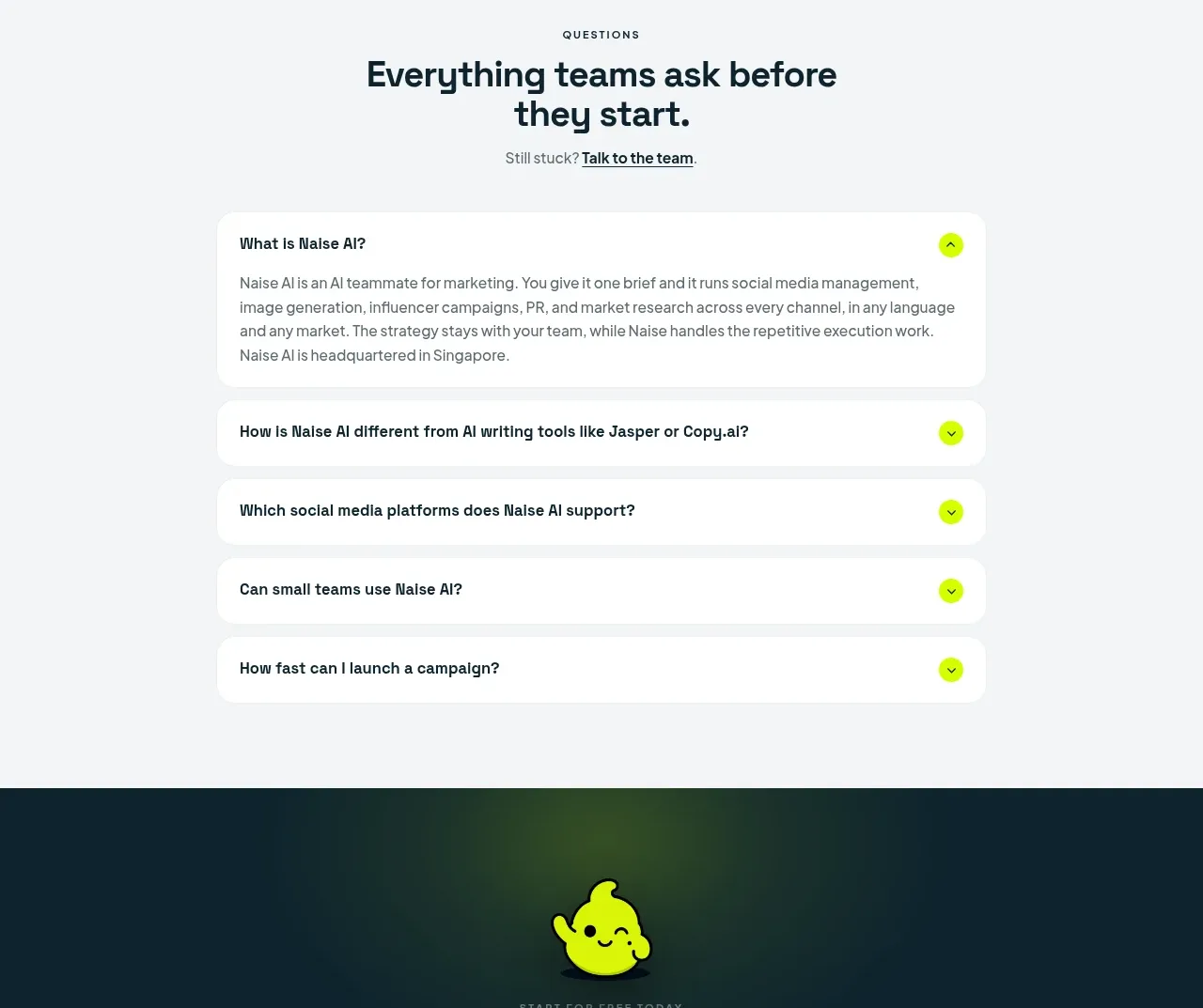
A focused FAQ uses a centered heading and stacked rounded accordion rows, with one answer expanded to demonstrate the interaction.
Prompt preview
## Reference images

Study these alongside the description below: hierarchy, rhythm, spacing, colour. Build for the product you are asked about, using this design language.

- Component: https://kage-design-assets.t3.tigrisfiles.io/components/naise-ai/7a5a1374-ad41-4c97-8974-81f691da0cb9-1790229780-10.webp
- Full page it was cut from: https://kage-design-assets.t3.tigrisfiles.io/screenshots/naise-ai/7a5a1374-ad41-4c97-8974-81f691da0cb9-1790229706709-full.webp
- Component on Kage: https://kage.design/component/naise-faq

## Before you start
Ask what the user's product and brand are, then apply these principles to that product rather than reproducing this reference.

Build an FAQ section on a pale gray background #f5f7f7 with a centered uppercase eyebrow, two-line heading, and a small support link. Below, constrain a vertical accordion to about 65–72% of the viewport width. Use white rounded rows with 16–20px gaps or subtle separation, 18–22px radii, bold 14–16px questions, and circular lime expand buttons containing plus/chevron icons. Keep one item open initially with readable answer text and animate height and icon rotation. Ensure only one or several items can be open according to the product's needs, and make each row keyboard accessible. Stack and widen the accordion on mobile.

Never: use logos, product names, copy, illustrations, or imagery from the reference.