kage
kage
world.pixverse.video
Design analysis
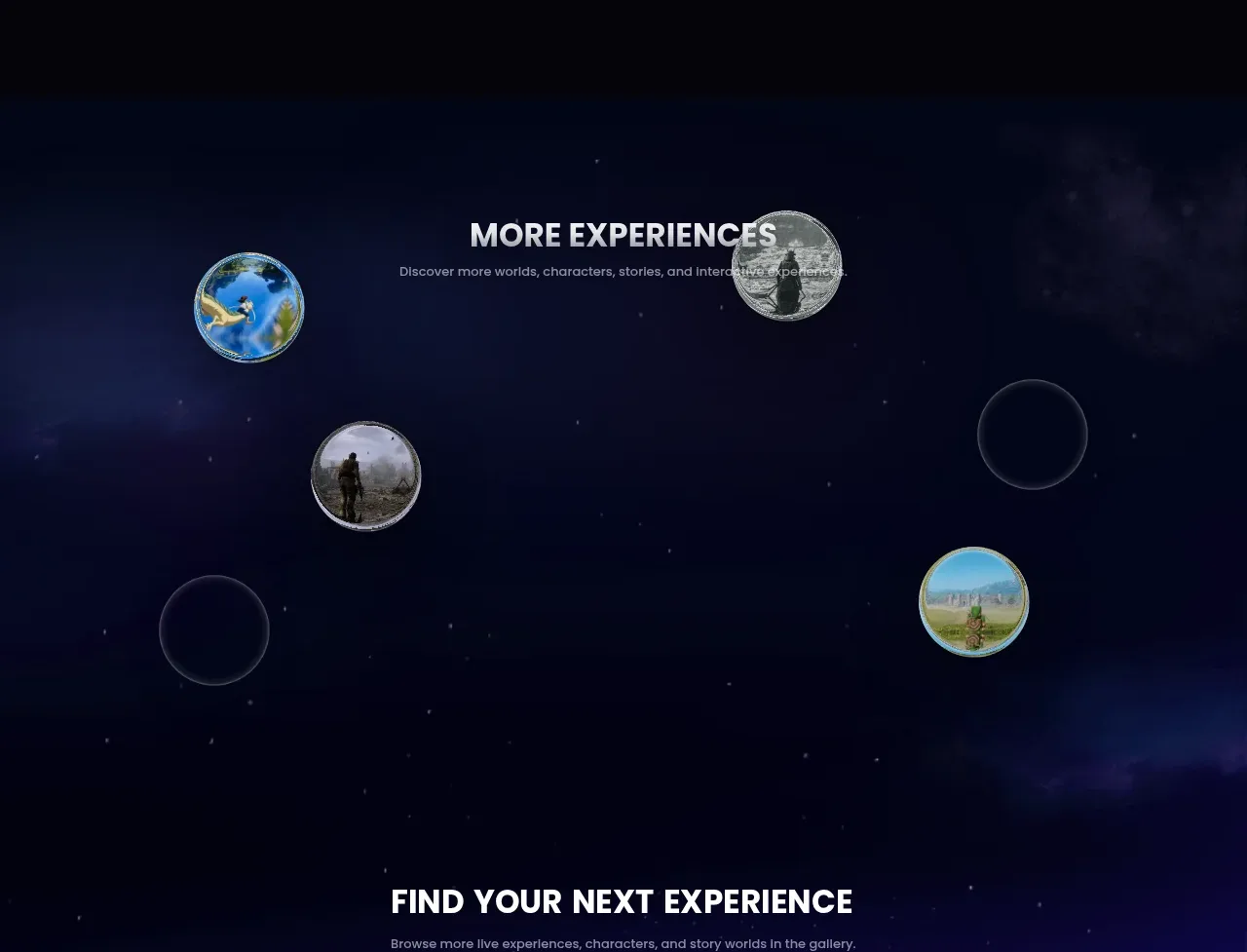
A starry immersive gallery presents the next set of experiences as floating circular thumbnails distributed around a centered heading, creating a playful discovery field.
Prompt preview
## Reference images

Study these alongside the description below: hierarchy, rhythm, spacing, colour. Build for the product you are asked about, using this design language.

- Component: https://kage-design-assets.t3.tigrisfiles.io/components/pixverse-r2/7176eddd-e6f3-4887-9746-7bf2cc36c14b-1790402471-4.webp
- Full page it was cut from: https://kage-design-assets.t3.tigrisfiles.io/screenshots/pixverse-r2/7176eddd-e6f3-4887-9746-7bf2cc36c14b-1790402442610-full.webp
- Component on Kage: https://kage.design/component/pixverse-r2-gallery

## Before you start
Ask what the user's product, audience, and brand are, then create an original discovery gallery using the same interaction principles, not the reference assets.

Build an immersive gallery section with a dark space-like or atmospheric background and a centered heading/subtitle near the upper portion. Place 4–6 circular or softly rounded media nodes across a large responsive stage, using varied sizes and positions to create an orbital/discovery composition rather than a rigid grid. Give each node a thin translucent border, subtle outer glow, and an accessible label or tooltip on hover/focus. Keep several nodes slightly subdued or empty-looking so the composition has depth, while one or two remain visually prominent. Use #050817 and #07102a as the base, blue-violet radial glows around #18256b, white heading text #f3f2f5, and muted copy #9695a8. Use 1px rgba(255,255,255,.3) borders, circular 50% radius, and restrained shadows. On mobile, reflow into a 2-column grid or compact orbit so nothing is clipped. Add gentle hover scale/brightness and keyboard focus, with reduced-motion support.

Never use logos, product names, copy, illustrations, or imagery from the reference.