kage
kage
plastic.audio

Design analysis
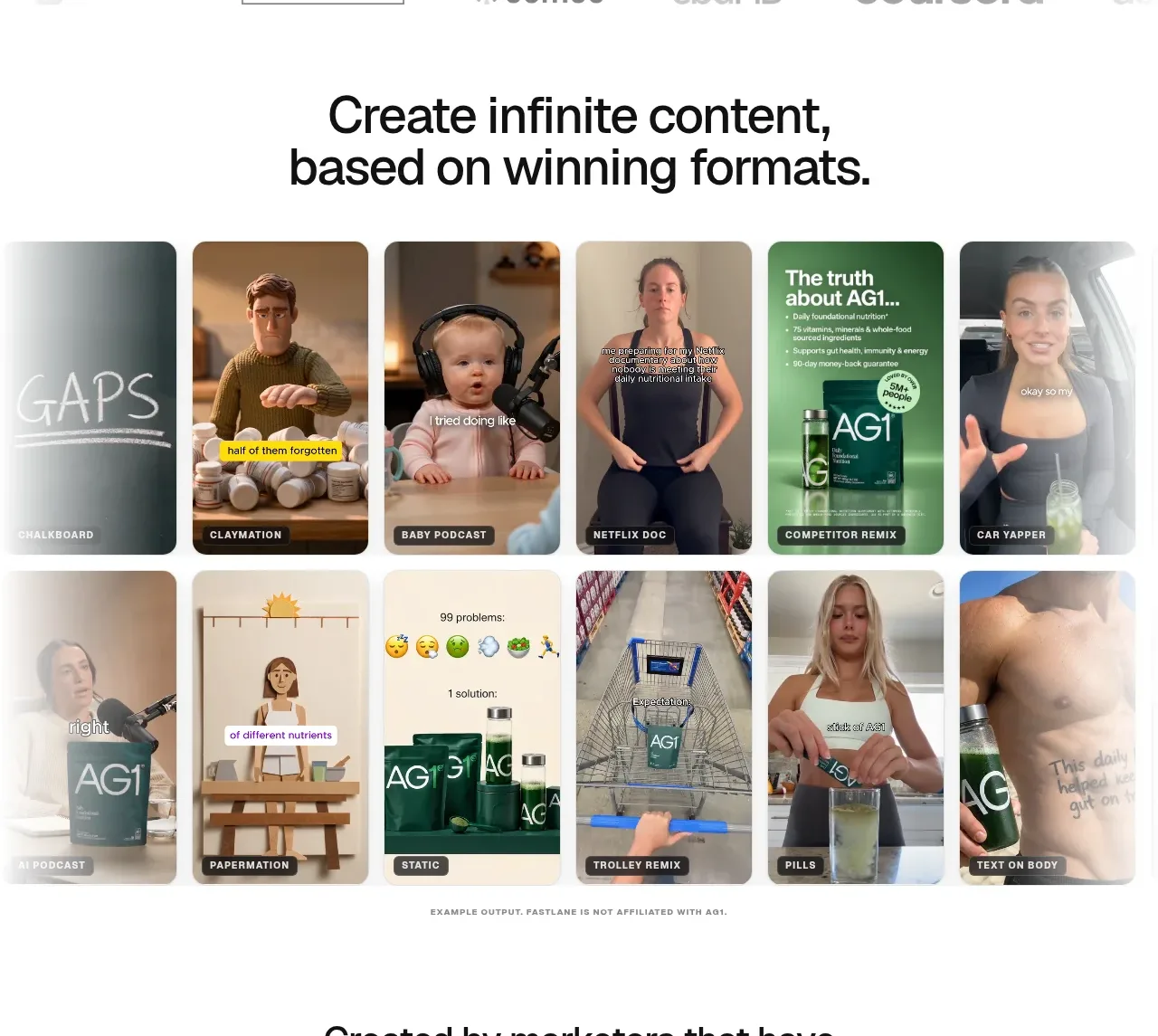
A row of tall visual cards shows multiple generated outputs at a glance, with short labels beneath each card to communicate batch variation.
Prompt preview
## Reference images

Study these alongside the description below: hierarchy, rhythm, spacing, colour. Build for the product you are asked about, using this design language.

- Component: https://kage-design-assets.t3.tigrisfiles.io/components/clips-by-plastic/ad43fef6-0048-4f88-83ea-4278fc30c273-1792994534-2.webp
- Full page it was cut from: https://kage-design-assets.t3.tigrisfiles.io/screenshots/clips-by-plastic/ad43fef6-0048-4f88-83ea-4278fc30c273-1792994476004-full.webp
- Component on Kage: https://kage.design/component/clips-by-plastic-gallery

## Before you start
Ask what kind of outputs the user's product creates and what brand style should govern them, then apply these principles.

Build a horizontal gallery of five evenly sized portrait cards inside a dark section. Use consistent aspect ratios, 10–12px radii, narrow gaps, and short labels aligned below each card. Let each card have a strong visual focal point and an overlay treatment or caption where useful, but keep the gallery scannable. Use near-black surrounding space, subdued gray labels, and a single accent color for small metadata. On mobile, turn the row into a horizontally scrollable strip with snap points and visible partial next-card affordance.

Never: use logos, product names, copy, illustrations, or imagery from the reference.