kage
kage
trycase.dev
Design analysis
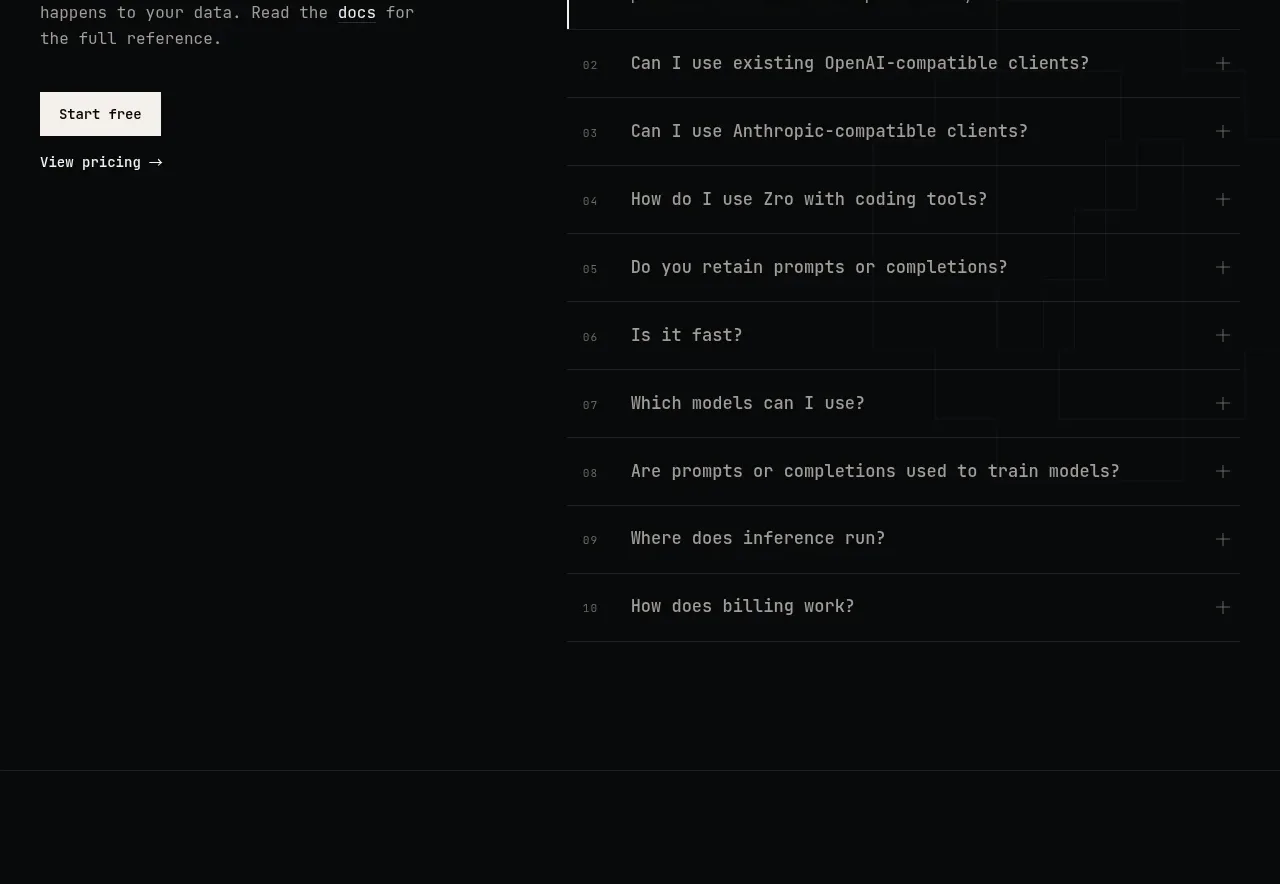
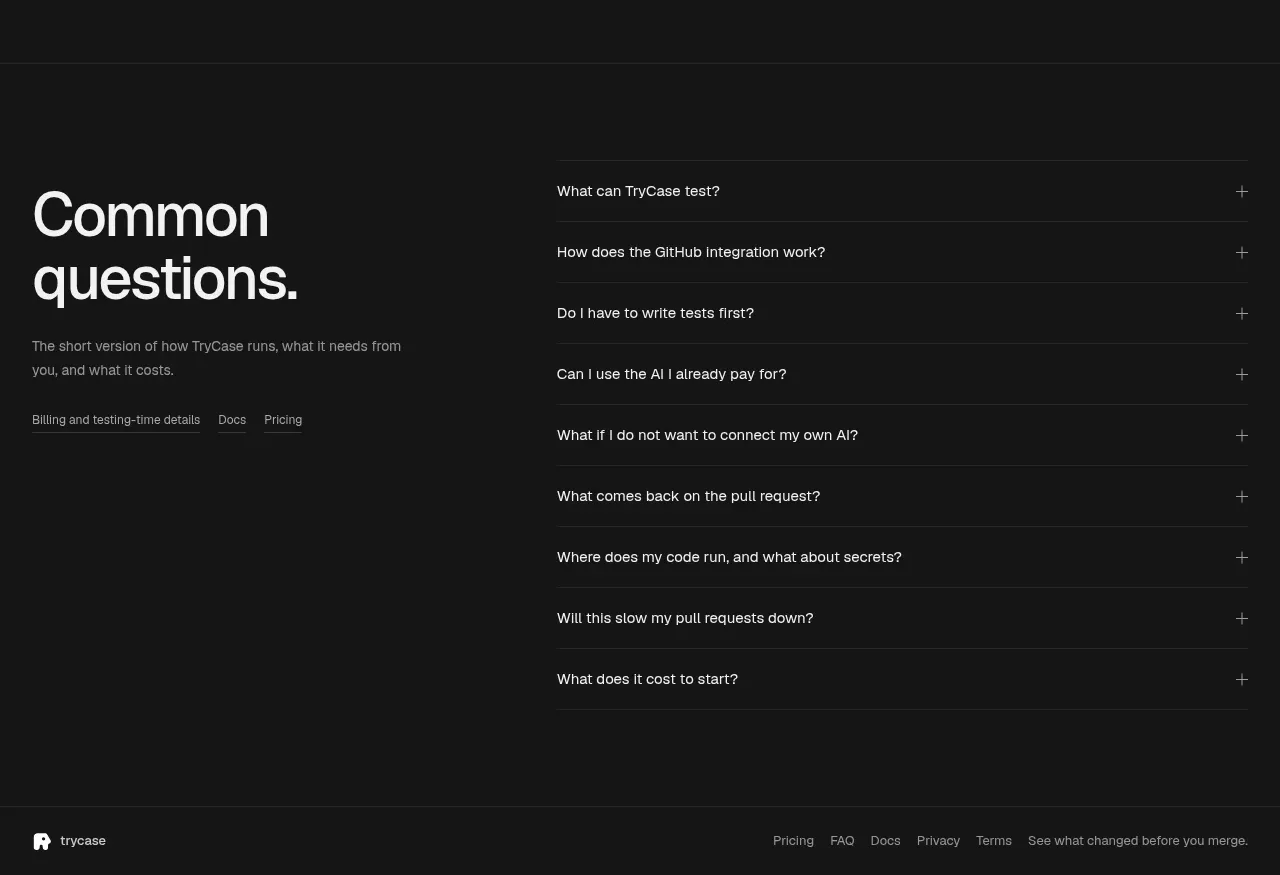
The FAQ uses a strong left-side introduction and a long, orderly accordion list on the right. Thin dividers and plus controls keep many questions legible without visual clutter.
Prompt preview
## Reference images

Study these alongside the description below: hierarchy, rhythm, spacing, colour. Build for the product you are asked about, using this design language.

- Component: https://kage-design-assets.t3.tigrisfiles.io/components/trycase/bc7fc0fa-2eda-4dd0-a163-94201d1f5c68-1789452163-4.webp
- Full page it was cut from: https://kage-design-assets.t3.tigrisfiles.io/screenshots/trycase/bc7fc0fa-2eda-4dd0-a163-94201d1f5c68-1789452104312-full.webp
- Component on Kage: https://kage.design/component/trycase-faq

## Before you start
Ask the user which objections, setup questions, pricing concerns, and security questions matter most for their product. Then build an original FAQ using the rules below.

Create a dark two-column FAQ section with an introductory block and an accordion list.

- Use a near-black background around `#111111`, with generous top and bottom padding and a faint section border.
- Align the section to a centered max-width container. On desktop, give the intro roughly 35–40% width and the question list the remaining width; stack them on mobile.
- Use a large 44–56px heading with a short muted summary below, followed by a few small related links if useful.
- Render each question as a full-width row with 14–16px text, 18–24px vertical padding, and a 1px divider around `#292929`.
- Place a small plus/minus control at the far right in muted gray. On open state, reveal the answer with a smooth but restrained height transition and change the icon to indicate state.
- Use white or `#e8e8e8` for questions, `#8d8d8d` for answers, and a subtle accent such as `#e34867` only for focus or active state.
- Ensure accordion buttons are semantic, keyboard accessible, and support only one or multiple open items according to the product's content needs.

### Never
- Never copy the reference questions, links, product name, or exact copy.
- Never hide essential pricing, privacy, or security information only inside the accordion.
- Never use oversized icons, cards, or decorative illustrations that compete with the questions.