kage
kage
vibeide.dev
Design analysis
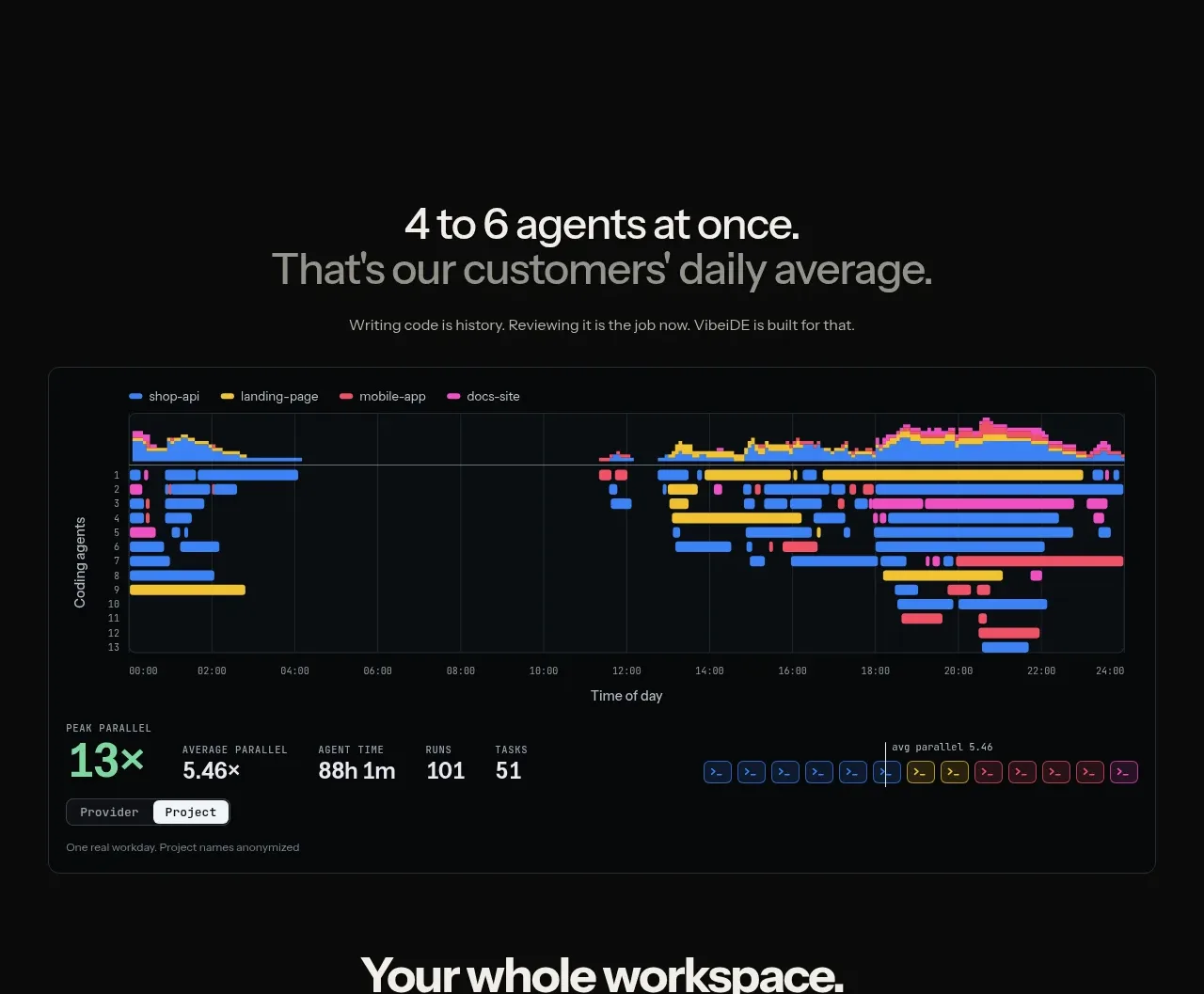
A centered claim leads into a large dark analytics panel with a timeline, colored workload bars, and prominent aggregate metrics that make the product’s throughput tangible.
Prompt preview
## Reference images

Study these alongside the description below: hierarchy, rhythm, spacing, colour. Build for the product you are asked about, using this design language.

- Component: https://kage-design-assets.t3.tigrisfiles.io/components/vibeide/07b340e8-2f64-4d74-b3e0-eba165a9aca9-1793080889-3.webp
- Full page it was cut from: https://kage-design-assets.t3.tigrisfiles.io/screenshots/vibeide/07b340e8-2f64-4d74-b3e0-eba165a9aca9-1793080830929-full.webp
- Component on Kage: https://kage.design/component/vibeide-stats

## Before you start
Ask what the user's product and brand are, then apply the principles below to that product rather than reproducing this reference.

Create a dark proof section with a centered two-line headline, one muted explanatory sentence, and a wide bordered analytics panel below. The panel should include a compact legend, a timeline chart showing parallel colored work streams, labeled axes, and a bottom metric strip with 3–5 large values and short labels. Use a near-black page (#080909), panel #0b1010, border #252a29, text #f1f1ed, muted #858986, and data colors mint #82e0ae, blue #4b8df8, yellow #efc33f, coral #ef6c78, and magenta #db53a7. Keep the chart legible with faint grid lines, 12px labels, 8–10px radius, and responsive horizontal scrolling on mobile. Add hover tooltips for data points if interactive.

Never use the reference statistics, copy, chart data, product name, or exact visual design.