kage
kage
formabledocs.com
Design analysis
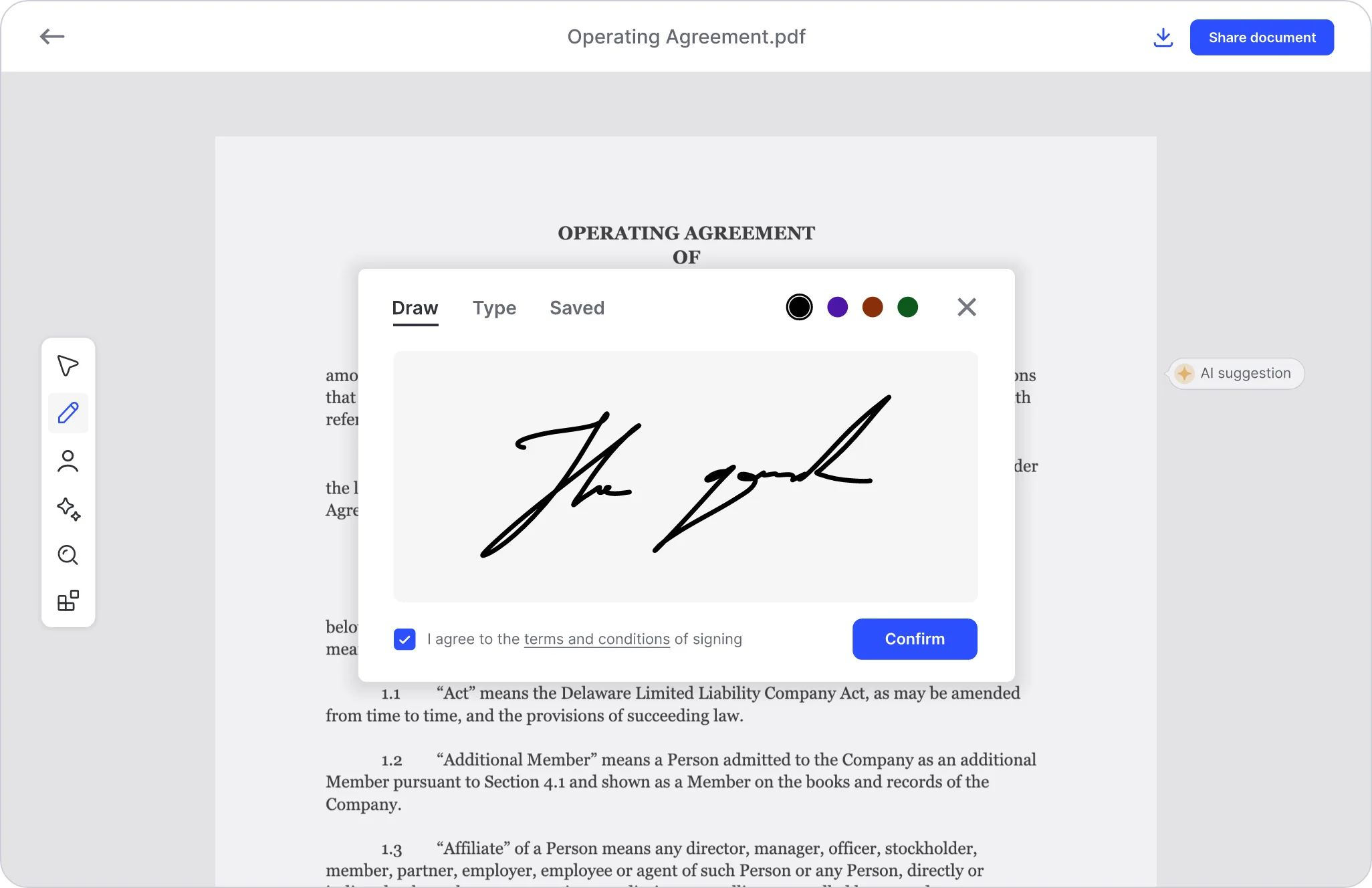
This OG card is effectively a raw product screenshot at 4:3-ish ratio presented as a social image: a full document-editor view with a signature modal floating over an "Operating Agreement.pdf". Composition relies on depth — a greyed document canvas behind, a crisp white modal with a large hand-drawn signature as the focal point, a blue "Confirm" button and "Share document" pill anchoring opposite corners. It works as a social card because the signature gesture instantly communicates e-signing, but it is not designed as a 1200×630 card: no wordmark, no headline, and letterboxed edges.
Prompt preview
## Reference images

Study these alongside the description below: hierarchy, rhythm, spacing, colour. Build for the product you are asked about, using this design language.

- Screenshot: https://kage-design-assets.t3.tigrisfiles.io/screenshots/formabledocs-com/374a33a3-ee53-4481-9758-49d7098d8044-1792440479909.webp
- Design on Kage: https://kage.design/designs/formabledocs-og-image

## Before you start
Ask the user what product the card is for, who it is for, and what brand assets exist (name, logo, colours, type). Wait for answers before designing.

## Goal
Produce a **1200×630 social card** (OG image) — build it as a single HTML/CSS file sized exactly 1200×630, or an SVG, rendered to PNG. Use placeholder branding and copy throughout.

## Composition to emulate
- Canvas: 1200×630, background a soft neutral grey (#E5E5E5) frame suggesting an app window.
- Background layer: a hint of a document page — a light white/paper panel with faint serif text lines (placeholder legal/contract copy), slightly dimmed so it reads as context, not content.
- Focal layer, centered and slightly upper: a white floating card (radius ~12px, soft shadow, e.g. `0 20px 60px rgba(0,0,0,.15)`) representing the product's key action. Inside it: a small tab row (e.g. "Draw / Type / Saved" with the active tab underlined), a row of small colour-dot controls, a large empty sketch area containing one bold handwritten gesture (a signature-like stroke or drawn shape) as the hero element, and a footer row with a checked checkbox + text placeholder and one solid primary button in the brand colour (#2563EB-style blue, white label, radius ~8px).
- Optional side accents: a slim vertical toolbar of simple line icons on the left edge, and a small pill badge ("AI suggestion"-style) on the right — both subtle, low-contrast.
- Reserve clear space top-left or top-center for the wordmark (placeholder) and one short headline; the reference screenshot lacks these, so add them deliberately: wordmark small (~28px) top-left, headline one line, bold sans (~48–56px) if space allows — or keep the product window as the full hero if the wordmark alone is cleaner.

## Design language
- Type: neutral UI sans (Inter-like) for interface chrome; serif for the fake document text to sell the "document" context.
- Colour: whites and greys dominate; one saturated primary blue used only for buttons/checkbox and small accents.
- Depth: layered shadows define hierarchy — modal pops, background recedes.
- Density: interface chrome is light and airy; the one large signature stroke carries all visual weight.

## Never
No real product names, logos, signatures, or legal copy from the reference; all text and marks are placeholders. Do not present the result as the reference product.