 kage
kage
agentgrid.io
Design analysis
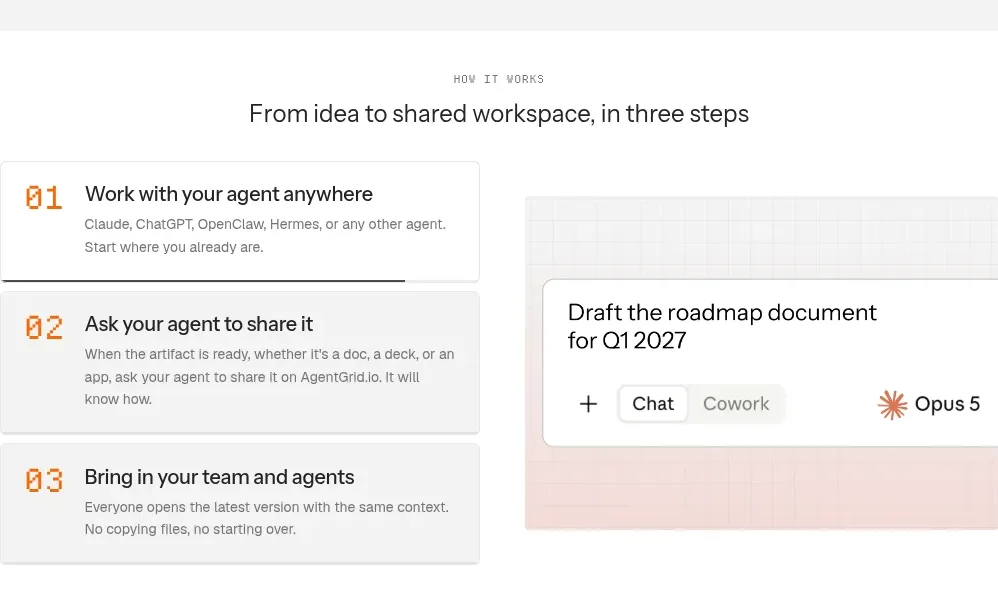
A numbered three-step list sits beside a compact collaboration mockup, explaining the product flow with clear sequencing.
Prompt preview
## Reference images

Study these alongside the description below: hierarchy, rhythm, spacing, colour. Build for the product you are asked about, using this design language.

- Component: https://kage-design-assets.t3.tigrisfiles.io/components/agentgrid-io/a4a816d7-f557-4fb4-82e6-3348f23e6057-1792994473-4.webp
- Full page it was cut from: https://kage-design-assets.t3.tigrisfiles.io/screenshots/agentgrid-io/a4a816d7-f557-4fb4-82e6-3348f23e6057-1792994443669-full.webp
- Component on Kage: https://kage.design/component/agentgrid-feature-grid-2

## Before you start
Ask what the user's product and brand are, then apply these principles to that product rather than copying the reference.

Build a “how it works” section with a centered eyebrow and heading, followed by a two-column layout. The left column contains three stacked bordered rows, each with a large colored two-digit number, a concise title, and one or two lines of description. The right column contains a pale framed product mockup with one prominent document card and small conversation/agent controls. Use 16px row gaps, 20px card padding, 8px radius, soft borders, and a warm orange accent for numbering. Align the visual vertically with the list and keep the hierarchy readable at a glance.

Never: use logos, product names, copy, illustrations, or imagery from the reference.
More components

 Data-room education and security overview
Papermark Data Rooms · Feature grid
Data-room education and security overview
Papermark Data Rooms · Feature grid
 Advanced data-room features
Papermark Data Rooms · Feature grid
Advanced data-room features
Papermark Data Rooms · Feature grid
 Workflow demonstrations
Papermark Data Rooms · Feature grid
Workflow demonstrations
Papermark Data Rooms · Feature grid

 Lanyard use-case feature
Badgey · Feature grid
Lanyard use-case feature
Badgey · Feature grid

 Problem statement
Clips by Plastic · Feature grid
Problem statement
Clips by Plastic · Feature grid
 Effects and customization panel
Clips by Plastic · Feature grid
Effects and customization panel
Clips by Plastic · Feature grid