 kage
kage
plastic.audio

Design analysis
A large rounded interface showcase pairs a portrait preview with effect choices and a strength control, making customization tangible.
Prompt preview
## Reference images

Study these alongside the description below: hierarchy, rhythm, spacing, colour. Build for the product you are asked about, using this design language.

- Component: https://kage-design-assets.t3.tigrisfiles.io/components/clips-by-plastic/ad43fef6-0048-4f88-83ea-4278fc30c273-1792994536-7.webp
- Full page it was cut from: https://kage-design-assets.t3.tigrisfiles.io/screenshots/clips-by-plastic/ad43fef6-0048-4f88-83ea-4278fc30c273-1792994476004-full.webp
- Component on Kage: https://kage.design/component/clips-by-plastic-feature-grid-5

## Before you start
Ask what users customize in the product and what visual result should be previewed, then apply these principles.

Create a wide dark showcase card with a portrait or output preview on the left and controls on the right. Use a horizontal row of selectable thumbnail options, clear selected-state borders, labels beneath each option, and a large slider with a visible thumb and supporting hint. Keep the panel spacious and quiet: #202020 surface, #303030 border, 16–20px radius, off-white labels, gray helper text, and lime only for the active state. On mobile, move controls below the preview and make the option row scroll horizontally. Ensure all controls are keyboard and screen-reader accessible.

Never: use logos, product names, copy, illustrations, or imagery from the reference.
More components

 Data-room education and security overview
Papermark Data Rooms · Feature grid
Data-room education and security overview
Papermark Data Rooms · Feature grid
 Workflow demonstrations
Papermark Data Rooms · Feature grid
Workflow demonstrations
Papermark Data Rooms · Feature grid
 Advanced data-room features
Papermark Data Rooms · Feature grid
Advanced data-room features
Papermark Data Rooms · Feature grid

 Lanyard use-case feature
Badgey · Feature grid
Lanyard use-case feature
Badgey · Feature grid

 Problem statement
Clips by Plastic · Feature grid
Problem statement
Clips by Plastic · Feature grid
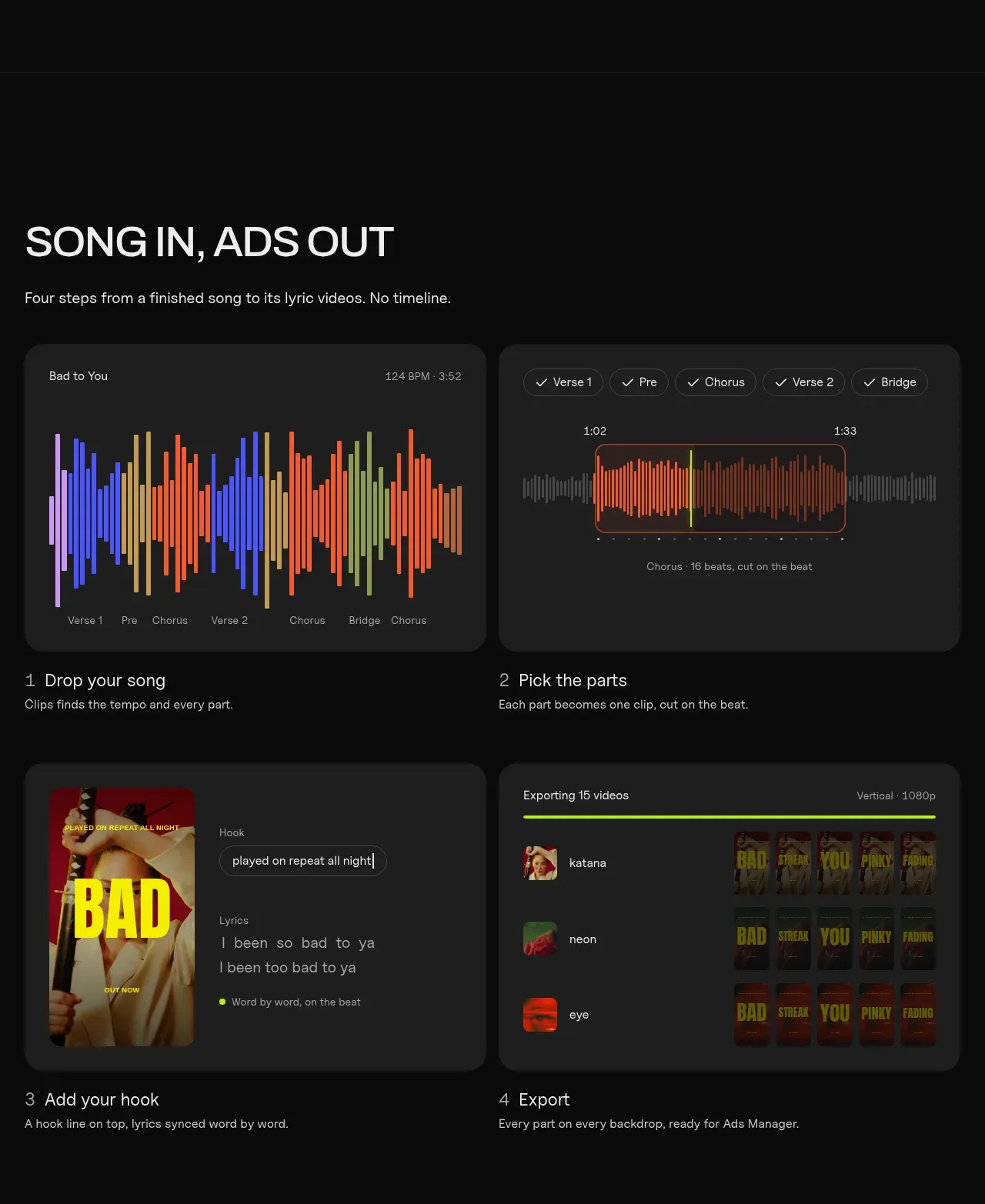 Four-step workflow
Clips by Plastic · Feature grid
Four-step workflow
Clips by Plastic · Feature grid