 kage
kage
aibridge.sh
Design analysis
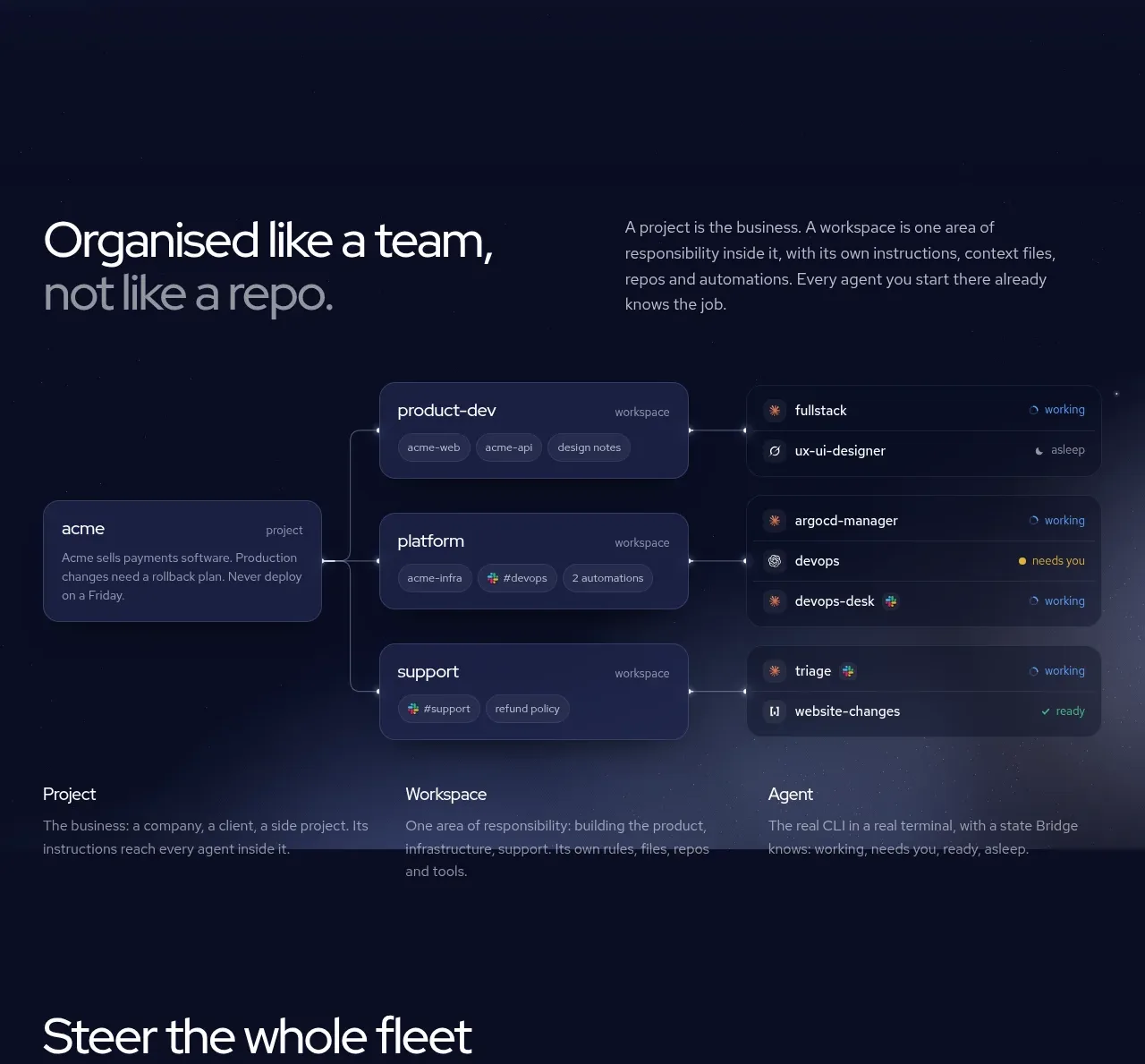
This explanatory section introduces a three-level mental model and visualizes how a project branches into workspaces and active agents, followed by short definitions.
Prompt preview
## Reference images

Study these alongside the description below: hierarchy, rhythm, spacing, colour. Build for the product you are asked about, using this design language.

- Component: https://kage-design-assets.t3.tigrisfiles.io/components/ai-bridge/b251bcbf-eae9-4af6-9324-2c0c35690cf2-1793080969-2.webp
- Full page it was cut from: https://kage-design-assets.t3.tigrisfiles.io/screenshots/ai-bridge/b251bcbf-eae9-4af6-9324-2c0c35690cf2-1793080894182-full.webp
- Component on Kage: https://kage.design/component/ai-bridge-feature-grid

## Before you start
Ask what the user's product, audience, and brand are, then apply these principles to that product rather than reproducing the reference.

Build a dark explanatory feature section on a near-black navy canvas (`#080D22`). Start with a two-column heading block: a large left headline around 38–44px with a deliberate contrast between bright and muted lines, and a right paragraph around 14px explaining the mental model. Below it, create a wide network diagram using layered rounded cards: one source/project card on the left, three workspace cards in the middle, and stacked agent/status rows on the right. Use frosted navy surfaces (`#151D43`), subtle 1px borders (`#293257`), 14–16px radii, tiny status dots, and very faint connector lines (`#65718E`). Finish with three evenly spaced definitions labelled Project, Workspace, and Agent. Keep the diagram legible at 900px and convert it to a vertical flow on mobile.

Never use the reference's logo, product name, copy, illustrations, imagery, or exact card labels.
More components

 Rapid onboarding timeline
throxy · Feature grid
Rapid onboarding timeline
throxy · Feature grid
 Qualification workflow cards
throxy · Feature grid
Qualification workflow cards
throxy · Feature grid
 Why alternatives disappoint
throxy · Feature grid
Why alternatives disappoint
throxy · Feature grid
 Outbound partner benefits
throxy · Feature grid
Outbound partner benefits
throxy · Feature grid
 Cold-calling performance section
throxy · Feature grid
Cold-calling performance section
throxy · Feature grid
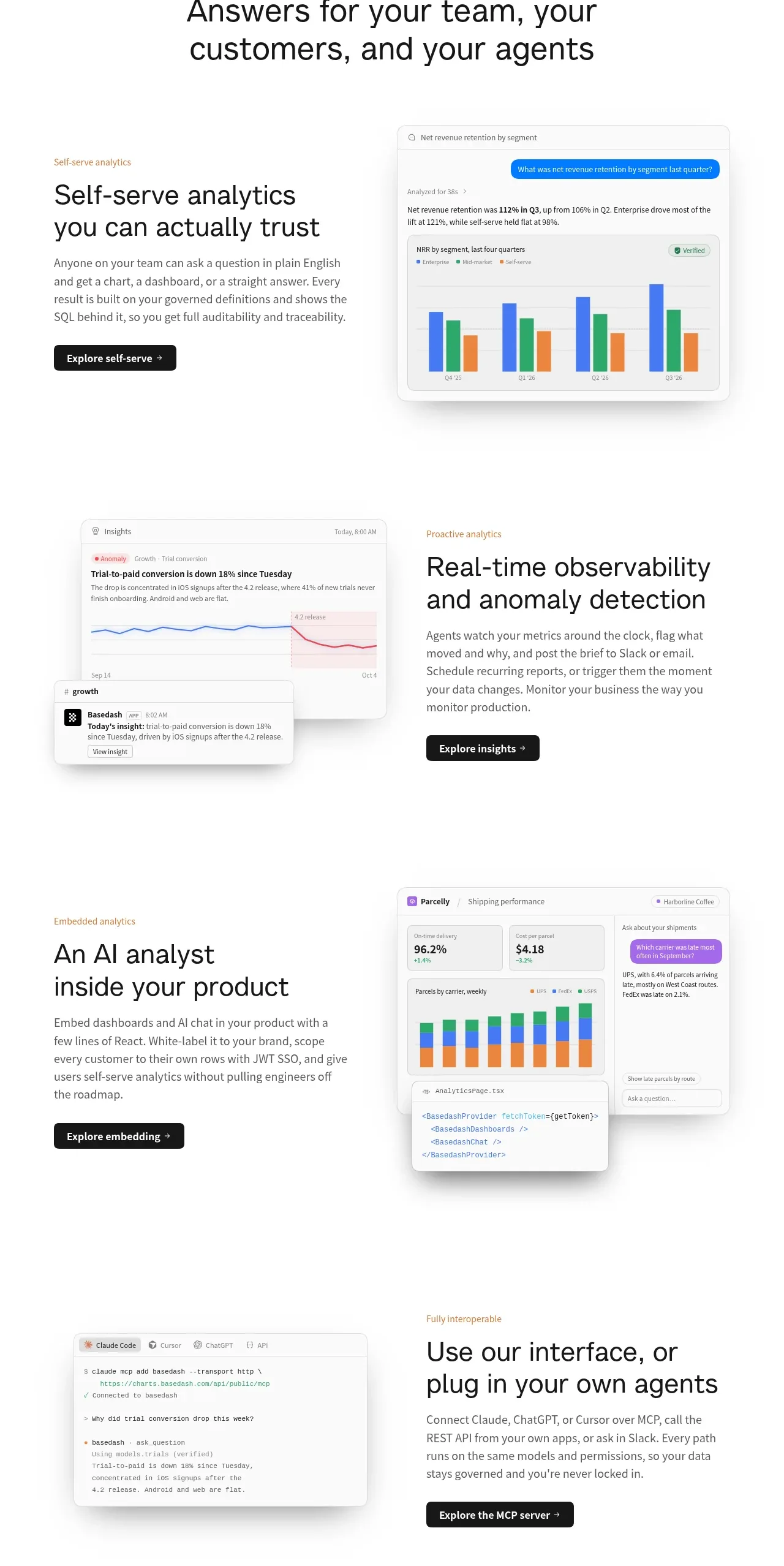
 Analytics capability showcase
Basedash View-only members · Feature grid
Analytics capability showcase
Basedash View-only members · Feature grid