 kage
kage
throxy.com

Design analysis
A light process section explains a fast path from setup to ongoing optimization through four compact sequential cards with dates and outcomes.
Prompt preview
## Reference images

Study these alongside the description below: hierarchy, rhythm, spacing, colour. Build for the product you are asked about, using this design language.

- Component: https://kage-design-assets.t3.tigrisfiles.io/components/throxy/4d577be3-3944-4c06-b2f6-094c0e693ab7-1793253971-8.webp
- Full page it was cut from: https://kage-design-assets.t3.tigrisfiles.io/screenshots/throxy/4d577be3-3944-4c06-b2f6-094c0e693ab7-1793253814515-full.webp
- Component on Kage: https://kage.design/component/throxy-feature-grid-5

### Before you start
Ask what the user's product, audience, and brand are, then apply these principles to that product.

Create a process timeline on a warm light background. Begin with a small eyebrow and a large two-line promise, then render four equal step cards in a horizontal row: each has a miniature UI mockup, a time marker, a bold step title, and one or two lines of explanation. Connect the cards subtly with spacing or a thin line rather than a heavy progress bar. Alternate pale lavender, dark charcoal, and white surfaces; use 12–16px radii, 12px metadata, 18–22px step titles, and 64–96px vertical padding. Stack the cards vertically on narrow screens while preserving sequence and accessible headings.

Never: use logos, product names, copy, illustrations, or imagery from the reference.
More components

 Cold-calling performance section
throxy · Feature grid
Cold-calling performance section
throxy · Feature grid
 Qualification workflow cards
throxy · Feature grid
Qualification workflow cards
throxy · Feature grid
 Why alternatives disappoint
throxy · Feature grid
Why alternatives disappoint
throxy · Feature grid
 Outbound partner benefits
throxy · Feature grid
Outbound partner benefits
throxy · Feature grid
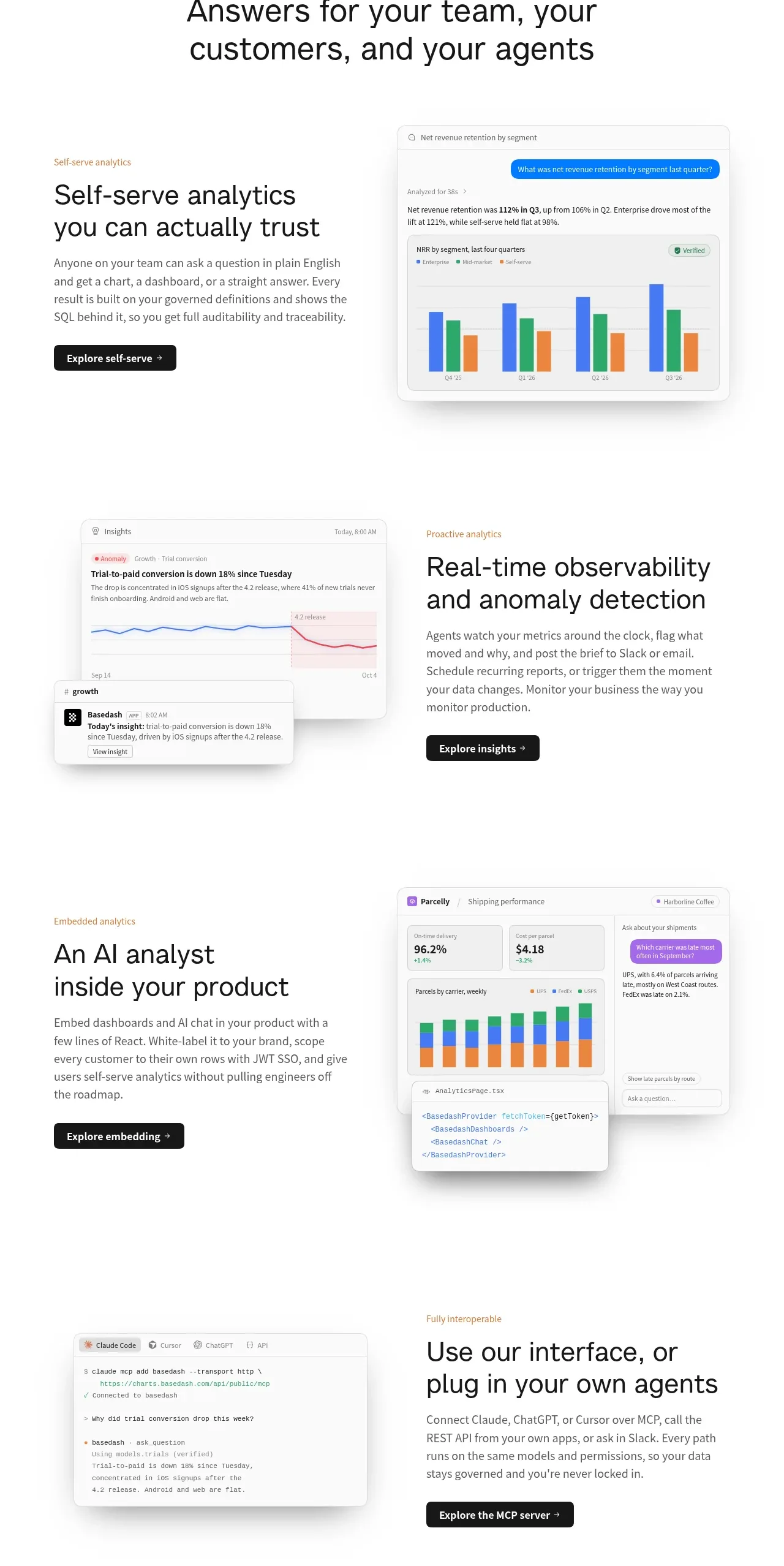
 Analytics capability showcase
Basedash View-only members · Feature grid
Analytics capability showcase
Basedash View-only members · Feature grid
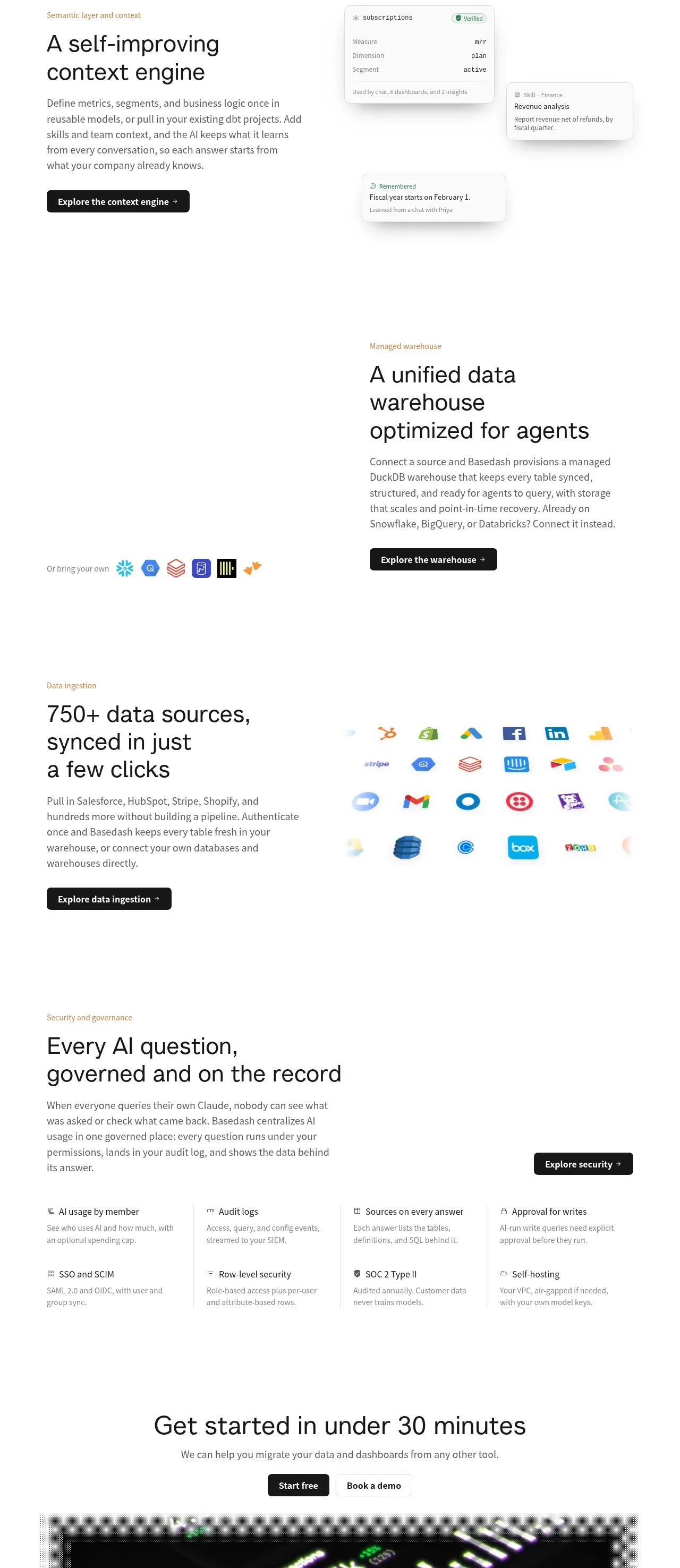 Platform foundation features
Basedash View-only members · Feature grid
Platform foundation features
Basedash View-only members · Feature grid