 kage
kage
plastic.audio
Design analysis
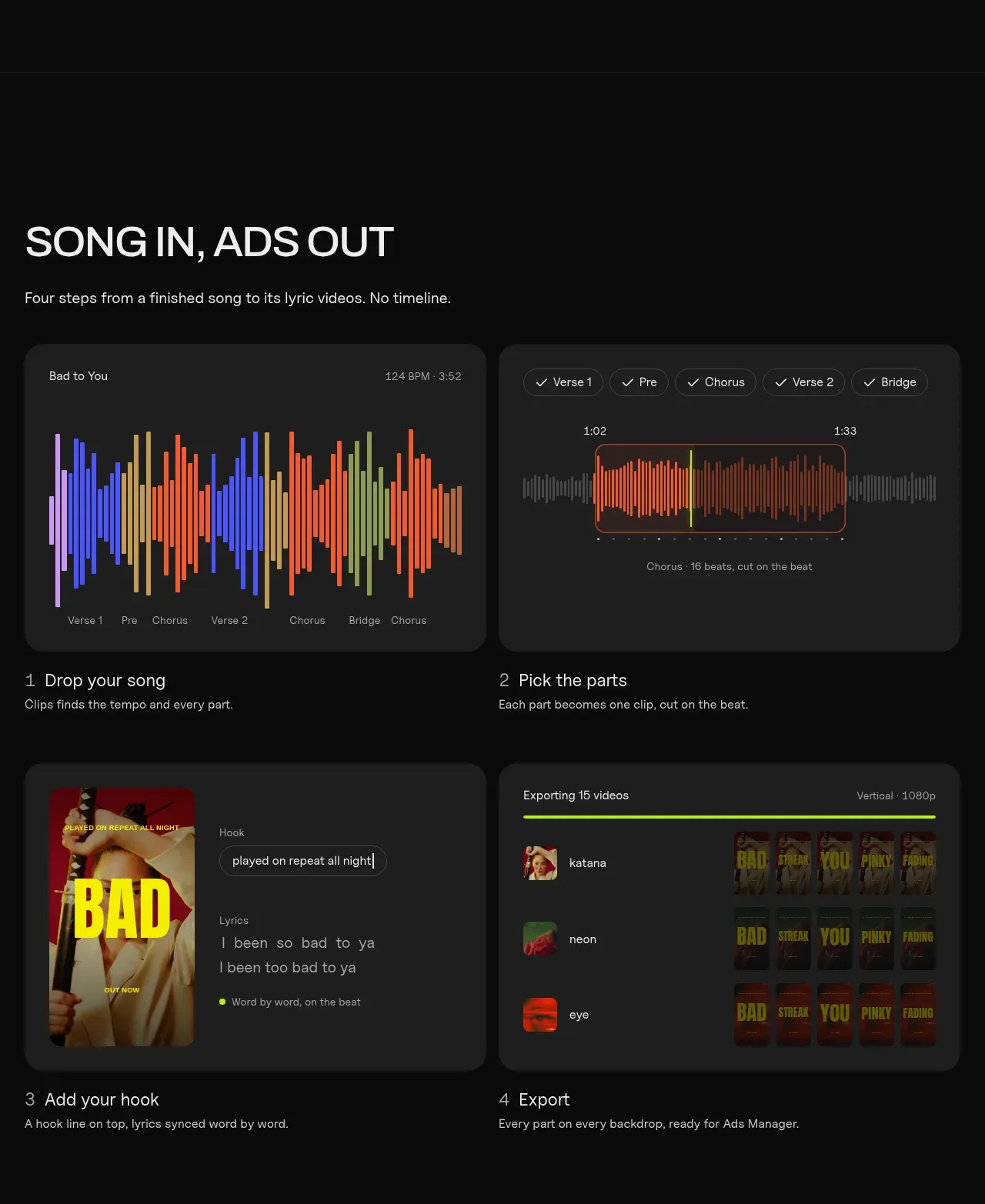
The main explainer uses a two-by-two grid of dark interface panels, each paired with a numbered step title and a practical description.
Prompt preview
## Reference images

Study these alongside the description below: hierarchy, rhythm, spacing, colour. Build for the product you are asked about, using this design language.

- Component: https://kage-design-assets.t3.tigrisfiles.io/components/clips-by-plastic/ad43fef6-0048-4f88-83ea-4278fc30c273-1792994535-5.webp
- Full page it was cut from: https://kage-design-assets.t3.tigrisfiles.io/screenshots/clips-by-plastic/ad43fef6-0048-4f88-83ea-4278fc30c273-1792994476004-full.webp
- Component on Kage: https://kage.design/component/clips-by-plastic-feature-grid-3

## Before you start
Ask what the user's product workflow is, how many steps it needs, and what interface states best explain it, then apply these principles.

Create a two-column workflow explainer. Start with a left-aligned heading and short subtitle, then place four steps in a 2×2 grid. Each step should contain a dark charcoal rounded media panel with a believable UI mockup, followed by a numbered title and one-sentence explanation. Use #202020 panels, #2c2c2c borders, 14–18px radii, white headings, muted gray descriptions, and a small lime accent for progress or selected states. Keep the media panels equal height and align captions consistently. Stack to one column on mobile.

Never: use logos, product names, copy, illustrations, or imagery from the reference.
More components

 Data-room education and security overview
Papermark Data Rooms · Feature grid
Data-room education and security overview
Papermark Data Rooms · Feature grid
 Workflow demonstrations
Papermark Data Rooms · Feature grid
Workflow demonstrations
Papermark Data Rooms · Feature grid
 Advanced data-room features
Papermark Data Rooms · Feature grid
Advanced data-room features
Papermark Data Rooms · Feature grid

 Lanyard use-case feature
Badgey · Feature grid
Lanyard use-case feature
Badgey · Feature grid

 Problem statement
Clips by Plastic · Feature grid
Problem statement
Clips by Plastic · Feature grid
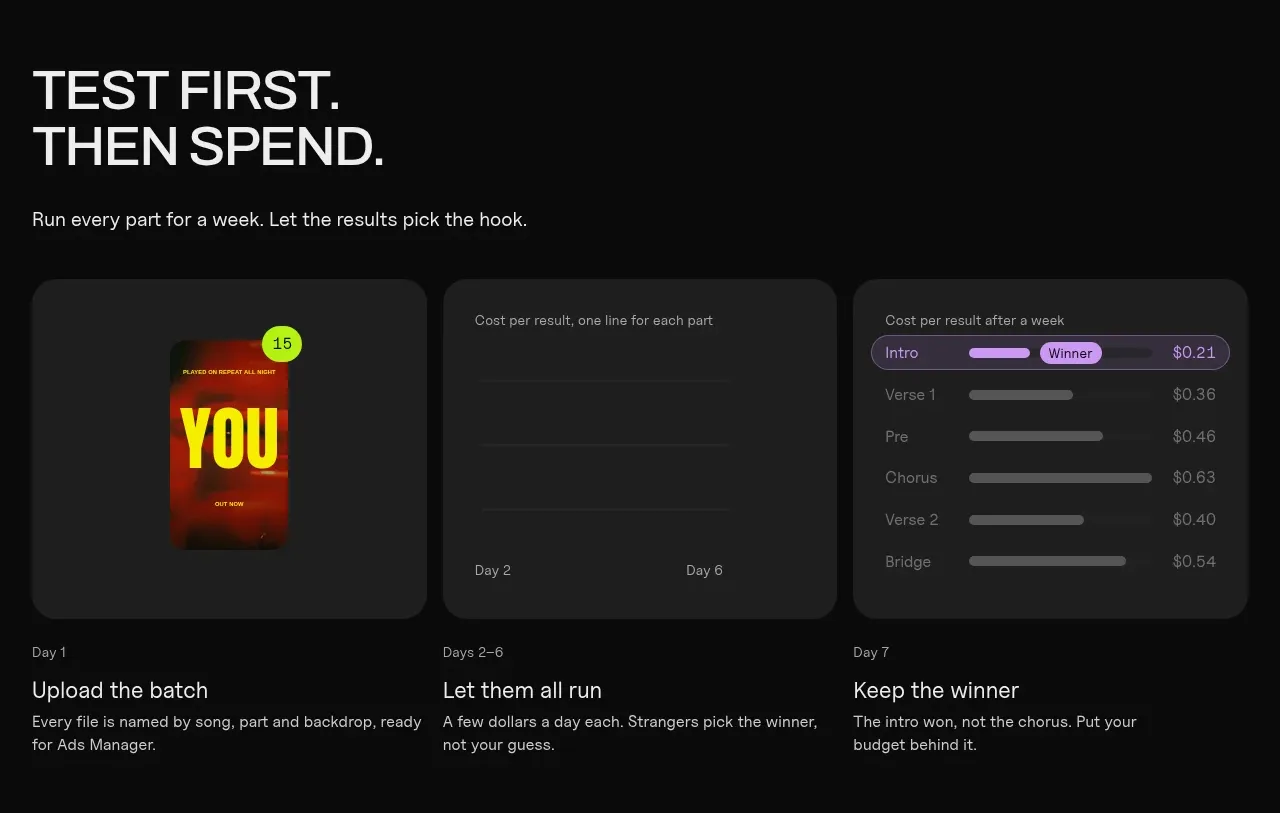 Testing workflow
Clips by Plastic · Feature grid
Testing workflow
Clips by Plastic · Feature grid