kage
kage
plastic.audio

Design analysis
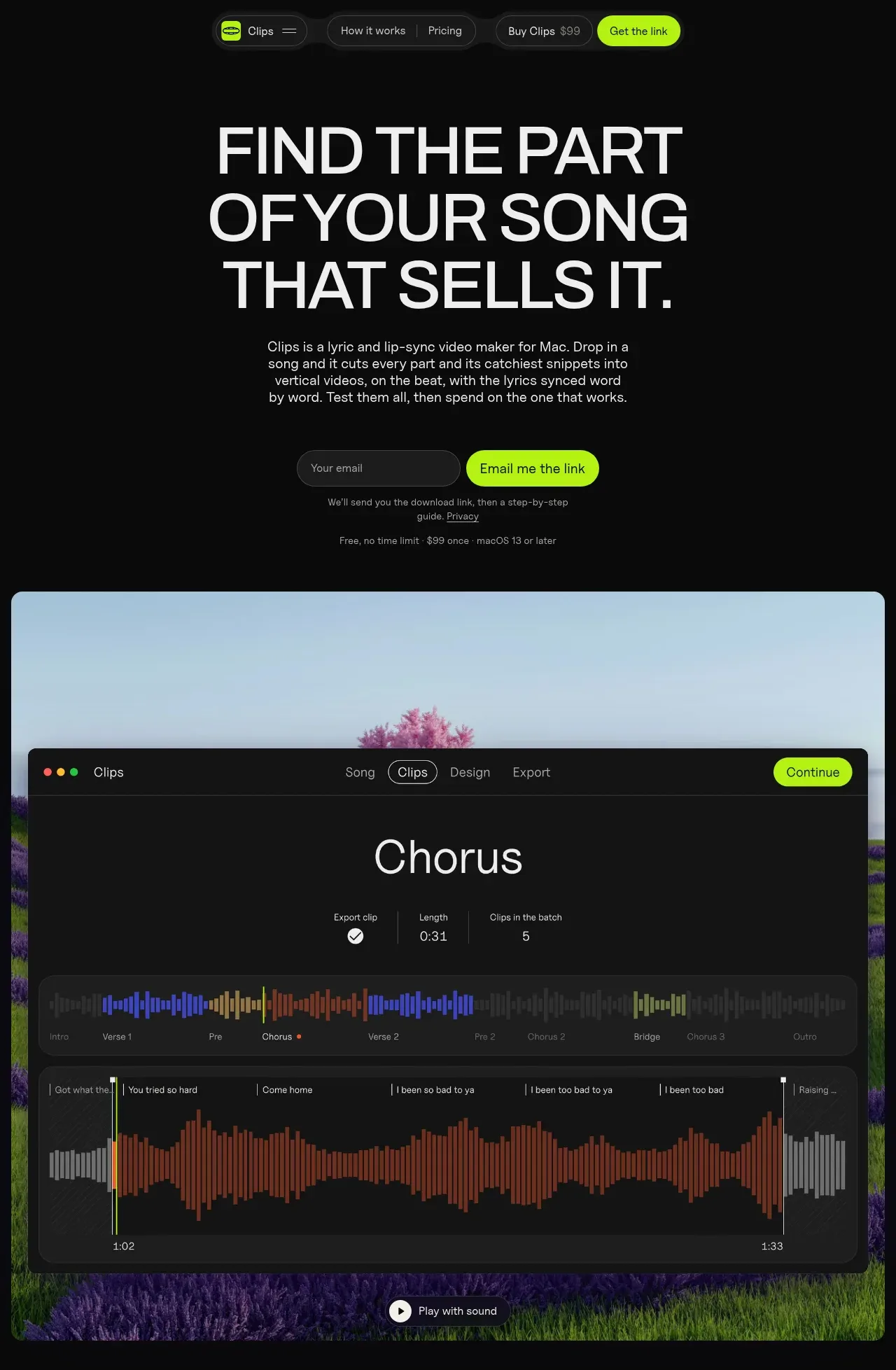
A long-form product page uses a near-black canvas, oversized condensed sans-serif headlines, thin dividers, and a fluorescent lime accent for actions and status. The hero moves from centered positioning and a large product demonstration into proof through generated vertical-video cards, feature claims, problem framing, workflow steps, testing guidance, effects controls, testimonial, comparison, pricing, FAQ, and a final CTA; the rhythm shifts from spacious visual showcases to denser two- and three-column information blocks. A stark off-white pricing band provides the main tonal reset before the page returns to black for support content and the footer.
Prompt preview
## Reference images

Study these alongside the description below: hierarchy, rhythm, spacing, colour. Build for the product you are asked about, using this design language.

- Full page: https://kage-design-assets.t3.tigrisfiles.io/screenshots/clips-by-plastic/ad43fef6-0048-4f88-83ea-4278fc30c273-1792994476004-full.webp
- Above the fold: https://kage-design-assets.t3.tigrisfiles.io/screenshots/clips-by-plastic/ad43fef6-0048-4f88-83ea-4278fc30c273-1792994472315.webp
- Design on Kage: https://kage.design/designs/clips-by-plastic-landing-page

## Before you start
Ask the user what they are building, who it is for, and what brand assets they already have, including the product name, colours, typefaces, logo, imagery, and any existing design system. Wait for their answers before designing. Apply the system below to their product rather than copying the reference product, its copy, or its assets.

## Page structure
1. **Compact top navigation** — Place a small pill-like navigation bar near the top center, with a product area at left, a few utility links, and a bright primary action at right.
2. **Hero statement** — Use a centered, very large all-caps headline over three lines, followed by a narrow explanatory paragraph and an email capture row with a lime CTA. Add small reassurance text below for delivery, pricing, privacy, or platform details.
3. **Primary product demonstration** — Show a large rounded media panel spanning most of the content width. Combine a colourful background or product context with a dark application-window mockup, visible tabs, a prominent result title, waveform/timeline controls, and a small play-with-sound affordance.
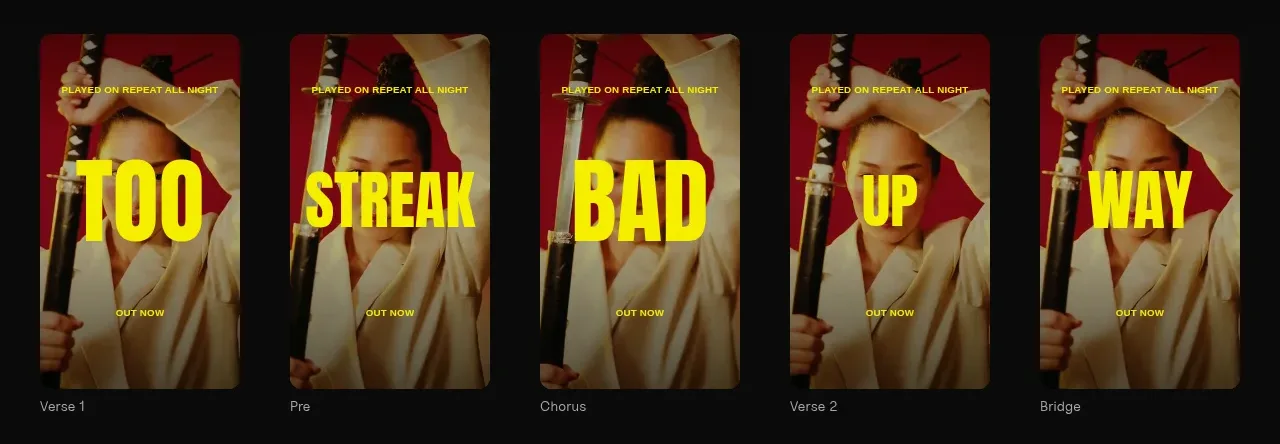
4. **Output gallery** — Display a horizontal row of five tall vertical-result cards, each representing a different section or variation. Keep labels beneath each card and use the same visual system across the set while allowing the result content to vary.
5. **Four benefit claims** — Use a four-column row with short headings and one-sentence explanations. Keep this section compact and let the claims summarize speed, batch output, one-time pricing, and offline/privacy benefits for the user’s product.
6. **Problem section** — Introduce the user pain with a tiny eyebrow, a large two-line heading, and a short sentence. Below it, show an intentionally empty/dashed grid of repeated portrait slots to make the manual workload visible.
7. **Workflow overview** — Add a large section heading and subtitle, then a two-by-two grid of dark rounded demonstration cards. Each card should show one step with a product visual and a numbered caption beneath: input, selection, customization, and export.
8. **Testing/optimization section** — Use another heading and subtitle followed by three horizontally arranged cards that explain uploading a batch, letting results run, and selecting the winning variant. Pair each visual with a day or phase label and a short explanatory caption.
9. **Effects/customization showcase** — Present a wide dark rounded panel with a large preview on the left and a dense controls area on the right. Show a strip of effect thumbnails, labels, and a strength slider or equivalent control to demonstrate adaptable styling.
10. **Testimonial** — Center a small attribution eyebrow, a large serif quotation, and a compact author/context line. Keep the surrounding space generous so it acts as a quiet proof point after the interface-heavy sections.
11. **Comparison table** — Add a heading and a wide low-contrast comparison table. Use the product column as the visually emphasized column with a slightly lighter rounded background, and compare concise feature rows across alternatives.
12. **Pricing band** — Switch to an off-white background for a clear tonal break. Start with an oversized dark price/value headline and subtitle, then show three bordered pricing cards for free, individual, and team/studio tiers with feature checklists, inputs or buttons, and a small legal note beneath.
13. **FAQ section** — Return to the dark canvas. Use a large stacked heading on the left/top and a full-width list of question-and-answer rows, separated by thin horizontal rules with questions in one column and answers in another.
14. **Final conversion block** — Close with a short two-line all-caps CTA, an email field, a lime submit button, and small supporting terms or pricing text.
15. **Footer** — Finish with a thin, quiet footer row: copyright or maker credit on the left and support, resources, legal, refund, and cookie links on the right.

## Design language
- Build hierarchy through extreme type scale contrast: oversized all-caps sans-serif section headings, compact body copy, tiny uppercase eyebrows, and occasional serif typography reserved for human testimony.
- Use a near-black base such as `#0a0a0a` or `#0d0d0d`, warm white text around `#f1f1ef`, muted gray text around `#8d8d8a`, and a fluorescent lime accent around `#b7ff00` for primary actions, active states, markers, and small status indicators.
- Use the off-white pricing section as a deliberate contrast break, approximately `#f1f1ef`, with almost-black text and pale gray borders. Do not sprinkle this light treatment throughout the dark sections.
- Keep the page restrained and product-led: generous vertical spacing around major sections, then denser grids and tables once the reader has context. Alternate quiet text-led sections with rich UI/product showcases to vary rhythm.
- Prefer a wide editorial container with consistent side gutters. Use two-column and four-column grids, with full-width media panels and occasional centered narrow text blocks for the hero and testimonial.
- Pair a clean geometric or condensed sans-serif for interface text and headings with a literary serif only for the testimonial or similarly human proof. Use tight line-height and modest letter spacing on large uppercase headlines.
- Treat borders as hairline separators in muted gray, approximately `#242424` on dark backgrounds and `#d5d5d2` on light backgrounds. Use rounded corners generously on product mockups and cards, but keep navigation pills and controls tighter.
- Keep shadows subtle or absent; depth should come from background contrast, borders, and inset interface surfaces rather than glossy elevation.
- Make lime buttons visibly dominant but compact, with pill or softly rounded shapes, dark text, and clear hover/pressed feedback. Inputs should be dark translucent pills on black and pale rounded fields on the pricing band.
- Recreate product visuals as structured UI, not generic decoration: timelines, waveforms, vertical previews, controls, labels, progress bars, comparison rows, and export states should communicate the workflow.
- Use colour inside demos for meaning and energy: waveform segments can move through blue, orange, purple, and yellow, while the page chrome remains monochrome. Keep the palette controlled and repeat colours consistently.
- Where motion is implemented, use restrained scroll reveals, subtle waveform/progress animation, and gentle hover changes on cards and controls. Avoid distracting parallax or continuous animation that competes with the CTA.
- Make the page responsive by collapsing multi-column claims, workflow cards, comparison tables, and pricing cards into readable stacked layouts while preserving the headline scale and clear section dividers.

## Never
- Do not use the reference product’s logo, wordmark, product name, copy, testimonial, pricing, screenshots, photography, illustrations, or icon set.
- Do not present the result as Clips by Plastic or imply affiliation with it.
- Do not reproduce the exact song artwork, artist imagery, waveform content, UI labels, or competitor names from the reference.
- Do not turn the design into a generic dark SaaS template: preserve the alternating showcase, workflow, proof, comparison, pricing, FAQ, and final-conversion rhythm while adapting all content to the user’s product.
Components from this page
All components
 Floating product navigation
Clips by Plastic · Navigation
Floating product navigation
Clips by Plastic · Navigation
 Hero with download capture and product preview
Clips by Plastic · Hero
Hero with download capture and product preview
Clips by Plastic · Hero
 Generated content gallery
Clips by Plastic · Gallery
Generated content gallery
Clips by Plastic · Gallery
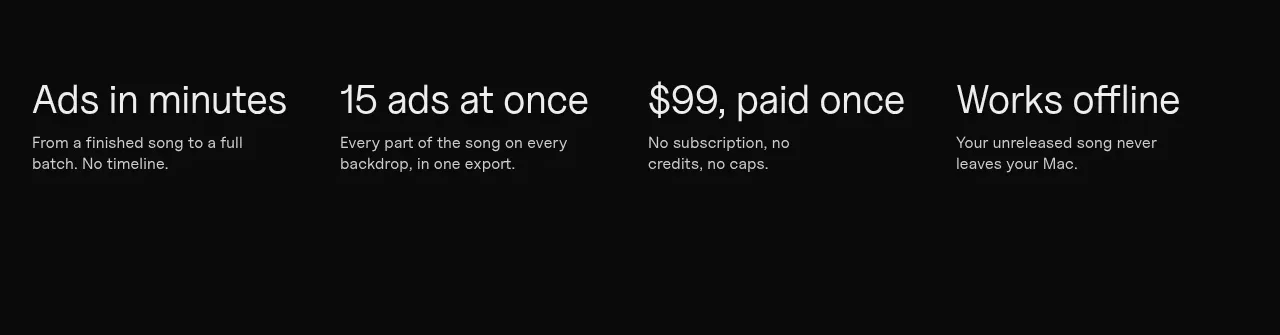 Four value propositions
Clips by Plastic · Feature grid
Four value propositions
Clips by Plastic · Feature grid
 Problem statement
Clips by Plastic · Feature grid
Problem statement
Clips by Plastic · Feature grid
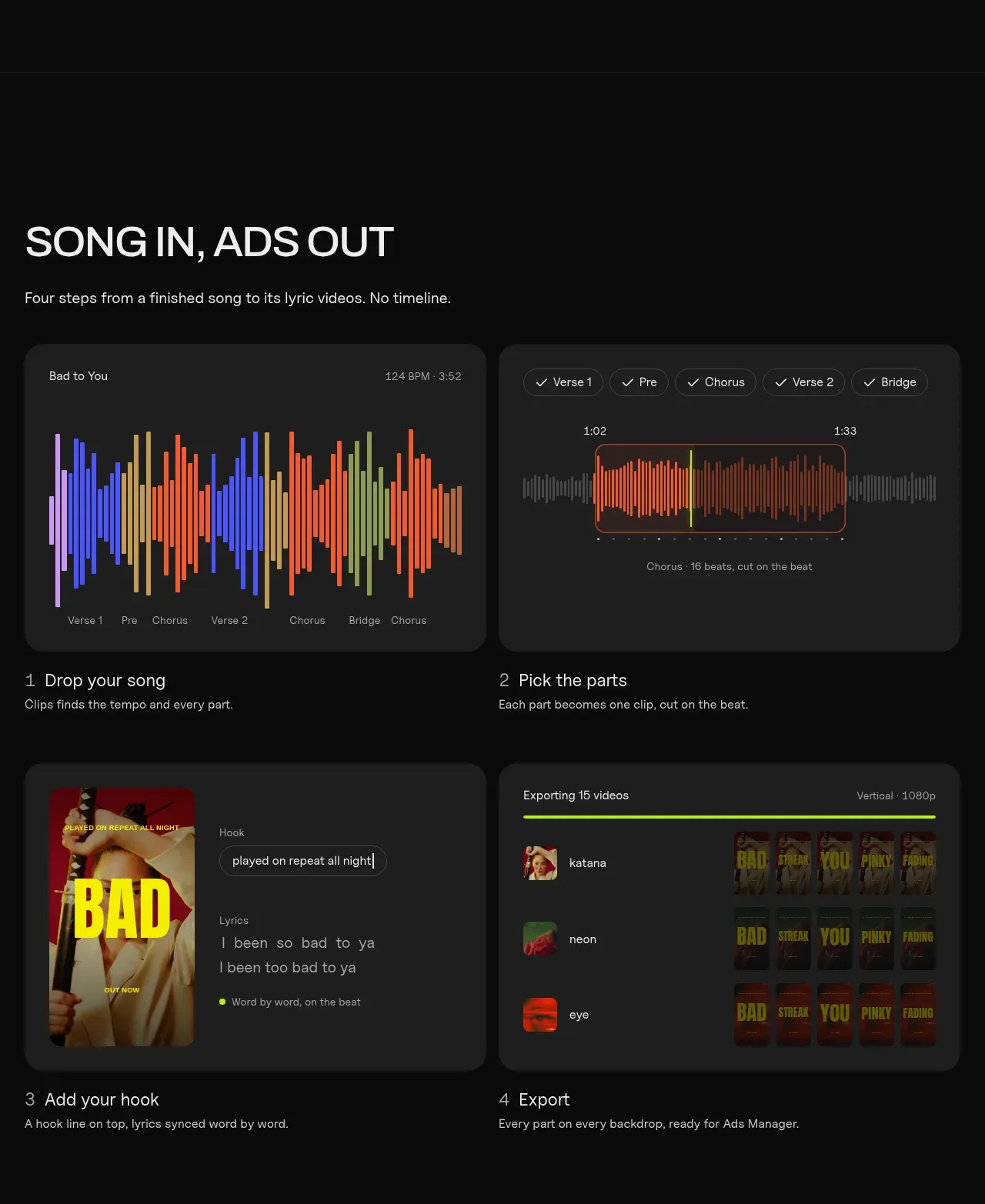 Four-step workflow
Clips by Plastic · Feature grid
Four-step workflow
Clips by Plastic · Feature grid
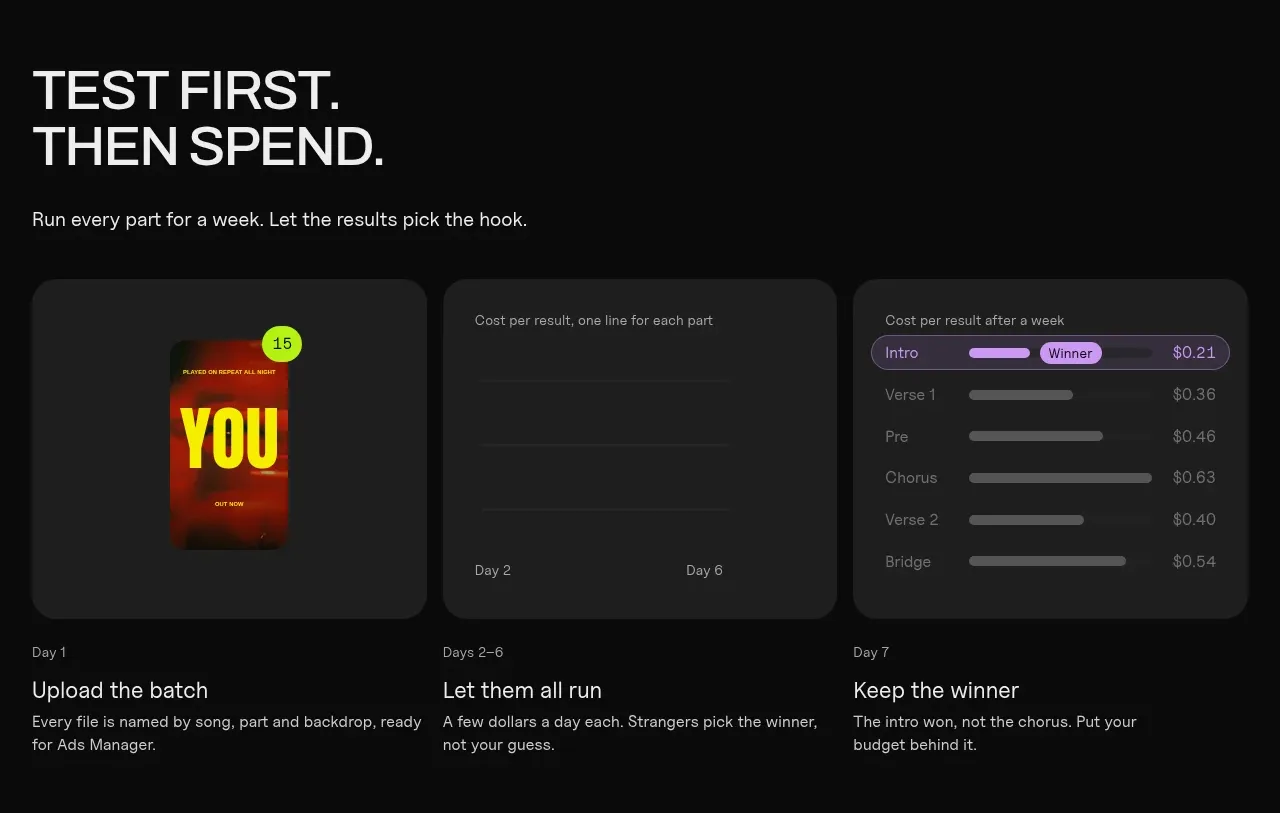 Testing workflow
Clips by Plastic · Feature grid
Testing workflow
Clips by Plastic · Feature grid
 Effects and customization panel
Clips by Plastic · Feature grid
Effects and customization panel
Clips by Plastic · Feature grid
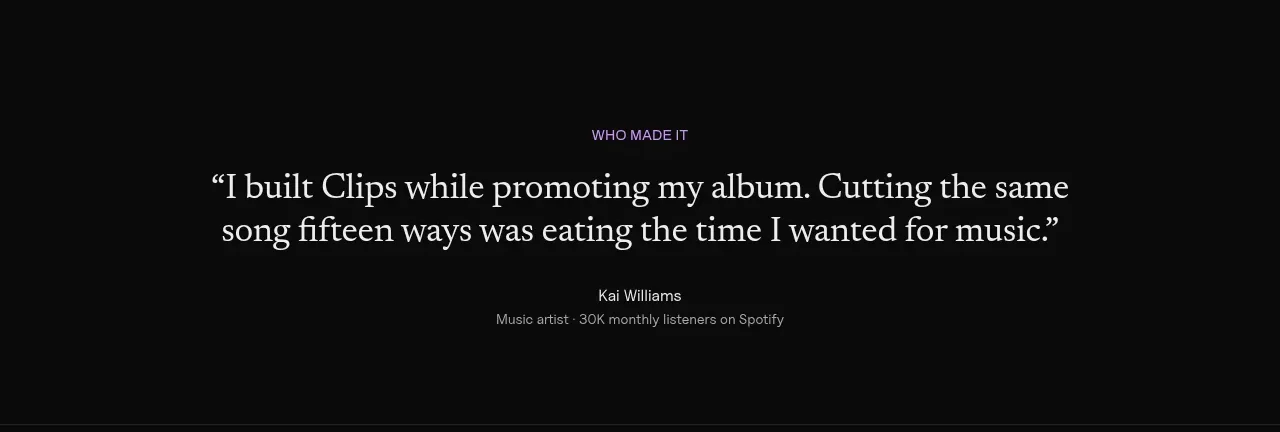 Customer quote
Clips by Plastic · Testimonials
Customer quote
Clips by Plastic · Testimonials
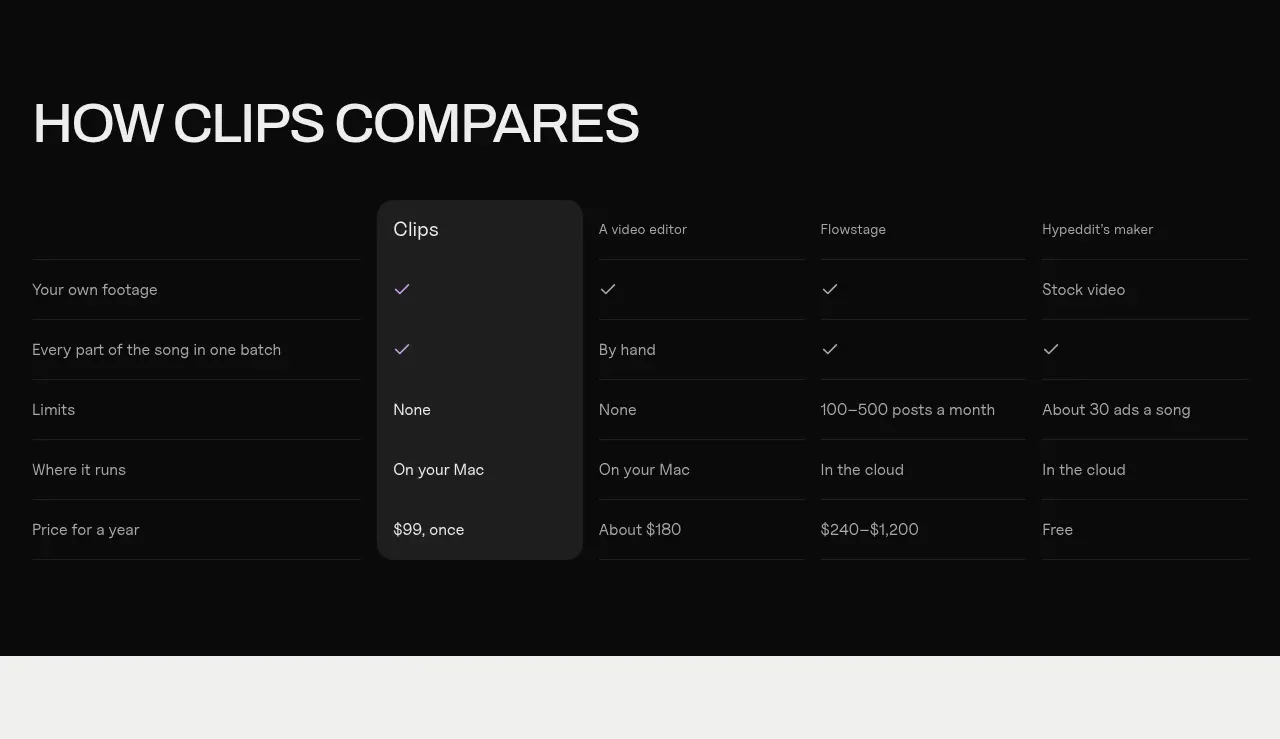 Competitive comparison table
Clips by Plastic · Table
Competitive comparison table
Clips by Plastic · Table
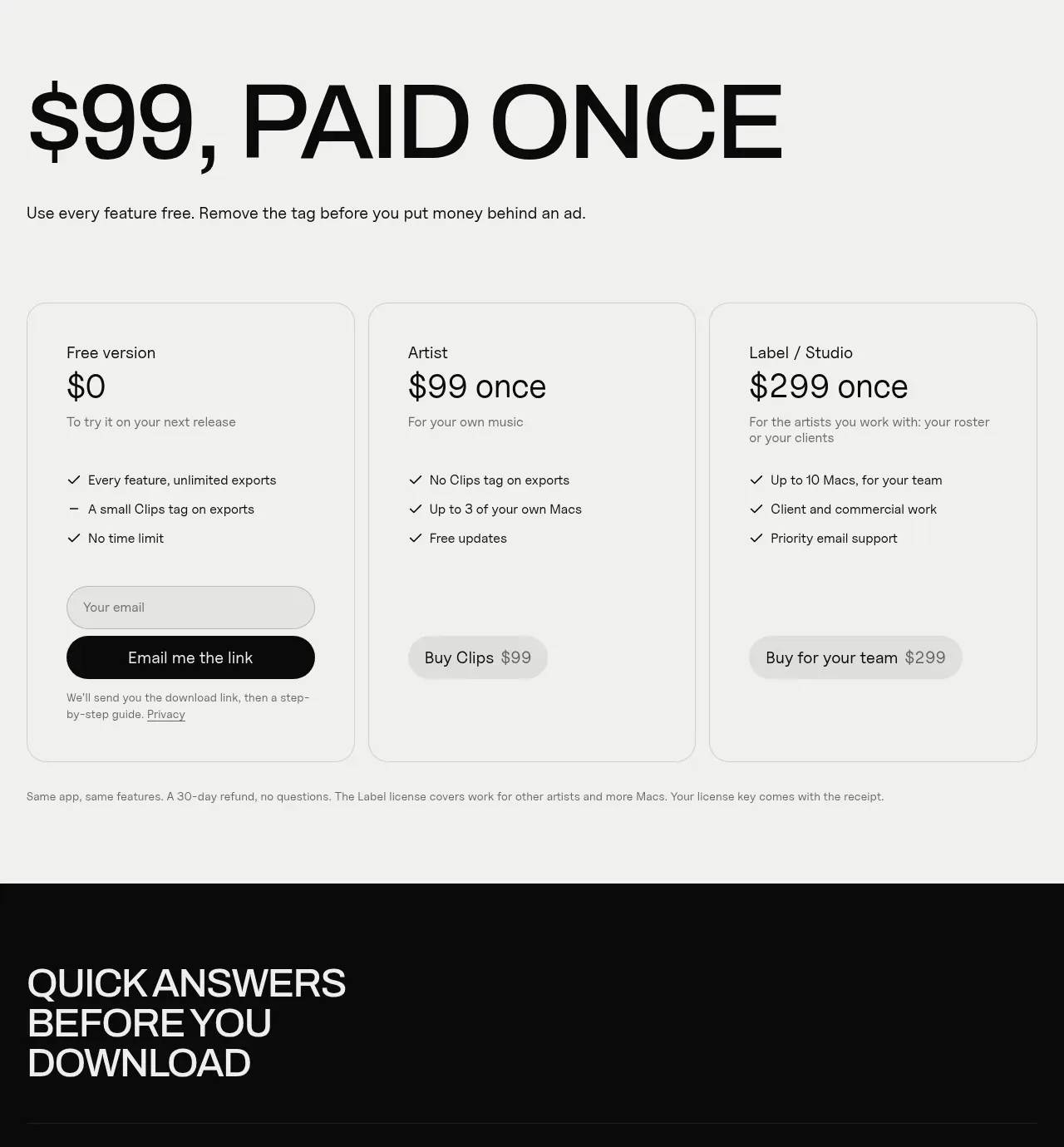 One-time purchase pricing
Clips by Plastic · Pricing table
One-time purchase pricing
Clips by Plastic · Pricing table
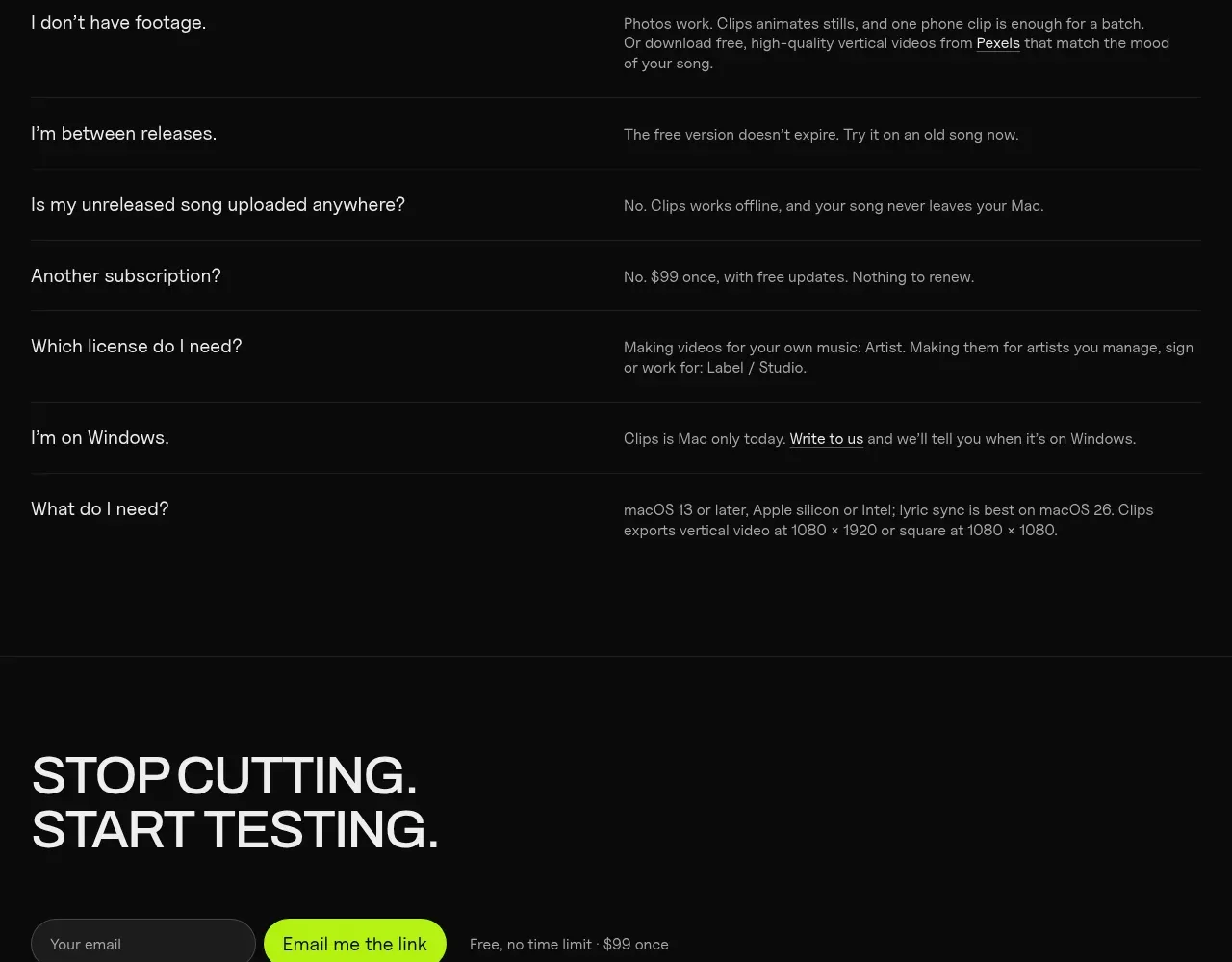 Frequently asked questions
Clips by Plastic · FAQ
Frequently asked questions
Clips by Plastic · FAQ