 kage
kage
contextengine.com
Design analysis
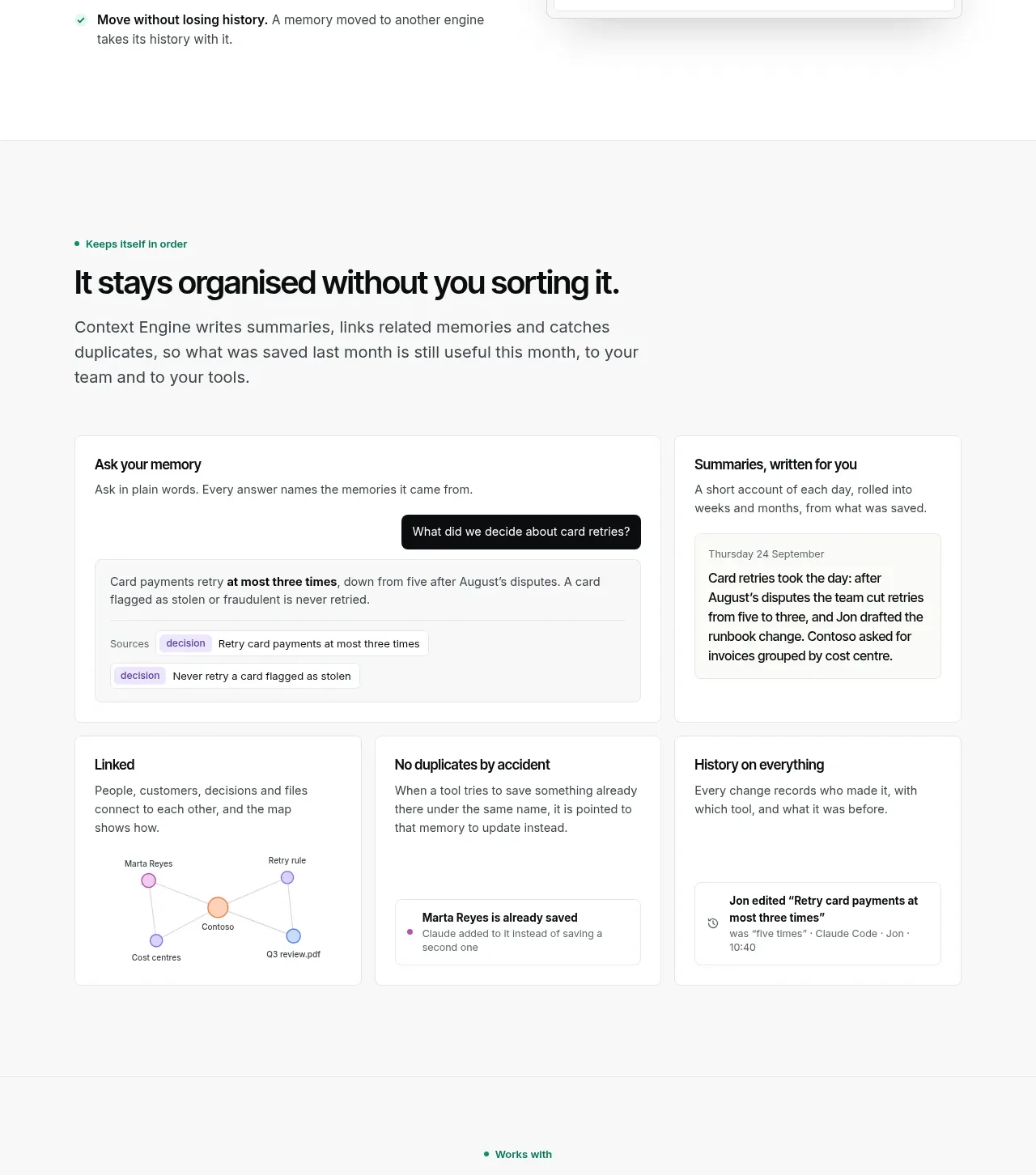
A heading and paragraph lead into a broad product preview plus three supporting cards that make abstract capabilities tangible.
Prompt preview
## Reference images

Study these alongside the description below: hierarchy, rhythm, spacing, colour. Build for the product you are asked about, using this design language.

- Component: https://kage-design-assets.t3.tigrisfiles.io/components/context-engine/37fe6fcb-aa91-474a-8a89-1c1cadc0a655-1792821972-5.webp
- Full page it was cut from: https://kage-design-assets.t3.tigrisfiles.io/screenshots/context-engine/37fe6fcb-aa91-474a-8a89-1c1cadc0a655-1792821825382-full.webp
- Component on Kage: https://kage.design/component/context-engine-feature-grid-4

## Before you start
Ask what information the user's product organizes and what visible behaviors make it useful over time. Translate those behaviors into original UI examples.

Build a feature showcase with a small eyebrow, a large headline, and a short paragraph at the top left. Beneath it, use a wide primary interface card for the central behavior, then a row of three smaller cards for related capabilities. The primary card can combine a prompt/search area, an answer panel, and provenance or metadata chips; the secondary cards can show relationships, duplicate prevention, and history in abstract form. Use a soft gray page background, white cards, thin neutral borders, 10–12px radius, quiet shadows, and restrained pastel chips. Keep card titles 16–18px semibold, supporting copy 14–15px, and maintain equal card heights. Make the cards responsive and let the main card span more columns than the supporting cards.

Never: use logos, product names, copy, illustrations, or imagery from the reference.
More components

 Data-room education and security overview
Papermark Data Rooms · Feature grid
Data-room education and security overview
Papermark Data Rooms · Feature grid
 Advanced data-room features
Papermark Data Rooms · Feature grid
Advanced data-room features
Papermark Data Rooms · Feature grid
 Workflow demonstrations
Papermark Data Rooms · Feature grid
Workflow demonstrations
Papermark Data Rooms · Feature grid

 Lanyard use-case feature
Badgey · Feature grid
Lanyard use-case feature
Badgey · Feature grid

 Problem statement
Clips by Plastic · Feature grid
Problem statement
Clips by Plastic · Feature grid
 Effects and customization panel
Clips by Plastic · Feature grid
Effects and customization panel
Clips by Plastic · Feature grid