 kage
kage
dotsapp.cloudaeri.com
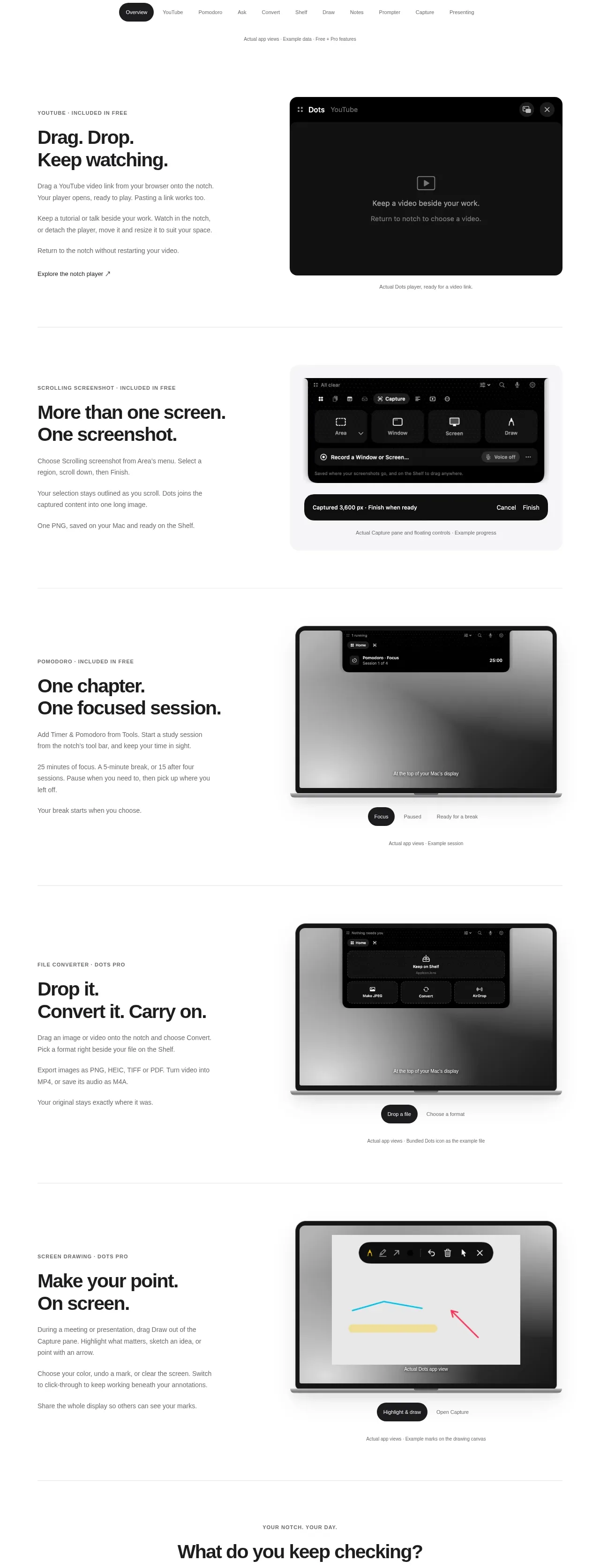
Design analysis
Several alternating split feature bands explain individual capabilities with concise copy on one side and a realistic dark interface preview on the other. Repeated structure makes the long page scannable while changing the preview keeps it engaging.
Prompt preview
## Reference images

Study these alongside the description below: hierarchy, rhythm, spacing, colour. Build for the product you are asked about, using this design language.

- Component: https://kage-design-assets.t3.tigrisfiles.io/components/dots/b0dd4f13-dbbe-4e80-ab36-79d3ad587c26-1792821811-2.webp
- Full page it was cut from: https://kage-design-assets.t3.tigrisfiles.io/screenshots/dots/b0dd4f13-dbbe-4e80-ab36-79d3ad587c26-1792821726796-full.webp
- Component on Kage: https://kage.design/component/dots-feature-grid

## Before you start
Ask what the user's core capabilities are, which ones deserve priority, and what visual assets are available. Apply the structure to those capabilities without copying the reference.

Build a vertical product-feature showcase made of four or five generous split bands. Each band should have a small uppercase category label, a bold two-line benefit-led heading, two or three short paragraphs, and an optional inline text link. Pair that content with a product preview on the opposite side; alternate the text and preview sides between rows to create rhythm. Use a centered max-width around 780px, two columns near 42/58 or 45/55, and at least 100–140px vertical separation between bands. Keep headings around 28–34px with tight line-height, body text 13–15px in `#6b6b6b`, and labels 10–11px with tracking. Use a white canvas (`#ffffff`), near-black type (`#111111`), hairline separators (`#ededed`), and preview surfaces in near-black (`#101010`) or soft gray (`#f1f1f1`) with 14–22px radius and subtle shadows. Previews should communicate behavior through believable controls, cards, and states, not generic decoration. On smaller screens, stack copy above preview and preserve generous padding.

Never: use the reference's logo, product name, copy, illustrations, imagery, or exact product UI.
More components

 Data-room education and security overview
Papermark Data Rooms · Feature grid
Data-room education and security overview
Papermark Data Rooms · Feature grid
 Advanced data-room features
Papermark Data Rooms · Feature grid
Advanced data-room features
Papermark Data Rooms · Feature grid
 Workflow demonstrations
Papermark Data Rooms · Feature grid
Workflow demonstrations
Papermark Data Rooms · Feature grid

 Lanyard use-case feature
Badgey · Feature grid
Lanyard use-case feature
Badgey · Feature grid

 Problem statement
Clips by Plastic · Feature grid
Problem statement
Clips by Plastic · Feature grid
 Effects and customization panel
Clips by Plastic · Feature grid
Effects and customization panel
Clips by Plastic · Feature grid