 kage
kage
dotsapp.cloudaeri.com
Design analysis
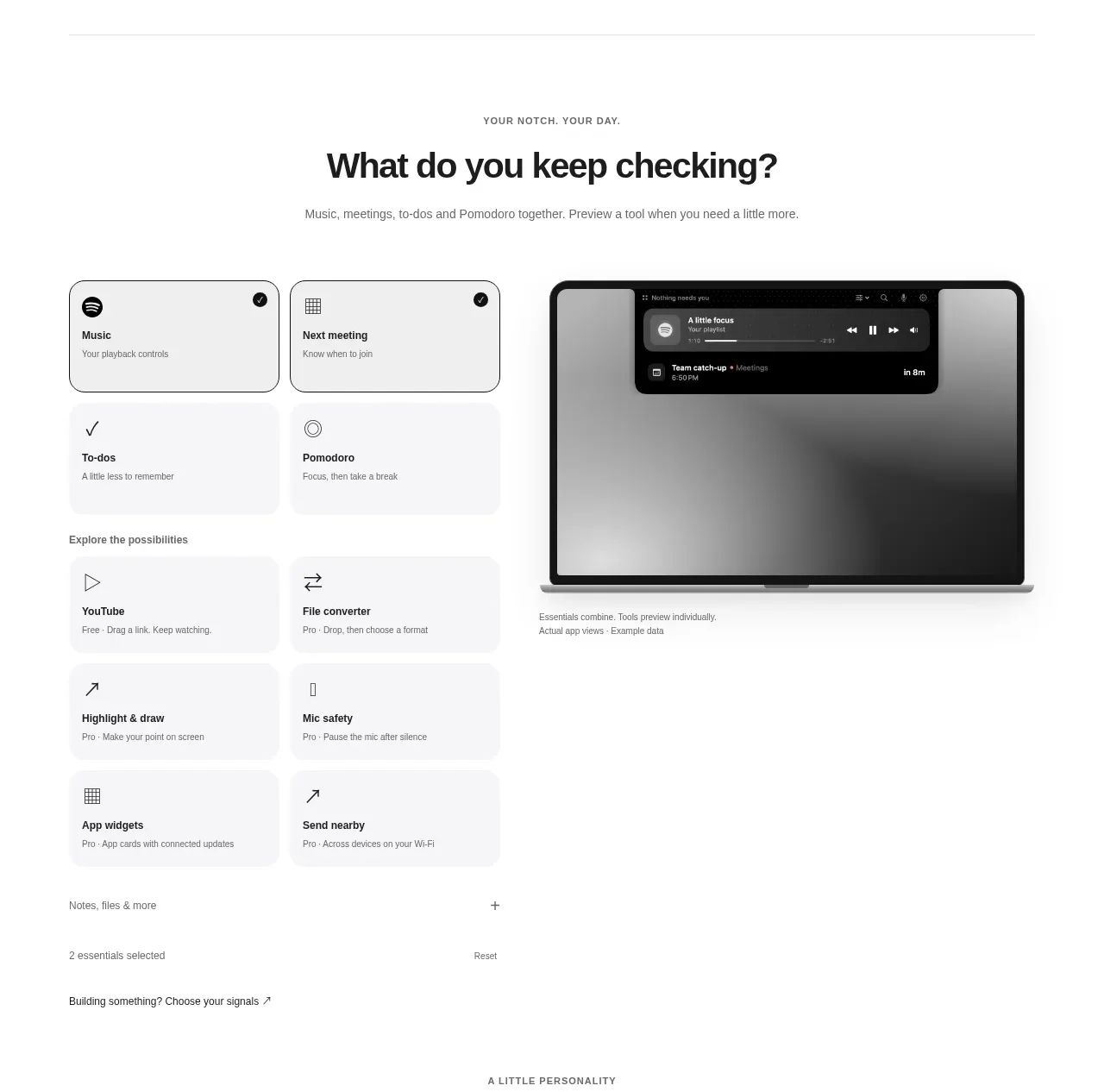
A centered question introduces a configurable set of utility cards, with selected and unselected states beside a large contextual preview. It turns feature discovery into a lightweight interactive chooser.
Prompt preview
## Reference images

Study these alongside the description below: hierarchy, rhythm, spacing, colour. Build for the product you are asked about, using this design language.

- Component: https://kage-design-assets.t3.tigrisfiles.io/components/dots/b0dd4f13-dbbe-4e80-ab36-79d3ad587c26-1792821812-3.webp
- Full page it was cut from: https://kage-design-assets.t3.tigrisfiles.io/screenshots/dots/b0dd4f13-dbbe-4e80-ab36-79d3ad587c26-1792821726796-full.webp
- Component on Kage: https://kage.design/component/dots-feature-grid-2

## Before you start
Ask what choices users should be able to configure in the user's product and what preview should respond to those choices. Apply these interaction principles to that product.

Create a centered section with an eyebrow, a direct question headline, and one muted explanatory sentence. Below it, use a two-column interactive builder: a grid of compact selectable cards on the left and a large contextual preview on the right. Cards should have clear labels, tiny icons, one-line descriptions, and obvious selected states using a dark border or filled accent while inactive cards remain pale. Include a small count or reset affordance beneath the grid. Use a white background, `#111111` text, `#707070` secondary text, pale card fills around `#f7f7f7`, selected borders around `#222222`, 12–16px card radii, and 20–28px internal padding. Keep the section heading around 30–36px and the card text 12–14px. Make selection keyboard accessible, with hover, focus, and pressed states; update the preview without shifting the surrounding layout. Stack the columns on mobile.

Never: use the reference's logo, product name, copy, illustrations, imagery, or exact companion characters.
More components

 Data-room education and security overview
Papermark Data Rooms · Feature grid
Data-room education and security overview
Papermark Data Rooms · Feature grid
 Advanced data-room features
Papermark Data Rooms · Feature grid
Advanced data-room features
Papermark Data Rooms · Feature grid
 Workflow demonstrations
Papermark Data Rooms · Feature grid
Workflow demonstrations
Papermark Data Rooms · Feature grid

 Lanyard use-case feature
Badgey · Feature grid
Lanyard use-case feature
Badgey · Feature grid

 Problem statement
Clips by Plastic · Feature grid
Problem statement
Clips by Plastic · Feature grid
 Effects and customization panel
Clips by Plastic · Feature grid
Effects and customization panel
Clips by Plastic · Feature grid