 kage
kage
usefastlane.ai
Design analysis
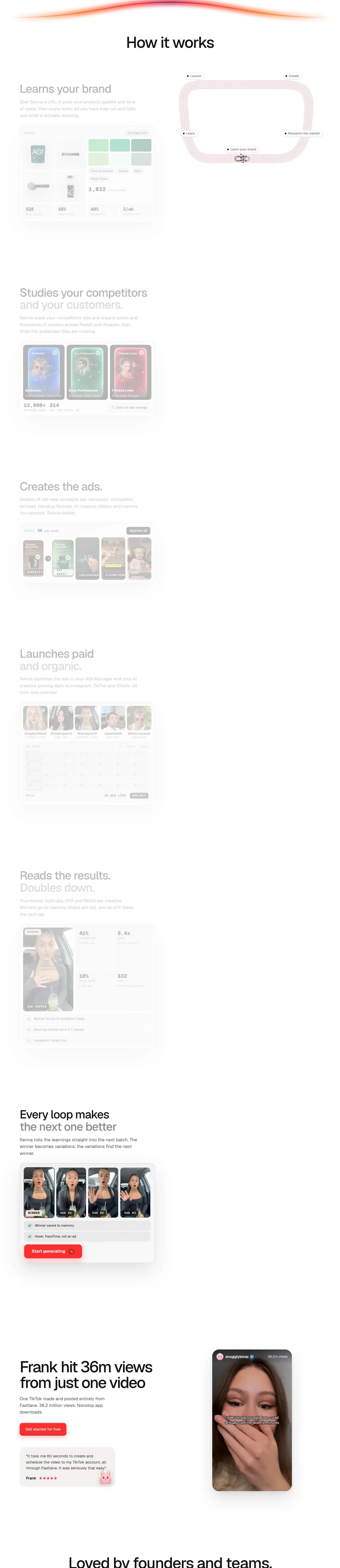
A long, editorial product walkthrough alternates explanatory copy with faint interface mockups, showing the loop from brand learning and research through creation, launch, measurement, and iteration.
Prompt preview
## Reference images

Study these alongside the description below: hierarchy, rhythm, spacing, colour. Build for the product you are asked about, using this design language.

- Component: https://kage-design-assets.t3.tigrisfiles.io/components/fastlane-2-0/959a4273-adb0-42a9-9dfc-df0ea320e78d-1792735309-4.webp
- Full page it was cut from: https://kage-design-assets.t3.tigrisfiles.io/screenshots/fastlane-2-0/959a4273-adb0-42a9-9dfc-df0ea320e78d-1792735248580-full.webp
- Component on Kage: https://kage.design/component/fastlane-2-0-feature-grid

## Before you start
Ask what the user's product workflow is, which steps are genuinely automated, and what interface screens or data can be shown. Then design an original narrative around that workflow.

Build a long “how it works” feature section with a centered 40–56px heading and five or six vertically stacked steps. Each step should use a two-column layout on desktop: concise copy on one side and a lightweight product UI mockup on the other; alternate alignment between rows to create rhythm. On mobile, stack the copy before the visual. Each step needs a small eyebrow or numbered marker, a 28–36px title, a 14–16px muted description, and one believable interface state. Use very pale surfaces #fafafa and #f4f4f4, white cards, thin borders #e8e8e8, 16–24px radii, and low-opacity shadows. Keep the visual hierarchy intentionally calm: the product UI should support the explanation, not overpower it. Use 128–180px vertical spacing between major steps, thin connector lines or small labels only when they clarify sequence, and a coral accent #ff3b3b for active states and key metrics. Include an iteration step at the end that explicitly connects results back to new variants. Make every mockup responsive and accessible, with reduced motion if animation is used.

Never: copy logos, product names, copy, illustrations, or imagery from the reference.
More components

 Data-room education and security overview
Papermark Data Rooms · Feature grid
Data-room education and security overview
Papermark Data Rooms · Feature grid
 Advanced data-room features
Papermark Data Rooms · Feature grid
Advanced data-room features
Papermark Data Rooms · Feature grid
 Workflow demonstrations
Papermark Data Rooms · Feature grid
Workflow demonstrations
Papermark Data Rooms · Feature grid

 Lanyard use-case feature
Badgey · Feature grid
Lanyard use-case feature
Badgey · Feature grid

 Problem statement
Clips by Plastic · Feature grid
Problem statement
Clips by Plastic · Feature grid
 Effects and customization panel
Clips by Plastic · Feature grid
Effects and customization panel
Clips by Plastic · Feature grid