 kage
kage
finalframe.photo
Design analysis
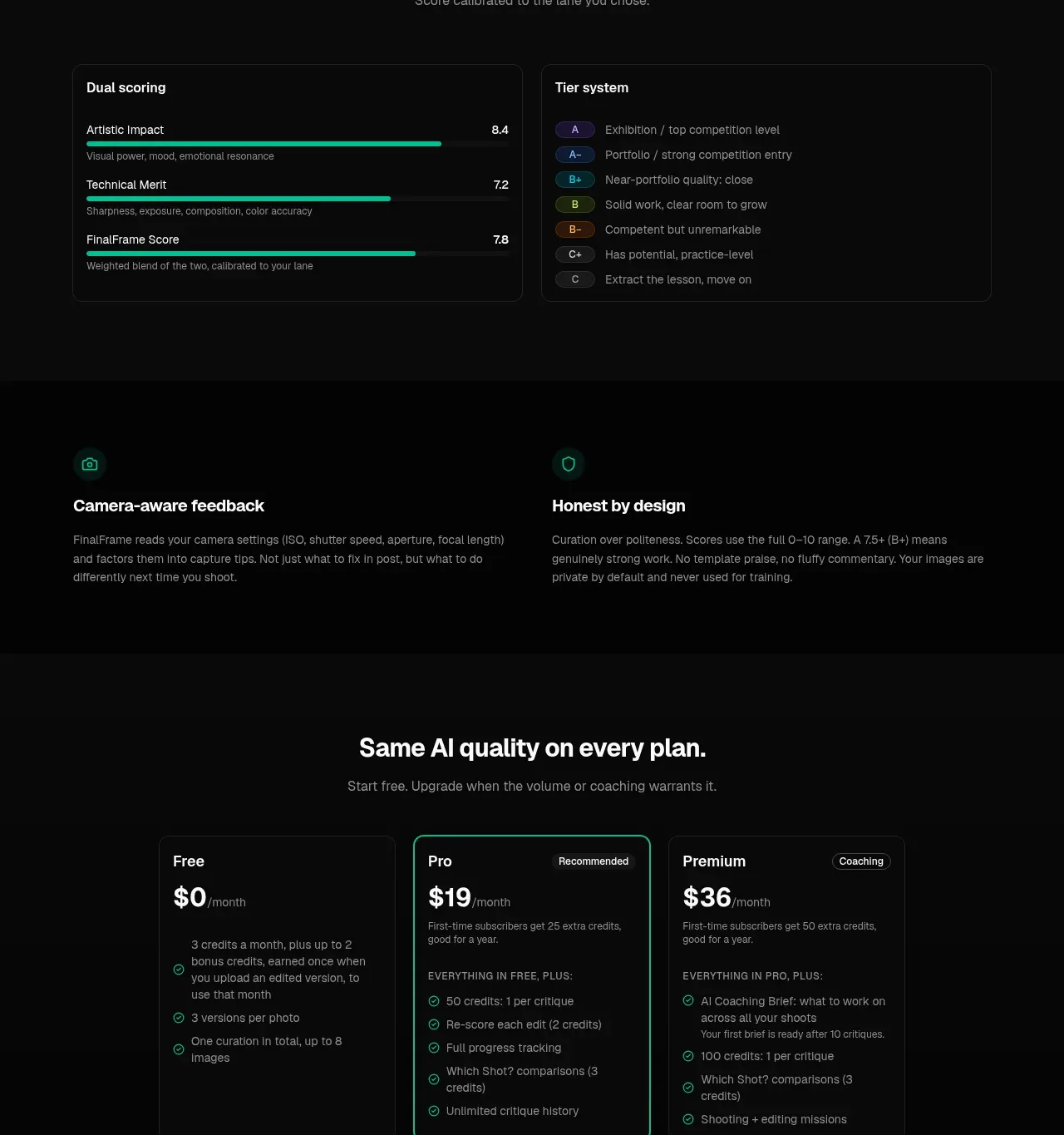
The scoring explanation combines dual metric bars with a tier legend, then reinforces credibility through camera-aware and privacy-oriented principles.
Prompt preview
## Reference images

Study these alongside the description below: hierarchy, rhythm, spacing, colour. Build for the product you are asked about, using this design language.

- Component: https://kage-design-assets.t3.tigrisfiles.io/components/finalframe/10bde091-c6ec-4ca8-aeab-6378e76e091a-1790402733-7.webp
- Full page it was cut from: https://kage-design-assets.t3.tigrisfiles.io/screenshots/finalframe/10bde091-c6ec-4ca8-aeab-6378e76e091a-1790402604641-full.webp
- Component on Kage: https://kage.design/component/finalframe-feature-grid-4

## Before you start
Ask what the user's product measures, how its score should be interpreted, and which trust or privacy promises are genuinely true. Use that information to design the section.

Build a dark trust-and-scoring section. Begin with a centered heading and explanatory copy, followed by two equal bordered panels: one for multiple weighted metrics with horizontal progress bars and numeric values, and one for a tier/grade legend with coloured chips and short definitions. Below, add a two-column reassurance row with small accent icons, concise headings, and paragraphs about transparent methodology, privacy, or domain-specific context. Use #050505 and #0b0d0c surfaces, #252a28 borders, 10px radii, white headings, #858b88 body text, and mint #08c99a bars and icons. Keep score colours meaningful but restrained; include accessible text equivalents and avoid implying false precision. Collapse to one column on mobile.

Never: use logos, product names, copy, illustrations, or imagery from the reference.
More components
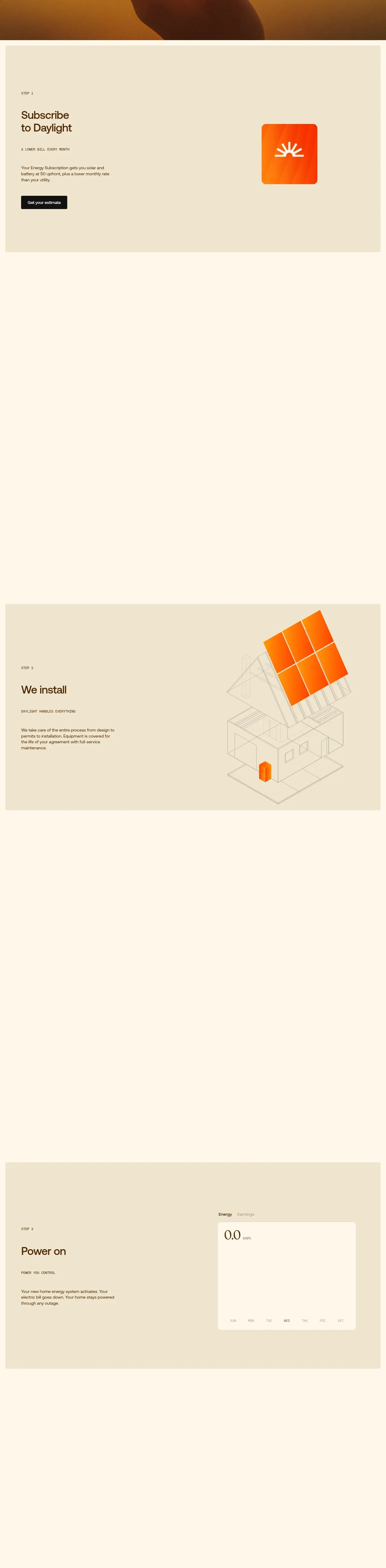
 Three-step process cards
godaylight.com · Feature grid
Three-step process cards
godaylight.com · Feature grid

 Use-case selector with vertical video preview
Spira Maxima · Feature grid
Use-case selector with vertical video preview
Spira Maxima · Feature grid

 Insights and enterprise model access
FastRouter.ai · Feature grid
Insights and enterprise model access
FastRouter.ai · Feature grid
 Solutions by organizational role
FastRouter.ai · Feature grid
Solutions by organizational role
FastRouter.ai · Feature grid
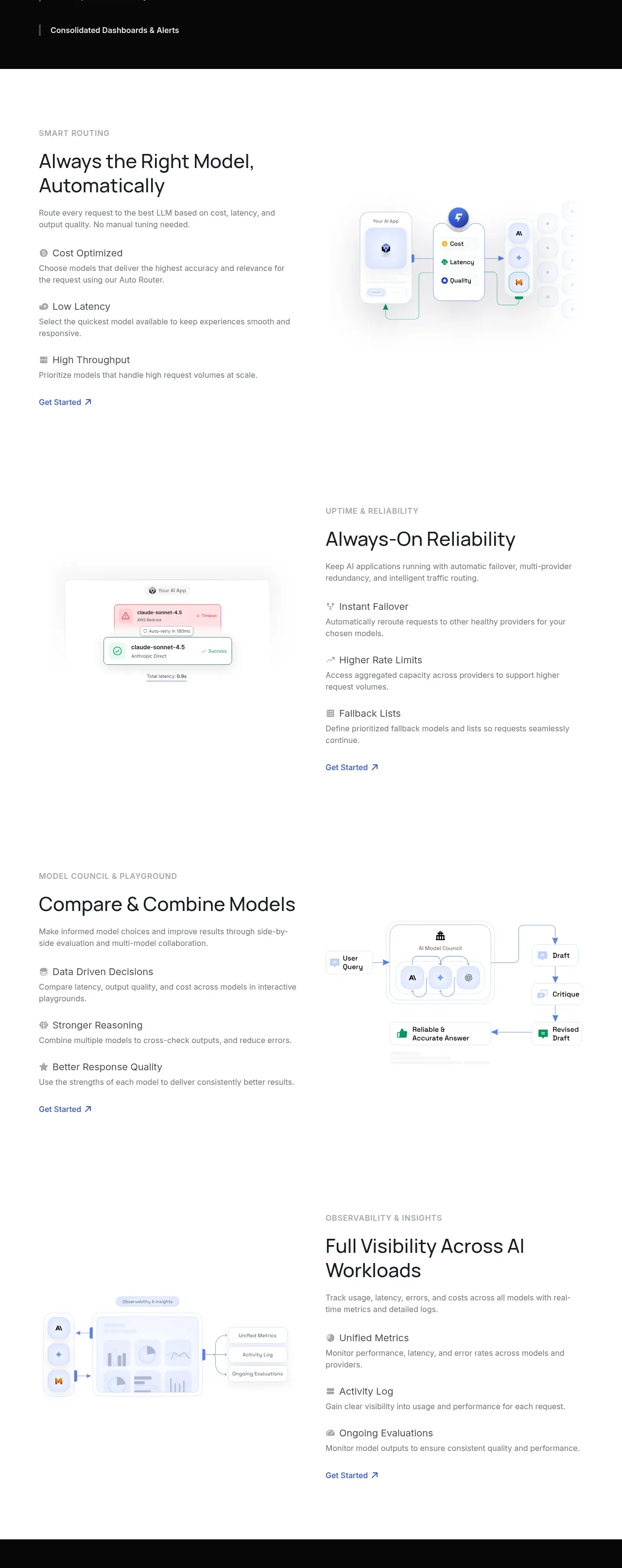 Routing reliability and model collaboration
FastRouter.ai · Feature grid
Routing reliability and model collaboration
FastRouter.ai · Feature grid
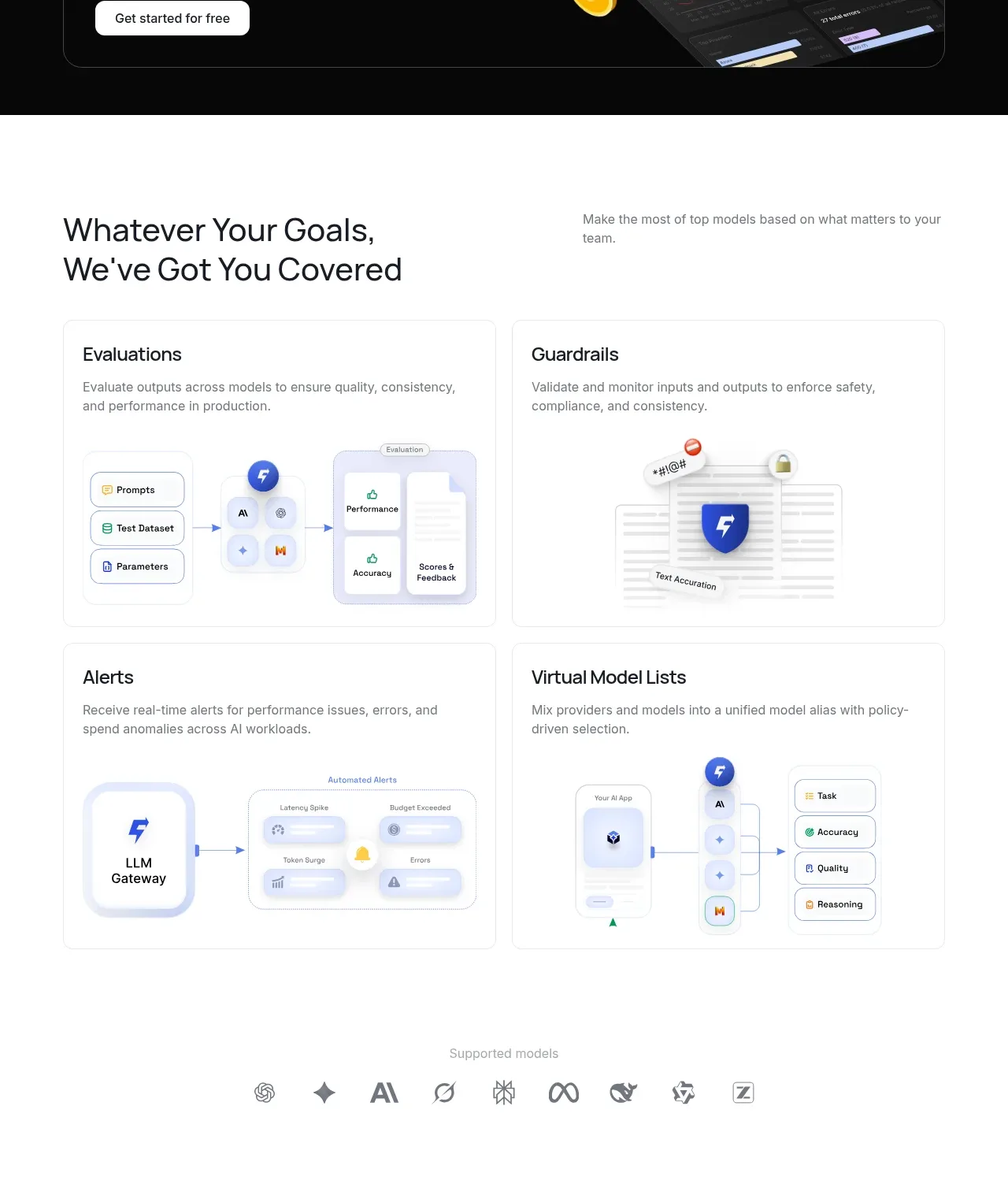 Goal-oriented product capabilities
FastRouter.ai · Feature grid
Goal-oriented product capabilities
FastRouter.ai · Feature grid