 kage
kage
flyweel.co
Design analysis
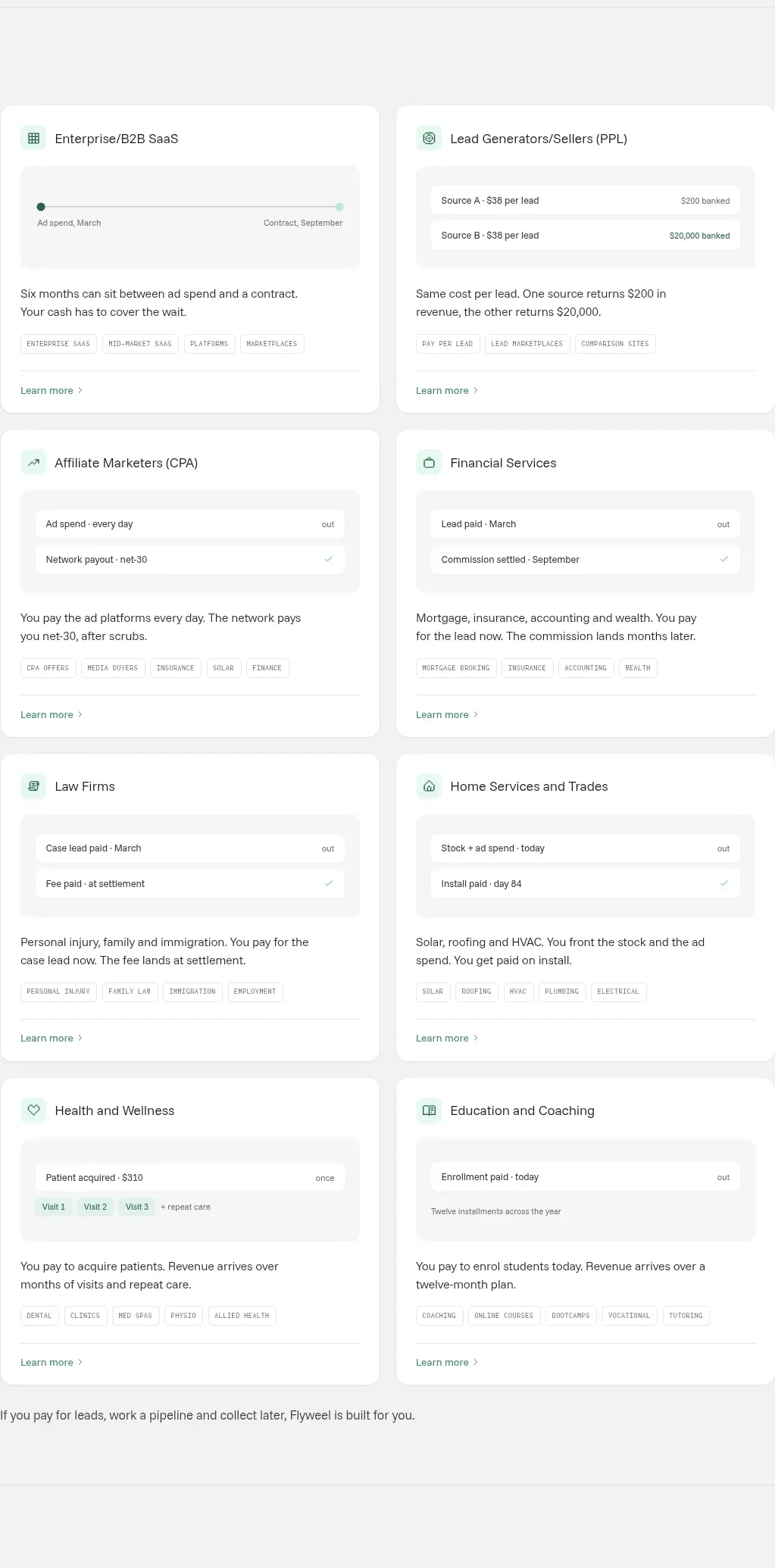
A two-column grid of six audience cards makes the platform concrete through mini transaction diagrams, short explanations, tags, and learn-more links.
Prompt preview
## Reference images

Study these alongside the description below: hierarchy, rhythm, spacing, colour. Build for the product you are asked about, using this design language.

- Component: https://kage-design-assets.t3.tigrisfiles.io/components/flyweel/865e3c33-9e14-4c9c-942f-392b2bfd1af5-1792649013-4.webp
- Full page it was cut from: https://kage-design-assets.t3.tigrisfiles.io/screenshots/flyweel/865e3c33-9e14-4c9c-942f-392b2bfd1af5-1792648958364-full.webp
- Component on Kage: https://kage.design/component/flyweel-feature-grid

## Before you start
Ask what the user's product and brand are, then apply the principles below to that context rather than reproducing this reference.

Build a responsive two-column use-case grid inside a centered max-width container. Each white card should have a small pale-mint icon tile, a concise audience title, a soft-gray mini diagram or transaction timeline, a 2–3 line explanation, compact outlined category tags, and a bottom divider with a learn-more link. Use 20–24px card padding, 14px radius, subtle shadow or #e7ebe7 border, and 16–20px gaps. Keep diagram blocks intentionally simple: rows, labels, dates, totals, and status marks are more effective than decorative illustrations. On mobile, collapse to one column while preserving card hierarchy.

Never: use logos, product names, copy, illustrations, or imagery from the reference.
More components

 Data-room education and security overview
Papermark Data Rooms · Feature grid
Data-room education and security overview
Papermark Data Rooms · Feature grid
 Advanced data-room features
Papermark Data Rooms · Feature grid
Advanced data-room features
Papermark Data Rooms · Feature grid
 Workflow demonstrations
Papermark Data Rooms · Feature grid
Workflow demonstrations
Papermark Data Rooms · Feature grid

 Lanyard use-case feature
Badgey · Feature grid
Lanyard use-case feature
Badgey · Feature grid

 Problem statement
Clips by Plastic · Feature grid
Problem statement
Clips by Plastic · Feature grid
 Effects and customization panel
Clips by Plastic · Feature grid
Effects and customization panel
Clips by Plastic · Feature grid