 kage
kage
flyweel.co
Design analysis
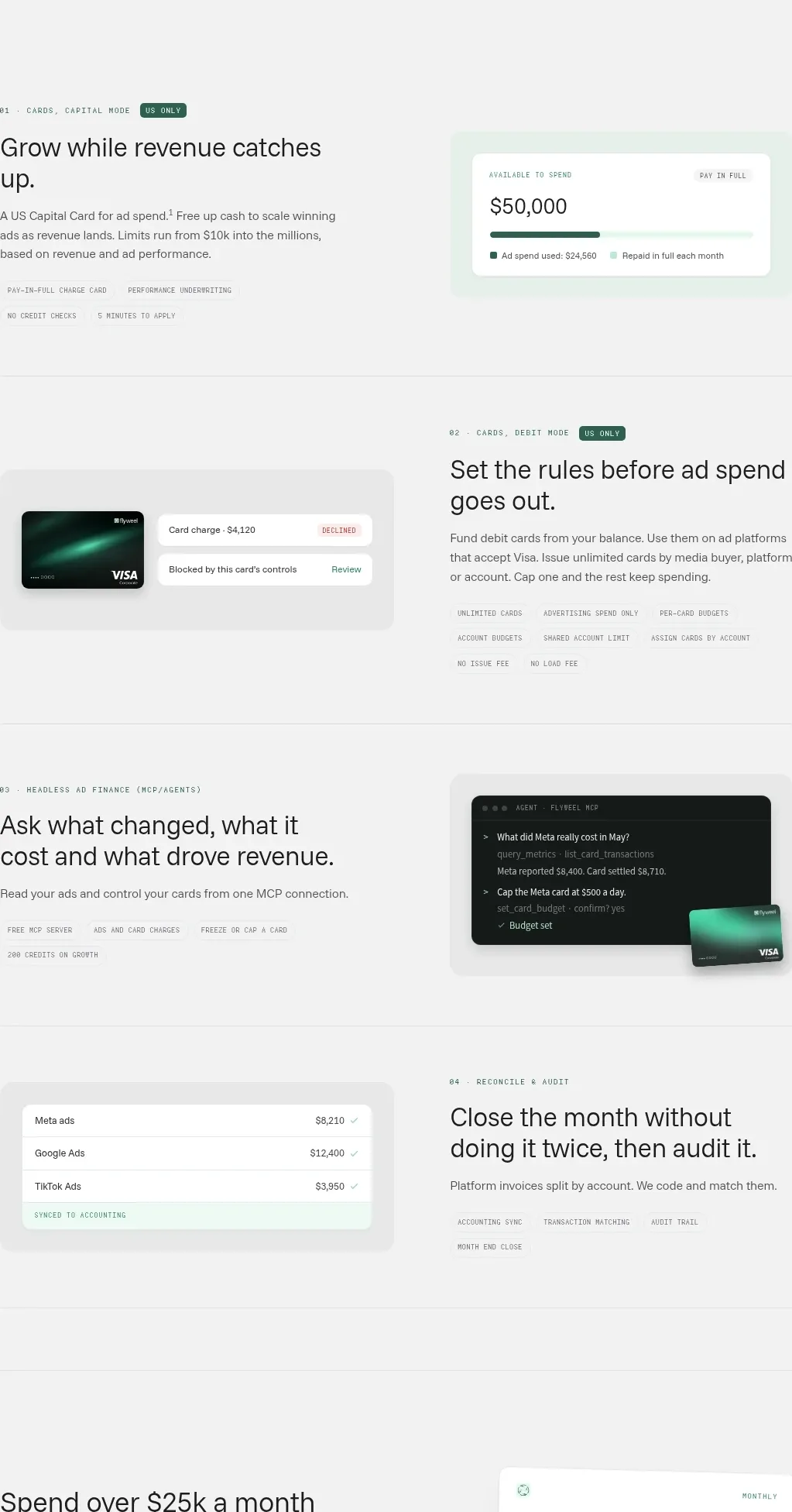
Four alternating product modules explain capabilities with a text side and a contrasting UI mockup side, separated by fine rules.
Prompt preview
## Reference images

Study these alongside the description below: hierarchy, rhythm, spacing, colour. Build for the product you are asked about, using this design language.

- Component: https://kage-design-assets.t3.tigrisfiles.io/components/flyweel/865e3c33-9e14-4c9c-942f-392b2bfd1af5-1792649014-5.webp
- Full page it was cut from: https://kage-design-assets.t3.tigrisfiles.io/screenshots/flyweel/865e3c33-9e14-4c9c-942f-392b2bfd1af5-1792648958364-full.webp
- Component on Kage: https://kage.design/component/flyweel-feature-grid-2

## Before you start
Ask what the user's product and brand are, then apply the principles below to that context rather than reproducing this reference.

Create a vertical sequence of four feature modules in a centered container. Alternate the media and text sides on desktop; stack text before media on mobile. Each text block uses a tiny numbered eyebrow, a 30–38px heading, short explanatory copy, and a row of technical capability tags. Each media block is a soft gray rounded panel containing a minimal product UI mockup such as a balance card, card-control panel, terminal output, or reconciliation table. Use off-white backgrounds, thin #dfe5e1 rules between modules, dark charcoal type, mint highlights, and 72–112px vertical spacing. The mockups should communicate function through believable structure, not visual noise.

Never: use logos, product names, copy, illustrations, or imagery from the reference.
More components

 Data-room education and security overview
Papermark Data Rooms · Feature grid
Data-room education and security overview
Papermark Data Rooms · Feature grid
 Advanced data-room features
Papermark Data Rooms · Feature grid
Advanced data-room features
Papermark Data Rooms · Feature grid
 Workflow demonstrations
Papermark Data Rooms · Feature grid
Workflow demonstrations
Papermark Data Rooms · Feature grid

 Lanyard use-case feature
Badgey · Feature grid
Lanyard use-case feature
Badgey · Feature grid

 Problem statement
Clips by Plastic · Feature grid
Problem statement
Clips by Plastic · Feature grid
 Effects and customization panel
Clips by Plastic · Feature grid
Effects and customization panel
Clips by Plastic · Feature grid