 kage
kage
formabledocs.com
Design analysis
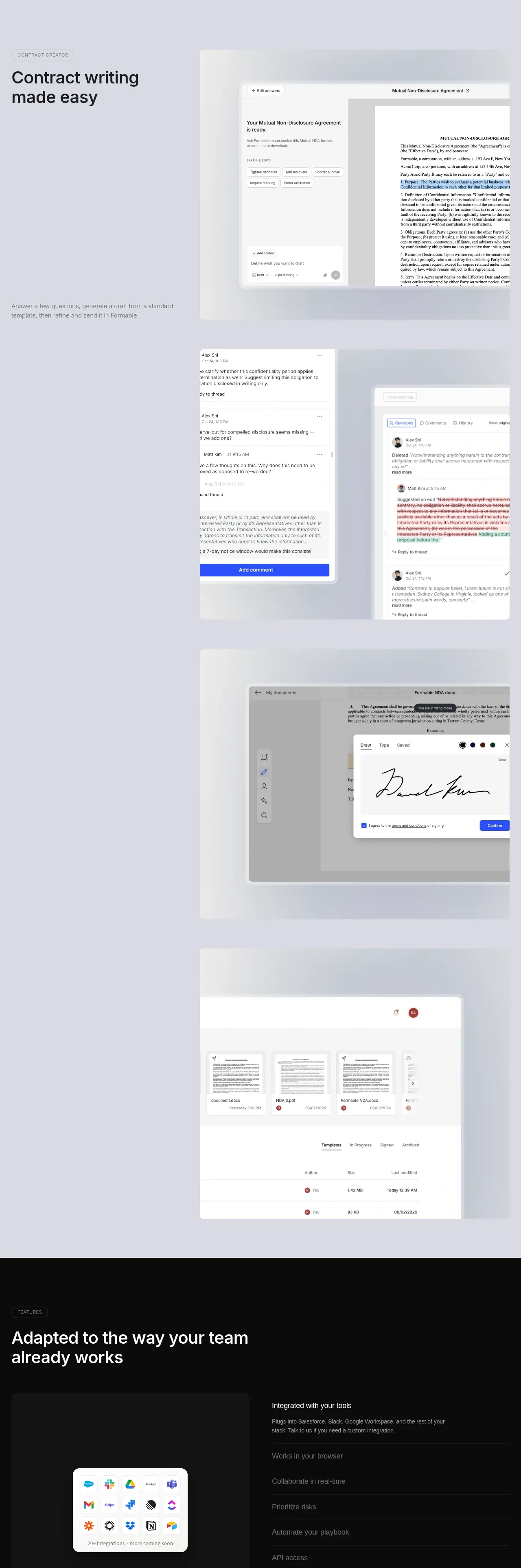
A long sequence of alternating product demonstrations explains writing, collaboration, redlining, e-signature, and document organization as one connected workflow.
Prompt preview
## Reference images

Study these alongside the description below: hierarchy, rhythm, spacing, colour. Build for the product you are asked about, using this design language.

- Component: https://kage-design-assets.t3.tigrisfiles.io/components/formabledocs-com/3108c64d-0f5a-4f45-931d-d27909065482-1792440521-3.webp
- Full page it was cut from: https://kage-design-assets.t3.tigrisfiles.io/screenshots/formabledocs-com/3108c64d-0f5a-4f45-931d-d27909065482-1792440481208-full.webp
- Component on Kage: https://kage.design/component/formabledocs-feature-grid

## Before you start
Ask what the user's product, audience, and brand are, then apply the following principles to that product rather than reproducing the reference.

Create a vertically paced feature suite for a complex workflow. Use several alternating rows: pair a concise eyebrow and bold feature heading with a large product UI panel, then vary the alignment in the next row. Cover the workflow in a logical order such as drafting, editing, collaboration, approvals, signing, and document organization. Use generous empty space between rows, oversized cropped interface panels, and short supporting descriptions instead of dense marketing copy. Keep every visual tied to an action the user understands.

Use a pale lavender-gray canvas around #eeeef4, white or very light UI cards #fafafa, #dfe1e7 borders, and blue accents around #3158ef for active controls. Headings should be 38–52px with tight line-height; eyebrow labels 11–12px uppercase; body copy 15–16px in #6f717a. Use 12–18px radii, soft diffuse shadows, and consistent 20–32px internal card padding. On mobile, stack each copy block above its visual and preserve the workflow order.

### Never
- Never copy logos, product names, copy, illustrations, or imagery from the reference.
- Never turn every feature into an identical two-column card.
- Never show UI details that do not support the feature being explained.
More components

 Discover app directory
Composio Instant · Feature grid
Discover app directory
Composio Instant · Feature grid
 Connected apps workflow
Composio Instant · Feature grid
Connected apps workflow
Composio Instant · Feature grid
 Three-part product workflow
Composio Instant · Feature grid
Three-part product workflow
Composio Instant · Feature grid
 Spending controls
Composio Instant · Feature grid
Spending controls
Composio Instant · Feature grid

 Open hardware pathways
Asimov 1 · Feature grid
Open hardware pathways
Asimov 1 · Feature grid
 Capability overview and specification cards
Asimov 1 · Feature grid
Capability overview and specification cards
Asimov 1 · Feature grid