 kage
kage
framefields.dev
Design analysis
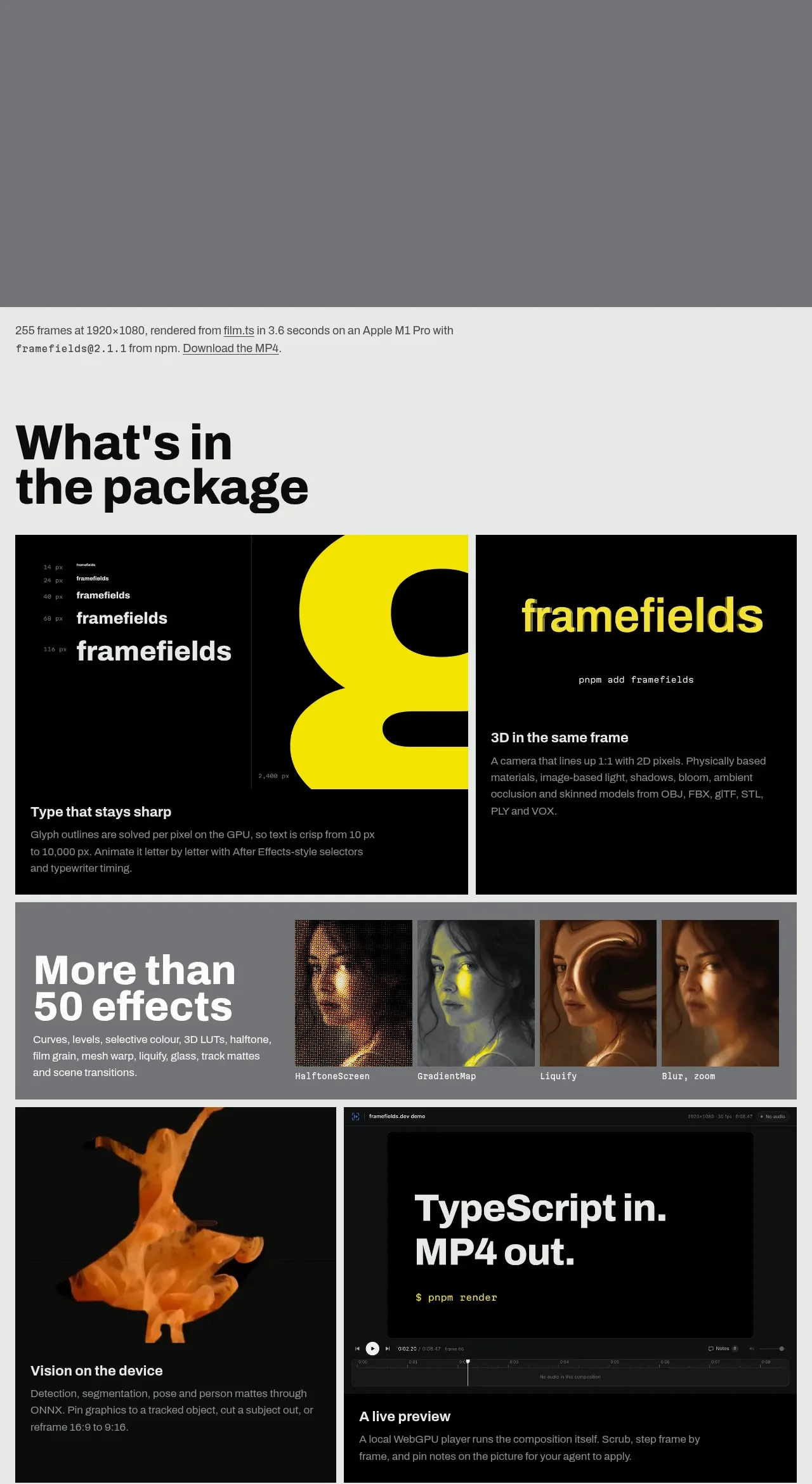
A large package heading introduces a varied modular grid of capability cards, mixing dark media tiles, explanatory text, effect examples, and performance-oriented demos.
Prompt preview
## Reference images

Study these alongside the description below: hierarchy, rhythm, spacing, colour. Build for the product you are asked about, using this design language.

- Component: https://kage-design-assets.t3.tigrisfiles.io/components/framefields/70450159-6614-49a5-a5e2-7c6c30c81571-1792476188-3.webp
- Full page it was cut from: https://kage-design-assets.t3.tigrisfiles.io/screenshots/framefields/70450159-6614-49a5-a5e2-7c6c30c81571-1792476110643-full.webp
- Component on Kage: https://kage.design/component/framefields-feature-grid

## Before you start
Ask what capabilities the user's product offers, which ones deserve visual demonstration, and what content hierarchy the brand needs. Apply the principles below to that product rather than copying the reference.

Create a feature section on a pale cool-gray background (`#eef1ef`) with a short technical metadata line, then a very large black heading and supporting copy. Below, use an asymmetric responsive grid of feature cards rather than a repetitive card wall. Mix wide and narrow modules: dark near-black media cards, an effects strip with several small previews, a split demo card, an audio or signal visualization, and a performance/chart card.

Use black borders or narrow gutters, minimal corner radius, and strong internal alignment. Feature titles should be bold 18–24px sans-serif; descriptions should be 14–16px in muted gray (`#9a9d9b` on dark cards). Let visuals carry the section while keeping each card understandable with a concise title and description. Use one vivid accent such as yellow (`#f5e600`) sparingly for highlights, plotted data, or active states. Add responsive stacking and preserve media aspect ratios.

Never: use logos, product names, copy, illustrations, or imagery from the reference.
More components

 Discover app directory
Composio Instant · Feature grid
Discover app directory
Composio Instant · Feature grid
 Connected apps workflow
Composio Instant · Feature grid
Connected apps workflow
Composio Instant · Feature grid
 Three-part product workflow
Composio Instant · Feature grid
Three-part product workflow
Composio Instant · Feature grid
 Spending controls
Composio Instant · Feature grid
Spending controls
Composio Instant · Feature grid

 Open hardware pathways
Asimov 1 · Feature grid
Open hardware pathways
Asimov 1 · Feature grid
 Capability overview and specification cards
Asimov 1 · Feature grid
Capability overview and specification cards
Asimov 1 · Feature grid