 kage
kage
idlen.io
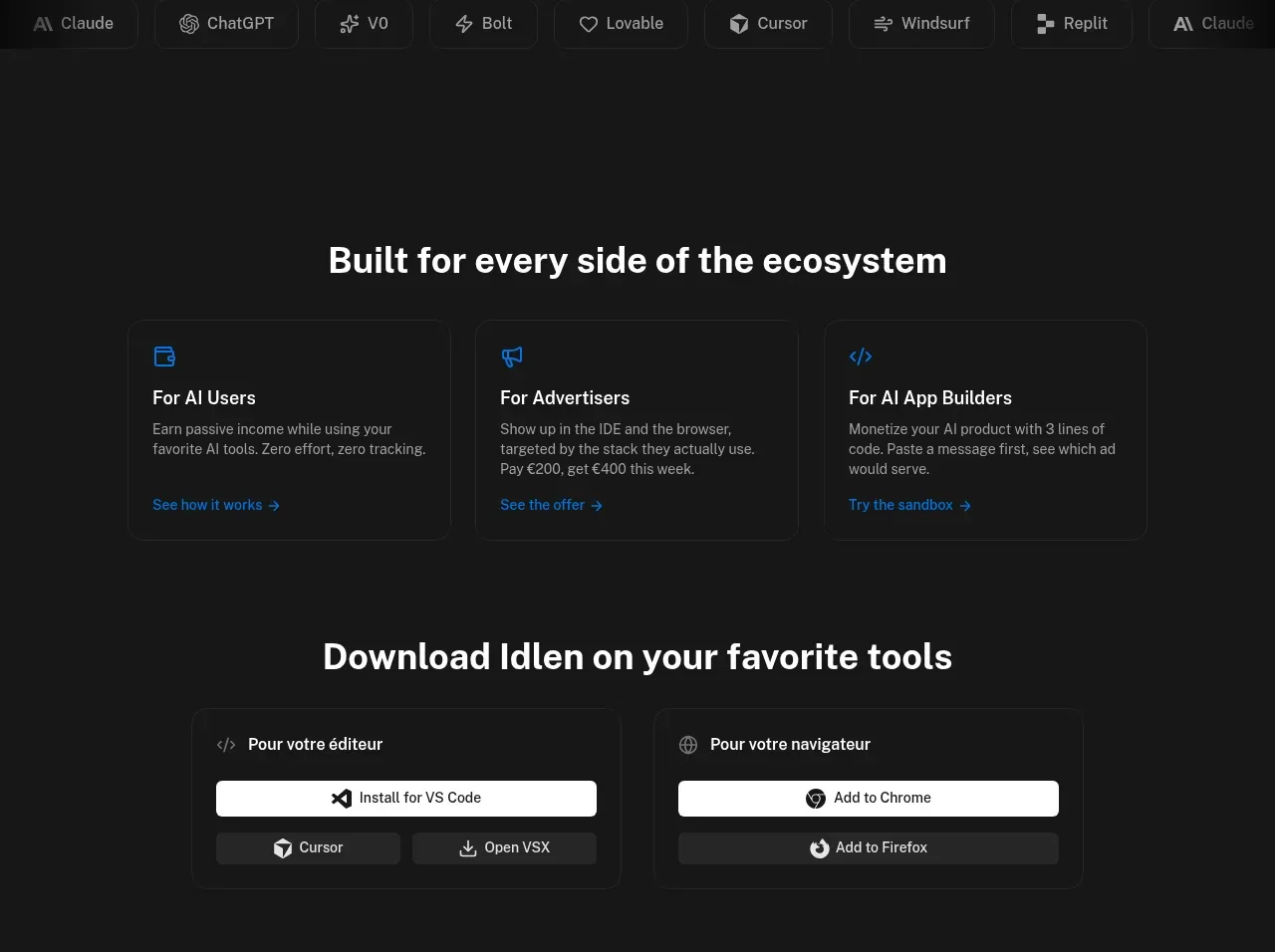
Design analysis
This combined product-orientation area first routes three audiences to their relevant value proposition, then offers separate editor and browser installation cards. The repeated bordered-card grammar makes multiple entry points easy to scan.
Prompt preview
## Reference images

Study these alongside the description below: hierarchy, rhythm, spacing, colour. Build for the product you are asked about, using this design language.

- Component: https://kage-design-assets.t3.tigrisfiles.io/components/idlen/09112380-17fc-499b-a8d2-71eed663a053-1789538553-4.webp
- Full page it was cut from: https://kage-design-assets.t3.tigrisfiles.io/screenshots/idlen/09112380-17fc-499b-a8d2-71eed663a053-1789538482510-full.webp
- Component on Kage: https://kage.design/component/idlen-feature-grid

## Before you start
Ask what the user's product, audience, and brand are, then apply the principles below to that product rather than copying this reference.

Build a dark product-orientation section with a centered heading and a three-column audience card row. Each card has a tiny blue line icon, audience title, two-line explanation, and a small text link. Follow it with a second centered heading and two wider installation cards: one for a desktop/editor integration and one for a browser integration, each with a prominent white action and one or two secondary options.

Design rules:
- Use a max-width 720–820px container, three equal cards for audience paths, and two equal cards for downloads.
- Use 28–32px section headings, 14px card titles, 12–13px descriptions, and 11–12px utility links.
- Approximate colours: #171717 background, #f2f2f2 headings, #a0a0a0 body text, #242424 borders, #0b75e8 icon accents, white #f8f8f8 action buttons.
- Use 8px card radii, 1px borders, 24px internal padding, and modest hover border illumination.
- Keep primary installation actions full width within their cards and make the labels platform-specific.
- On mobile, stack cards and preserve a clear separation between audience routing and installation.

Never:
- Never use logos, product names, copy, illustrations, or imagery from the reference.
- Never copy the reference's audience labels or download destinations.
- Never make every button equally prominent.
More components

 Rapid onboarding timeline
throxy · Feature grid
Rapid onboarding timeline
throxy · Feature grid
 Why alternatives disappoint
throxy · Feature grid
Why alternatives disappoint
throxy · Feature grid
 Qualification workflow cards
throxy · Feature grid
Qualification workflow cards
throxy · Feature grid
 Outbound partner benefits
throxy · Feature grid
Outbound partner benefits
throxy · Feature grid
 Cold-calling performance section
throxy · Feature grid
Cold-calling performance section
throxy · Feature grid
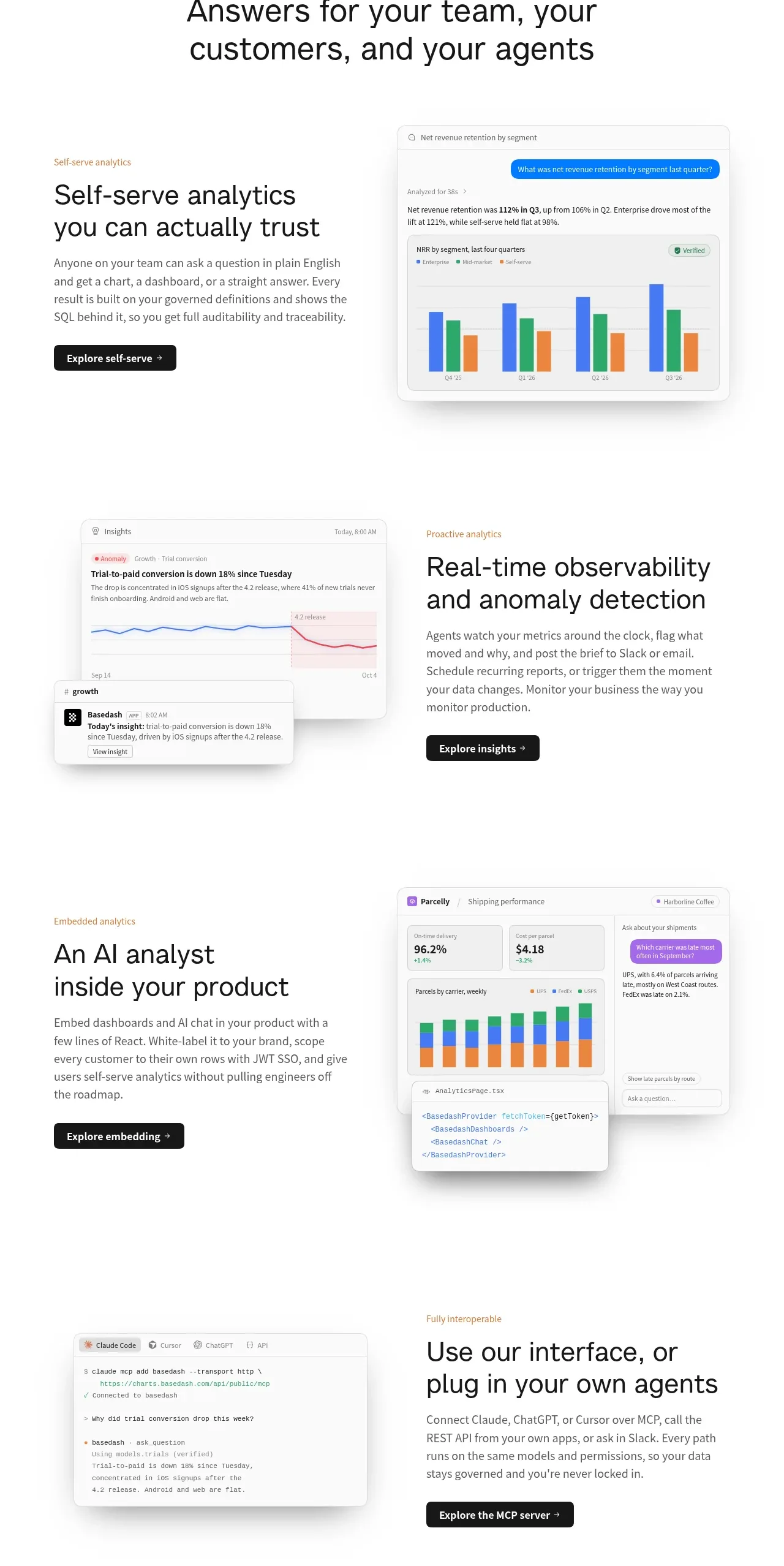
 Analytics capability showcase
Basedash View-only members · Feature grid
Analytics capability showcase
Basedash View-only members · Feature grid