kage
kage
imagetoascii.art
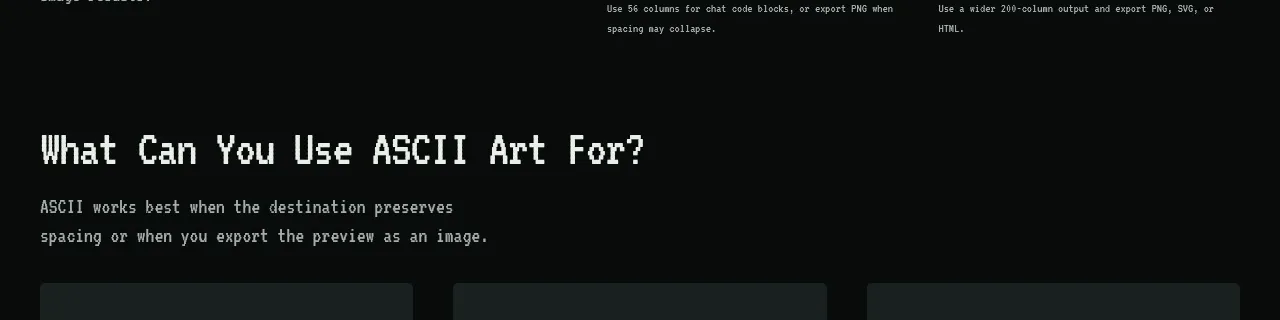
Design analysis
Three compact cards translate the product into recognizable contexts, helping visitors quickly identify a relevant use case.
Prompt preview
## Reference images

Study these alongside the description below: hierarchy, rhythm, spacing, colour. Build for the product you are asked about, using this design language.

- Component: https://kage-design-assets.t3.tigrisfiles.io/components/image-to-ascii/536947f7-3504-43cd-9692-a327ad82583f-1789452200-9.webp
- Full page it was cut from: https://kage-design-assets.t3.tigrisfiles.io/screenshots/image-to-ascii/536947f7-3504-43cd-9692-a327ad82583f-1789452107158-full.webp
- Component on Kage: https://kage.design/component/image-to-ascii-card

## Before you start
Ask which three user groups or contexts are most important for the user's product. Then create concise cards that help each audience self-identify.

Create three equal-width use-case cards with a small technical label, a short title, and two lines describing the outcome. Use a dark green-gray surface (#17211f), subtle 1px borders, 4–6px corners, and 20–24px padding. Keep titles off-white and descriptions muted. Add a small hover border color change and make each card keyboard-accessible if it links to a workflow. Stack into one column on mobile.

Never: use logos, product names, copy, illustrations, or imagery from the reference.