 kage
kage
imagetoascii.art
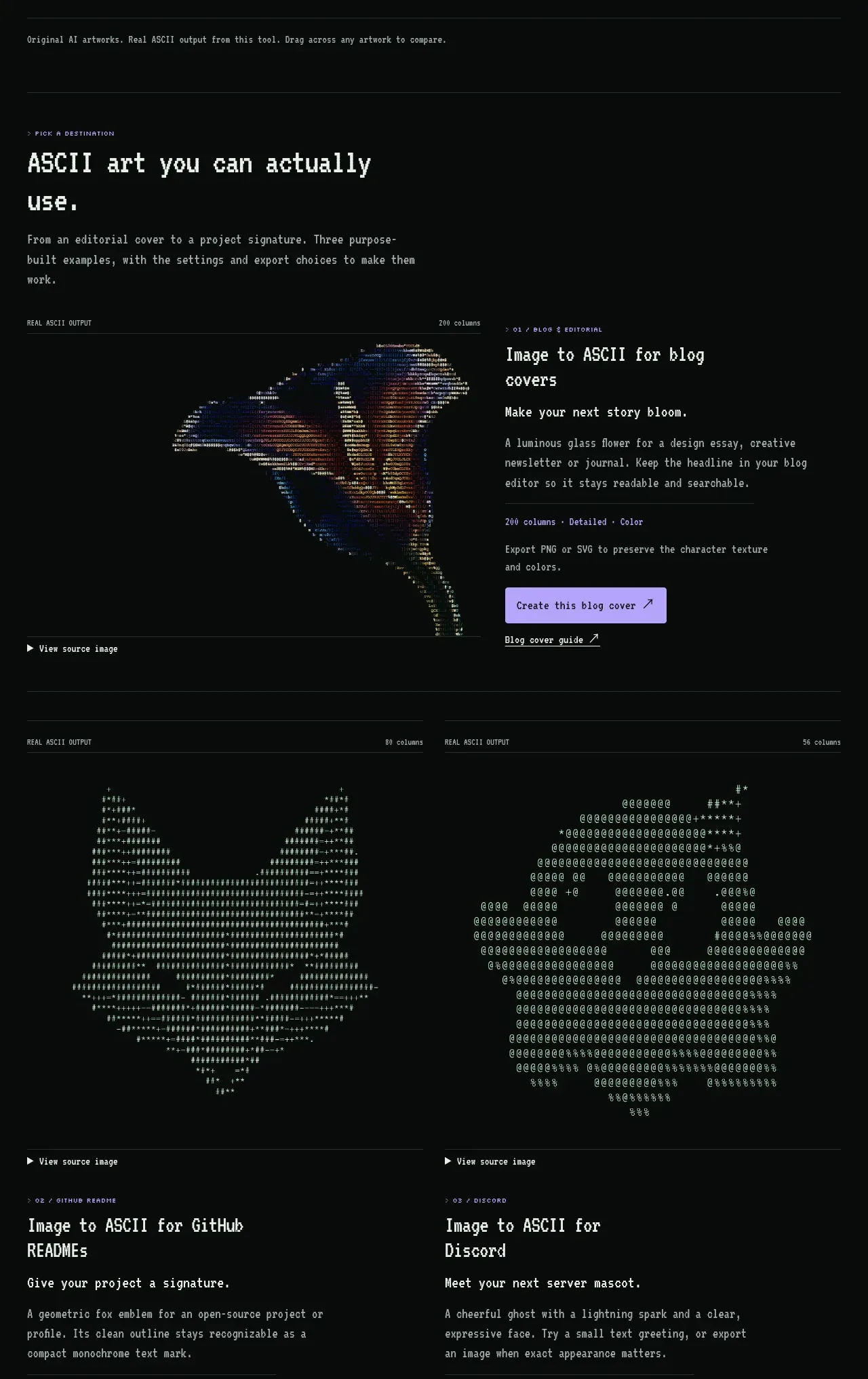
Design analysis
A sequence of destination-oriented showcase cards explains how the output can be used for editorial covers, README files, terminals, Discord, and other contexts.
Prompt preview
## Reference images

Study these alongside the description below: hierarchy, rhythm, spacing, colour. Build for the product you are asked about, using this design language.

- Component: https://kage-design-assets.t3.tigrisfiles.io/components/image-to-ascii/536947f7-3504-43cd-9692-a327ad82583f-1789452198-4.webp
- Full page it was cut from: https://kage-design-assets.t3.tigrisfiles.io/screenshots/image-to-ascii/536947f7-3504-43cd-9692-a327ad82583f-1789452107158-full.webp
- Component on Kage: https://kage.design/component/image-to-ascii-feature-grid

## Before you start
Ask which destinations, workflows, or user outcomes matter most for the user's product. Then build a showcase that maps outputs to those use cases.

Build a destination showcase section with a strong heading, explanatory paragraph, and a sequence of two-column feature cards. Each feature should pair a large output preview on one side with a concise text block on the other: context label, heading, benefit statement, metadata, primary action, and secondary guide link. On smaller screens stack the preview above the text. Use a near-black background, thin horizontal rules (#29302d), muted gray metadata, off-white headings, and lavender buttons. Let each preview use a different aspect ratio or character density while maintaining consistent card padding and alignment. Include a final row of smaller destination cards for additional contexts. Use generous vertical spacing, around 72–104px between major groups, and preserve a clear reading order.

Never: use logos, product names, copy, illustrations, or imagery from the reference.
More components

 Rapid onboarding timeline
throxy · Feature grid
Rapid onboarding timeline
throxy · Feature grid
 Why alternatives disappoint
throxy · Feature grid
Why alternatives disappoint
throxy · Feature grid
 Cold-calling performance section
throxy · Feature grid
Cold-calling performance section
throxy · Feature grid
 Outbound partner benefits
throxy · Feature grid
Outbound partner benefits
throxy · Feature grid
 Qualification workflow cards
throxy · Feature grid
Qualification workflow cards
throxy · Feature grid
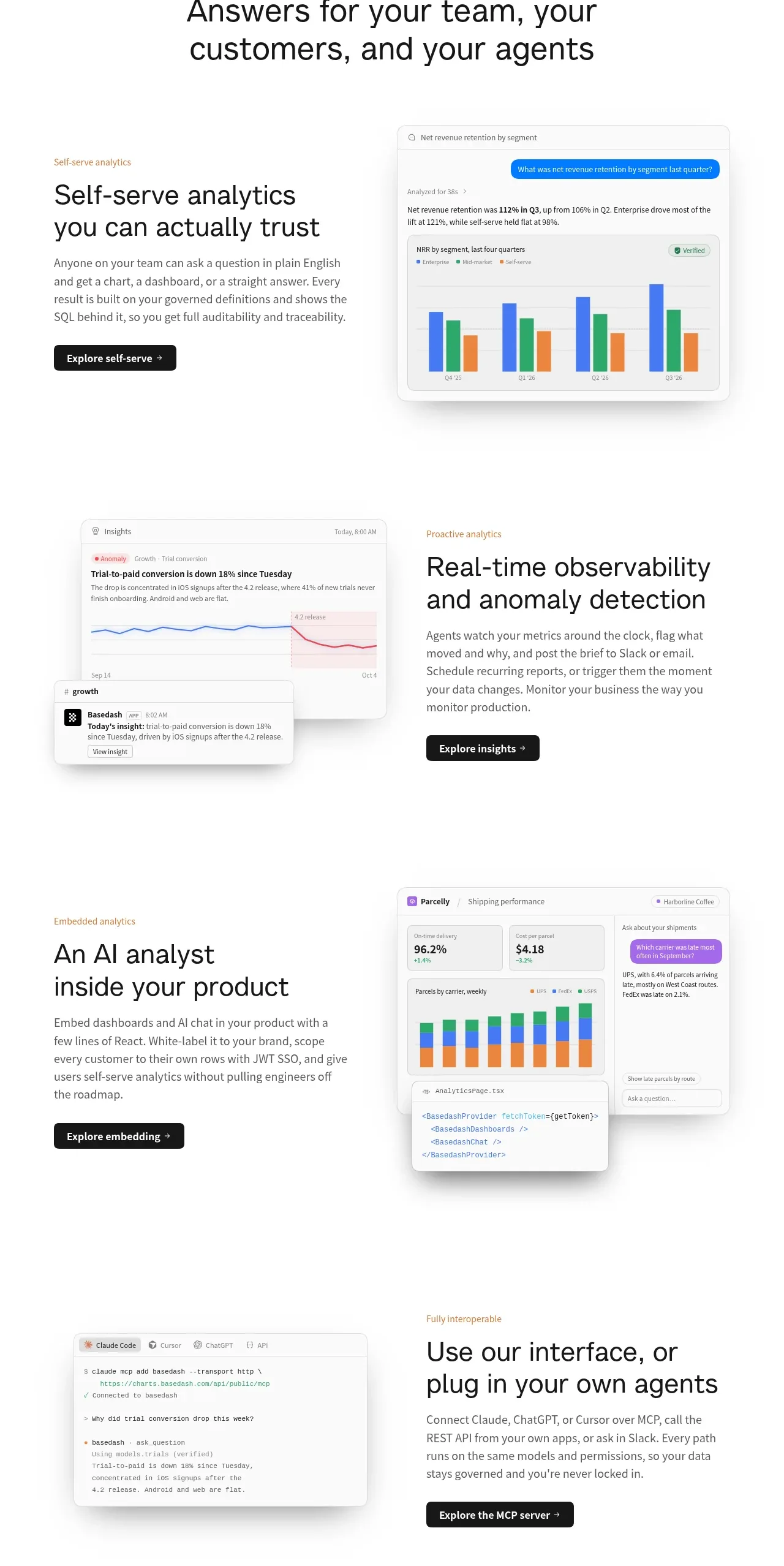
 Analytics capability showcase
Basedash View-only members · Feature grid
Analytics capability showcase
Basedash View-only members · Feature grid