 kage
kage
getinboxzero.com
Design analysis
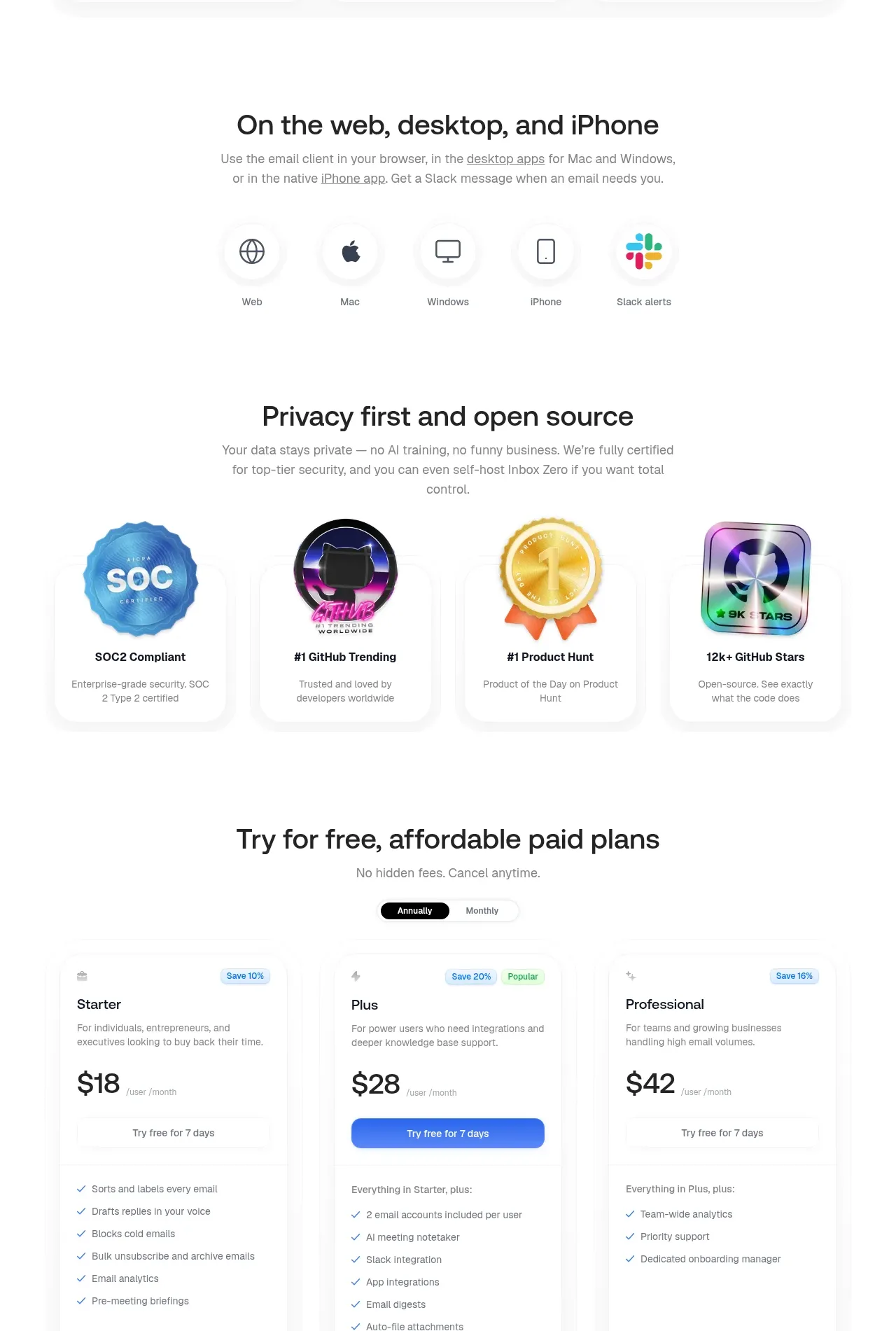
Two consecutive trust-building bands show supported platforms first, then security/open-source credentials through a row of badges and concise explanations.
Prompt preview
## Reference images

Study these alongside the description below: hierarchy, rhythm, spacing, colour. Build for the product you are asked about, using this design language.

- Component: https://kage-design-assets.t3.tigrisfiles.io/components/inbox-zero/752b92b1-2db1-4db8-be4f-72f48a430ed6-1792389759-7.webp
- Full page it was cut from: https://kage-design-assets.t3.tigrisfiles.io/screenshots/inbox-zero/752b92b1-2db1-4db8-be4f-72f48a430ed6-1792389697138-full.webp
- Component on Kage: https://kage.design/component/inbox-zero-feature-grid-5

## Before you start
Ask what the user's product and brand are, then apply the principles below to that product rather than reproducing this reference.

Create a combined trust section with two clearly separated subsections. First, show a centered heading about availability across web, desktop, mobile, and notifications, followed by a compact row of simple line icons with labels. Second, show a centered privacy/security heading and supporting text, followed by four equal credential cards containing abstract certification or community badges, short labels, and one-line explanations. Use generous white space, black #202020 headings, gray #777777 copy, thin #eeeeee dividers, 16px card radii, and soft card shadows. Keep icons simple and original, use blue as the primary accent, and make the platform row wrap cleanly on smaller screens.

Never use the reference's logo, product name, copy, illustrations, or imagery.
More components

 Discover app directory
Composio Instant · Feature grid
Discover app directory
Composio Instant · Feature grid
 Connected apps workflow
Composio Instant · Feature grid
Connected apps workflow
Composio Instant · Feature grid
 Three-part product workflow
Composio Instant · Feature grid
Three-part product workflow
Composio Instant · Feature grid
 Spending controls
Composio Instant · Feature grid
Spending controls
Composio Instant · Feature grid

 Open hardware pathways
Asimov 1 · Feature grid
Open hardware pathways
Asimov 1 · Feature grid
 Capability overview and specification cards
Asimov 1 · Feature grid
Capability overview and specification cards
Asimov 1 · Feature grid