 kage
kage
kerno.io
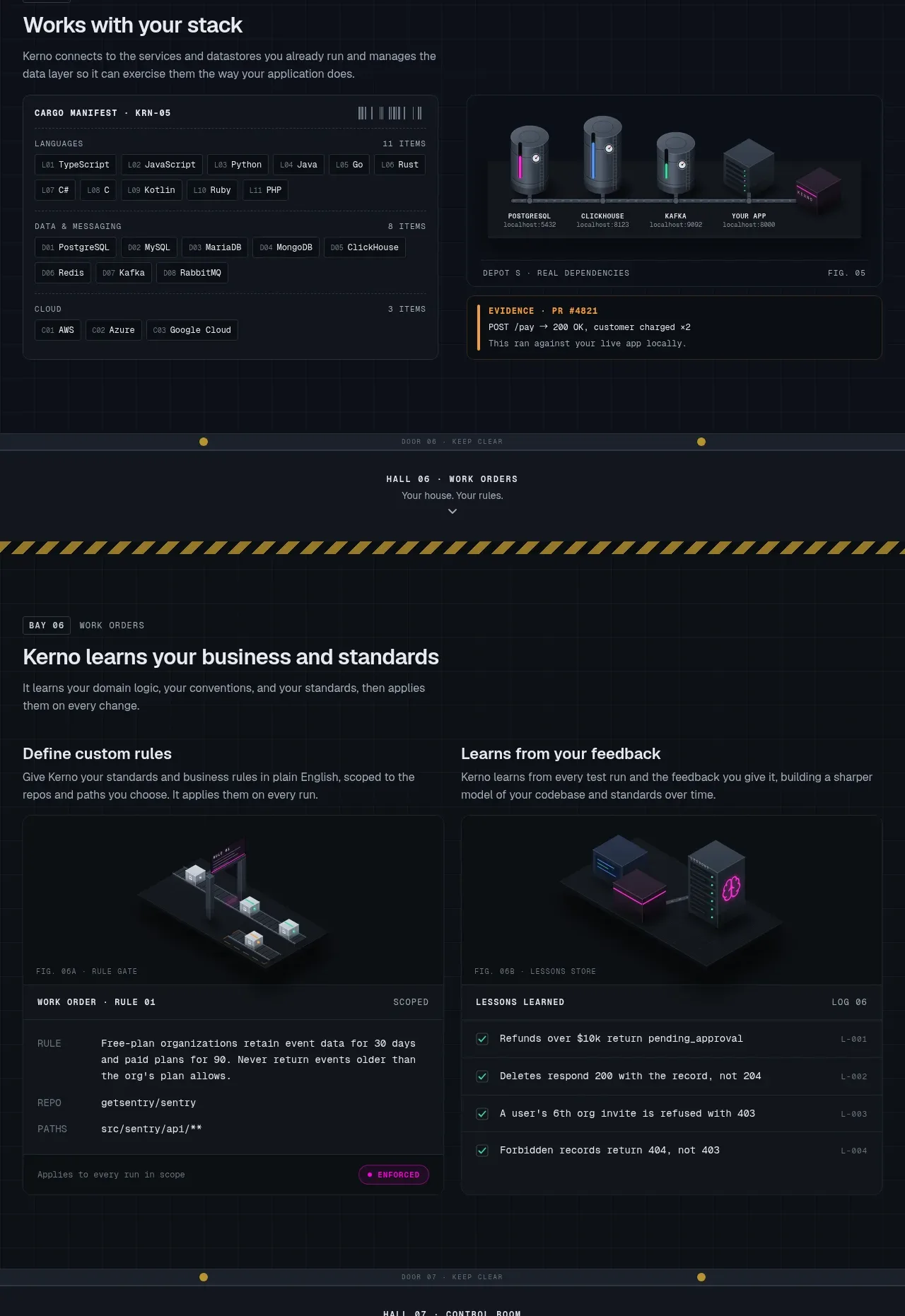
Design analysis
Two related bands show how the system connects to a stack and how it learns organizational rules. Dense configuration panels, chips, and evidence cards make the product feel configurable and operational.
Prompt preview
## Reference images

Study these alongside the description below: hierarchy, rhythm, spacing, colour. Build for the product you are asked about, using this design language.

- Component: https://kage-design-assets.t3.tigrisfiles.io/components/kerno-1-0/454d79dc-d228-4b14-889b-ec4f181556d7-1792130640-7.webp
- Full page it was cut from: https://kage-design-assets.t3.tigrisfiles.io/screenshots/kerno-1-0/454d79dc-d228-4b14-889b-ec4f181556d7-1792130514699-full.webp
- Component on Kage: https://kage.design/component/kerno-1-0-feature-grid-5

## Before you start
Ask what systems the user's product connects to, what configuration is required, and whether it can learn rules or feedback. Use the user's actual categories and constraints to shape the component.

Build a dark product-operations section composed of two vertically related feature bands. First, show a heading and a split panel: a dense but readable stack/integration inventory on the left and a dependency/evidence visualization on the right. Second, show two equal rule/learning cards, each with a small visual, an explanatory heading, and a realistic configuration or checklist panel. Use #0b1017, panel #111720, borders #27313c, text #c3cbd2, and a bright accent for tags and active states. Use chips for technologies or categories with 8–10px mono text, but keep them sparse and legible. Configuration cards should feel like software panels with clear labels, input-like rows, and status indicators. Use 24–28px headings, 12–14px body text, and 9–10px metadata. Keep the two feature bands separated by generous whitespace and stack all columns on mobile.

Never use the reference technologies, product names, rule text, screenshots, illustrations, or exact data.
More components
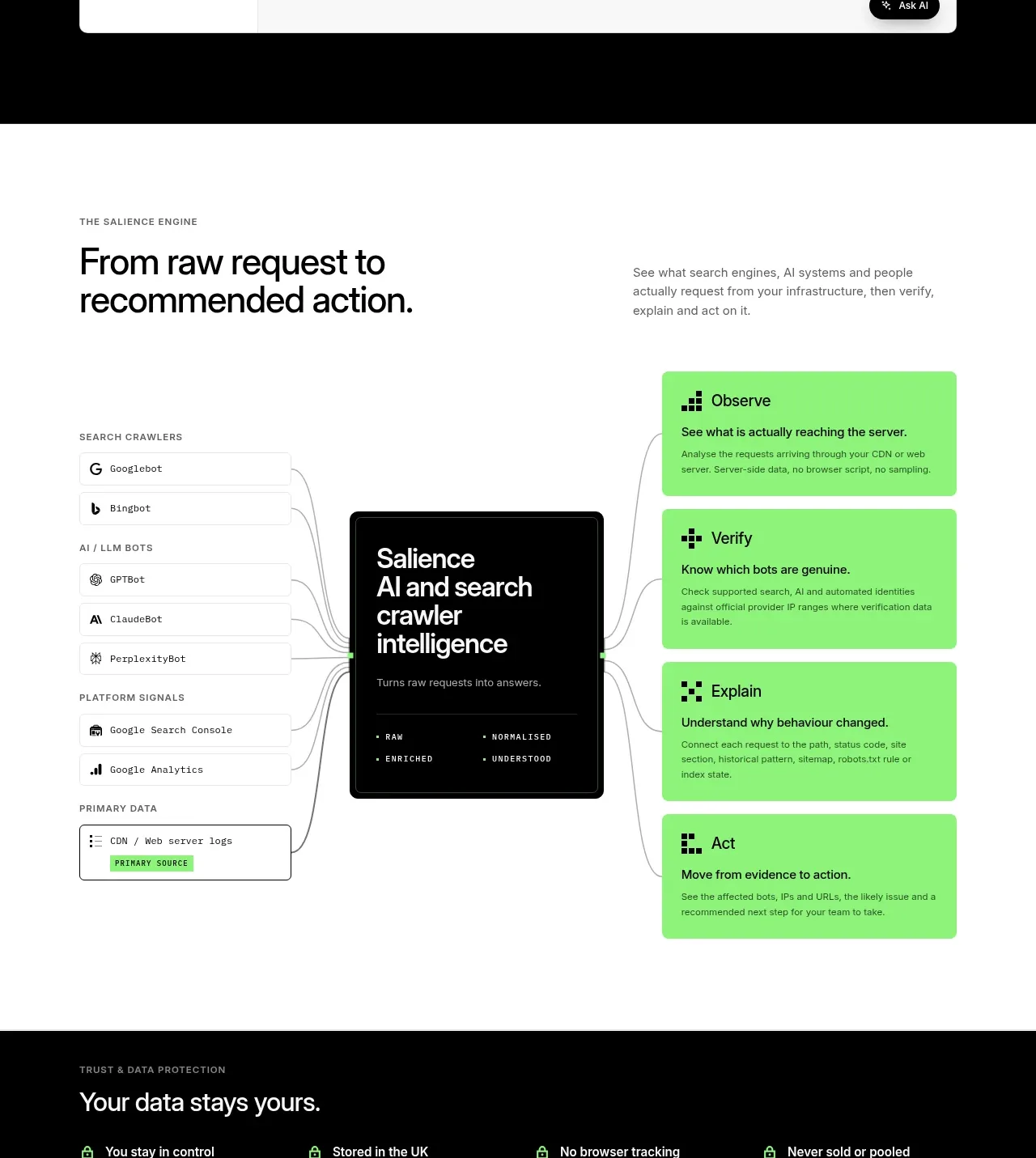
 Data-to-action engine
Salience · Feature grid
Data-to-action engine
Salience · Feature grid
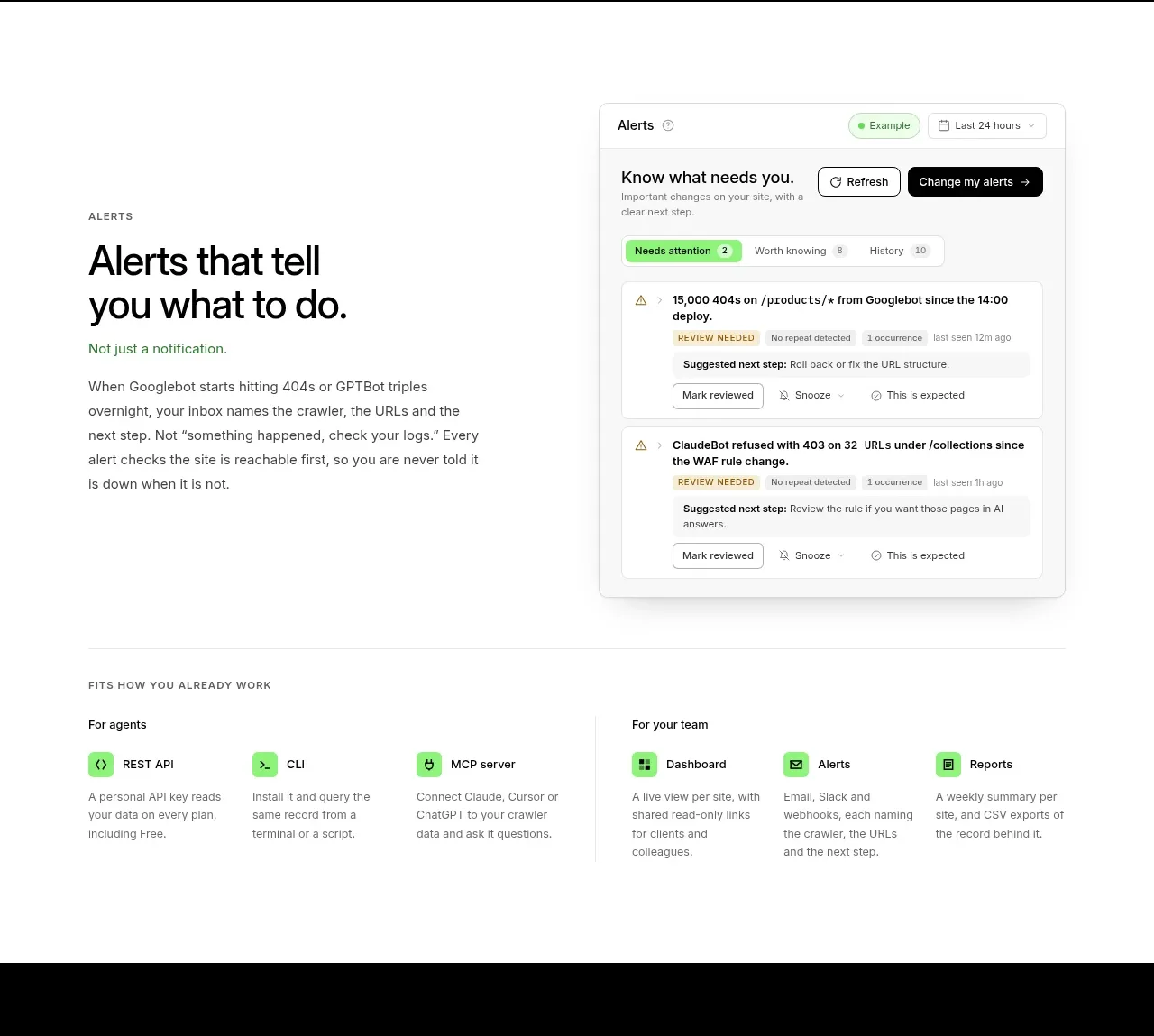 Actionable alert workflow
Salience · Feature grid
Actionable alert workflow
Salience · Feature grid
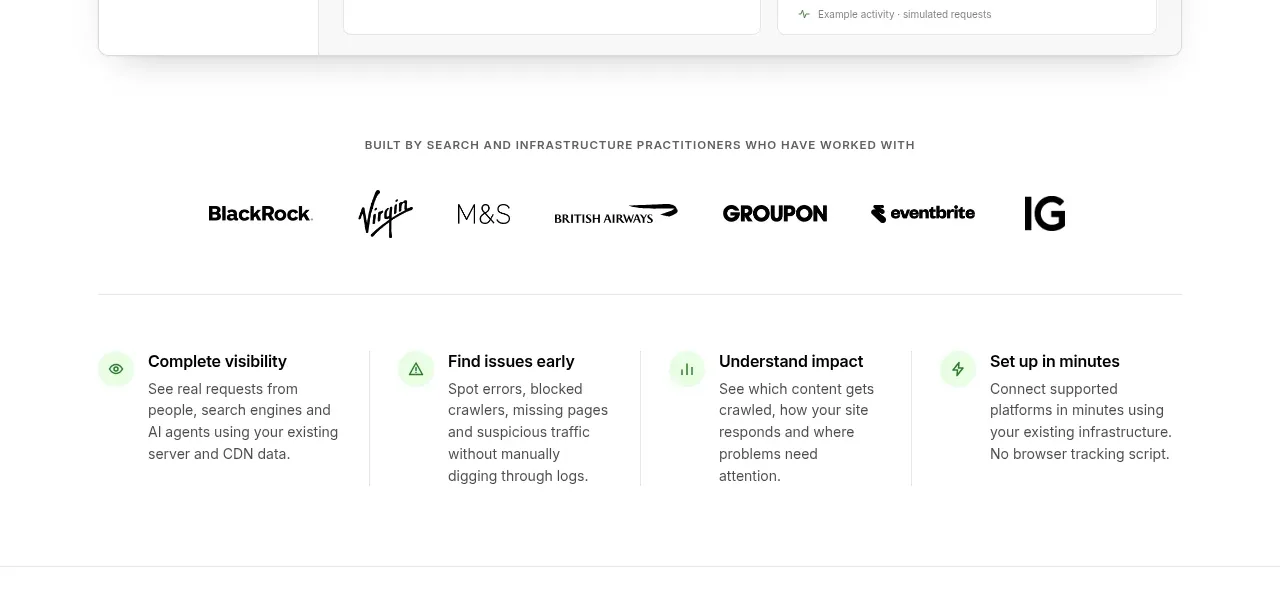 Trust proof and core outcomes
Salience · Feature grid
Trust proof and core outcomes
Salience · Feature grid
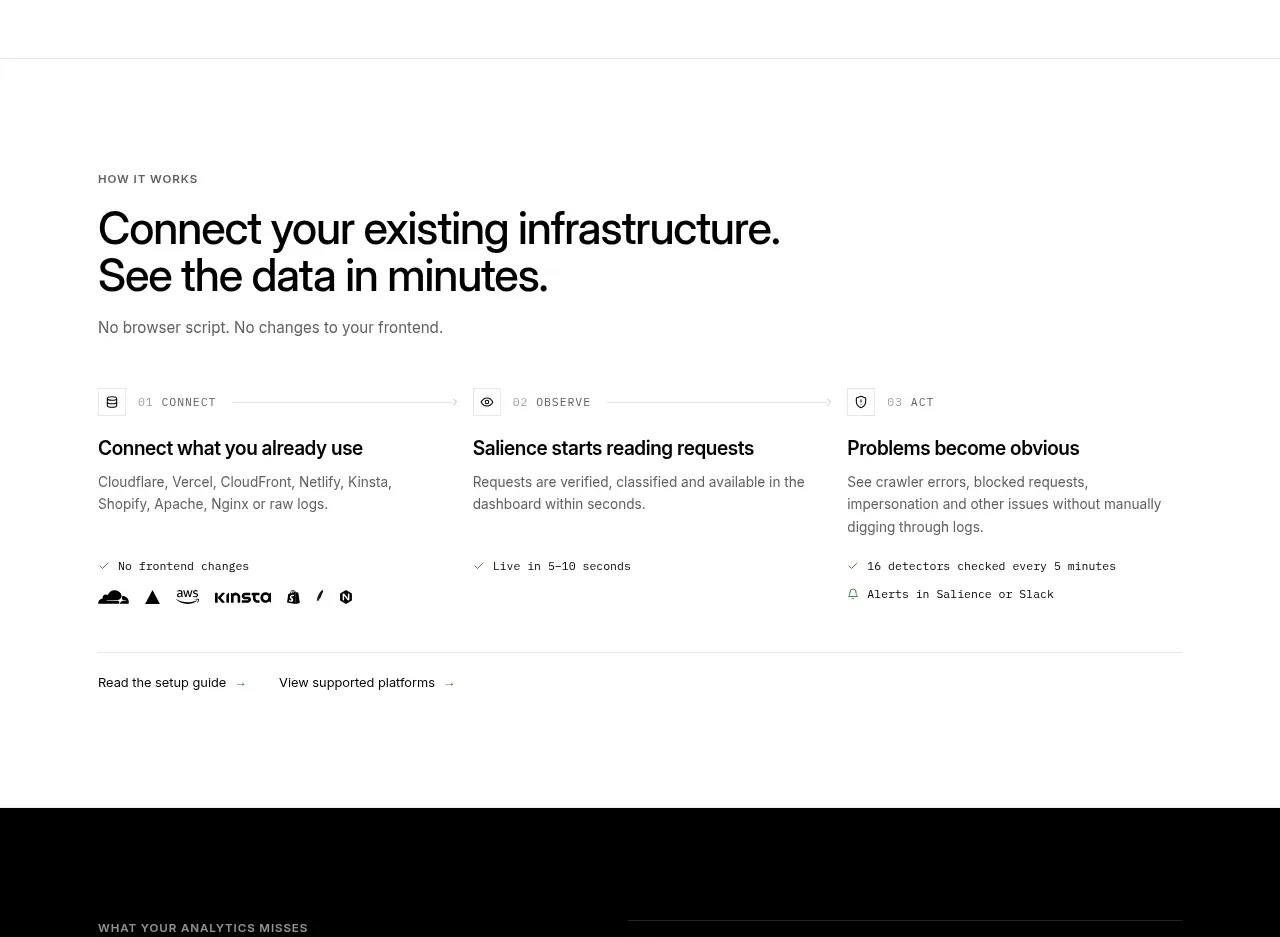 Three-step implementation flow
Salience · Feature grid
Three-step implementation flow
Salience · Feature grid
 What analytics misses
Salience · Feature grid
What analytics misses
Salience · Feature grid
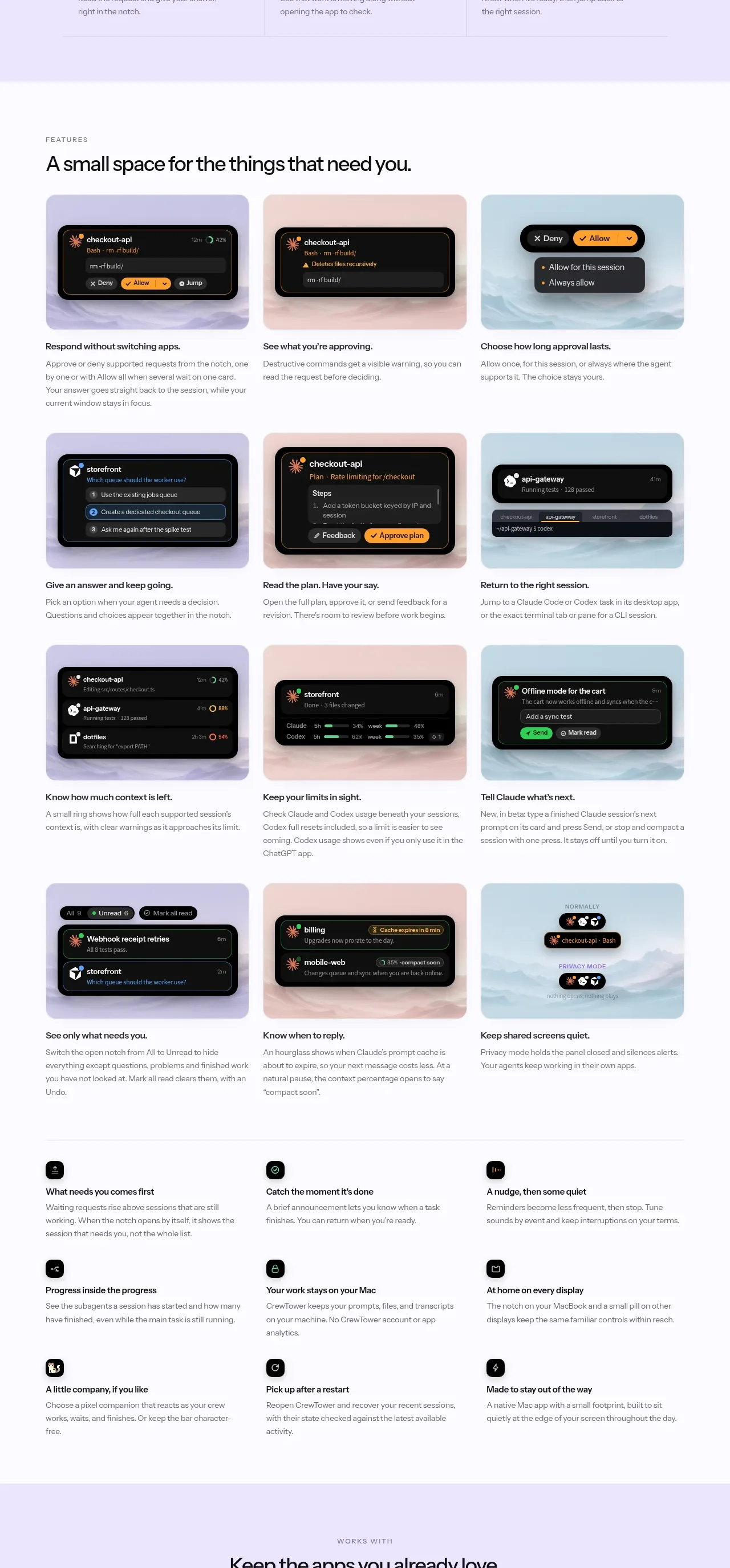
 Workflow features and capabilities
CrewTower Mod for Claude Code · Feature grid
Workflow features and capabilities
CrewTower Mod for Claude Code · Feature grid