 kage
kage
koiscribe.com
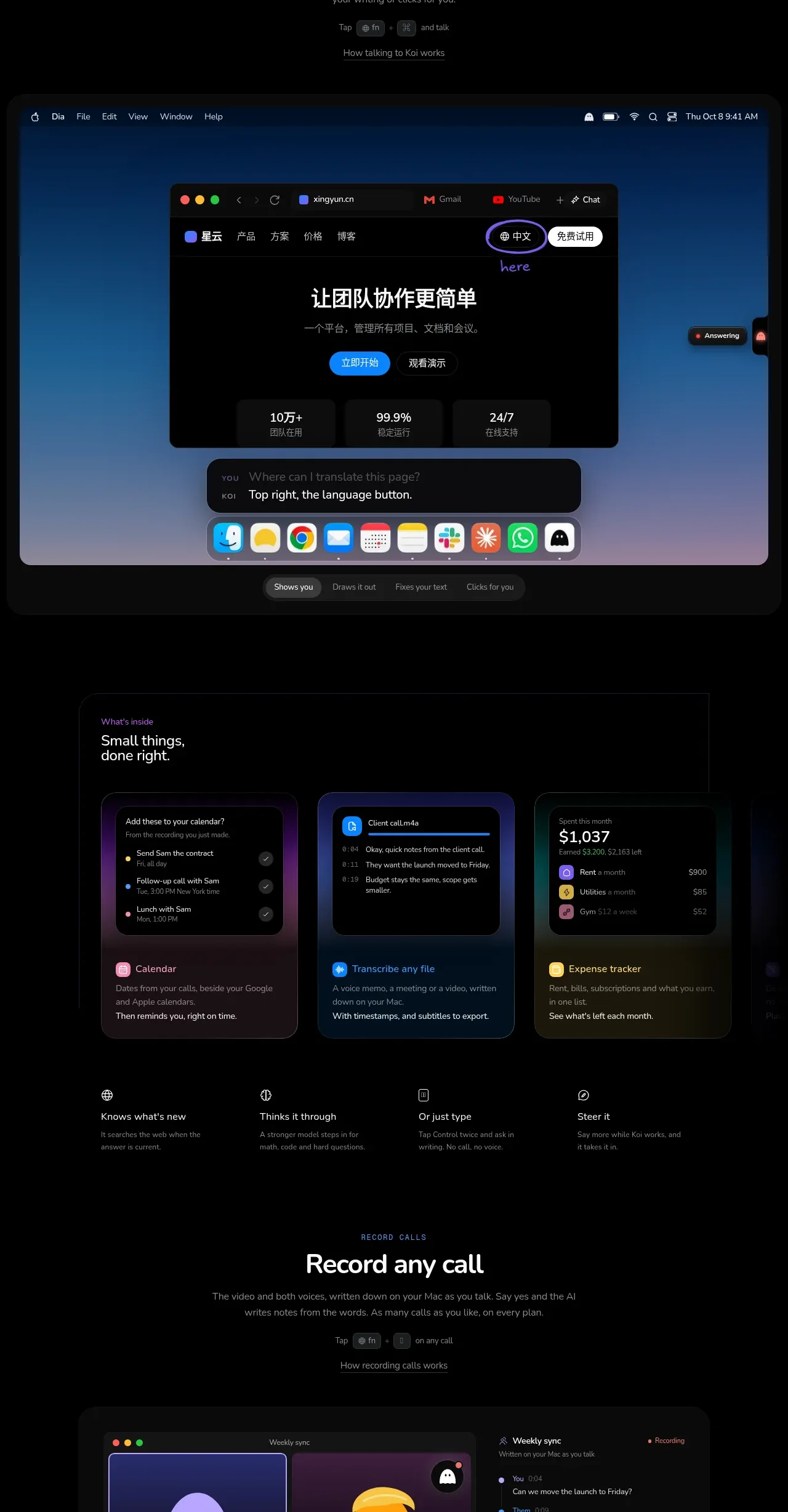
Design analysis
Three richly styled product cards are followed by concise capability summaries, making the feature set scannable after the larger demonstration above.
Prompt preview
## Reference images

Study these alongside the description below: hierarchy, rhythm, spacing, colour. Build for the product you are asked about, using this design language.

- Component: https://kage-design-assets.t3.tigrisfiles.io/components/koi/1f2fb87d-9243-4e92-a42a-66c20077da12-1792649018-3.webp
- Full page it was cut from: https://kage-design-assets.t3.tigrisfiles.io/screenshots/koi/1f2fb87d-9243-4e92-a42a-66c20077da12-1792648920300-full.webp
- Component on Kage: https://kage.design/component/koi-feature-grid-2

## Before you start
Ask which three capabilities matter most for the user's product and what evidence best demonstrates each one. Build an original section using the following system.

Use a dark section with a centered introductory heading only if needed, then a three-column card grid inside a wide max-width container. Each card should have a distinct but coordinated dark tint, a 16–24px radius, a hairline border, and an embedded UI vignette rather than a generic icon. Give each card a small eyebrow or category, a concise benefit-led title, and one or two lines of explanation. Under the cards, add a four-item capability strip with tiny icons, short labels, and muted descriptions. Keep card heights aligned, use 20–24px gaps, 24–32px internal padding, and a clear contrast between interactive mockups and explanatory text. Collapse to one column on mobile.

Never: copy logos, product names, copy, illustrations, or imagery from the reference.
More components

 Data-room education and security overview
Papermark Data Rooms · Feature grid
Data-room education and security overview
Papermark Data Rooms · Feature grid
 Advanced data-room features
Papermark Data Rooms · Feature grid
Advanced data-room features
Papermark Data Rooms · Feature grid
 Workflow demonstrations
Papermark Data Rooms · Feature grid
Workflow demonstrations
Papermark Data Rooms · Feature grid

 Lanyard use-case feature
Badgey · Feature grid
Lanyard use-case feature
Badgey · Feature grid

 Problem statement
Clips by Plastic · Feature grid
Problem statement
Clips by Plastic · Feature grid
 Effects and customization panel
Clips by Plastic · Feature grid
Effects and customization panel
Clips by Plastic · Feature grid