 kage
kage
krea.ai
Design analysis
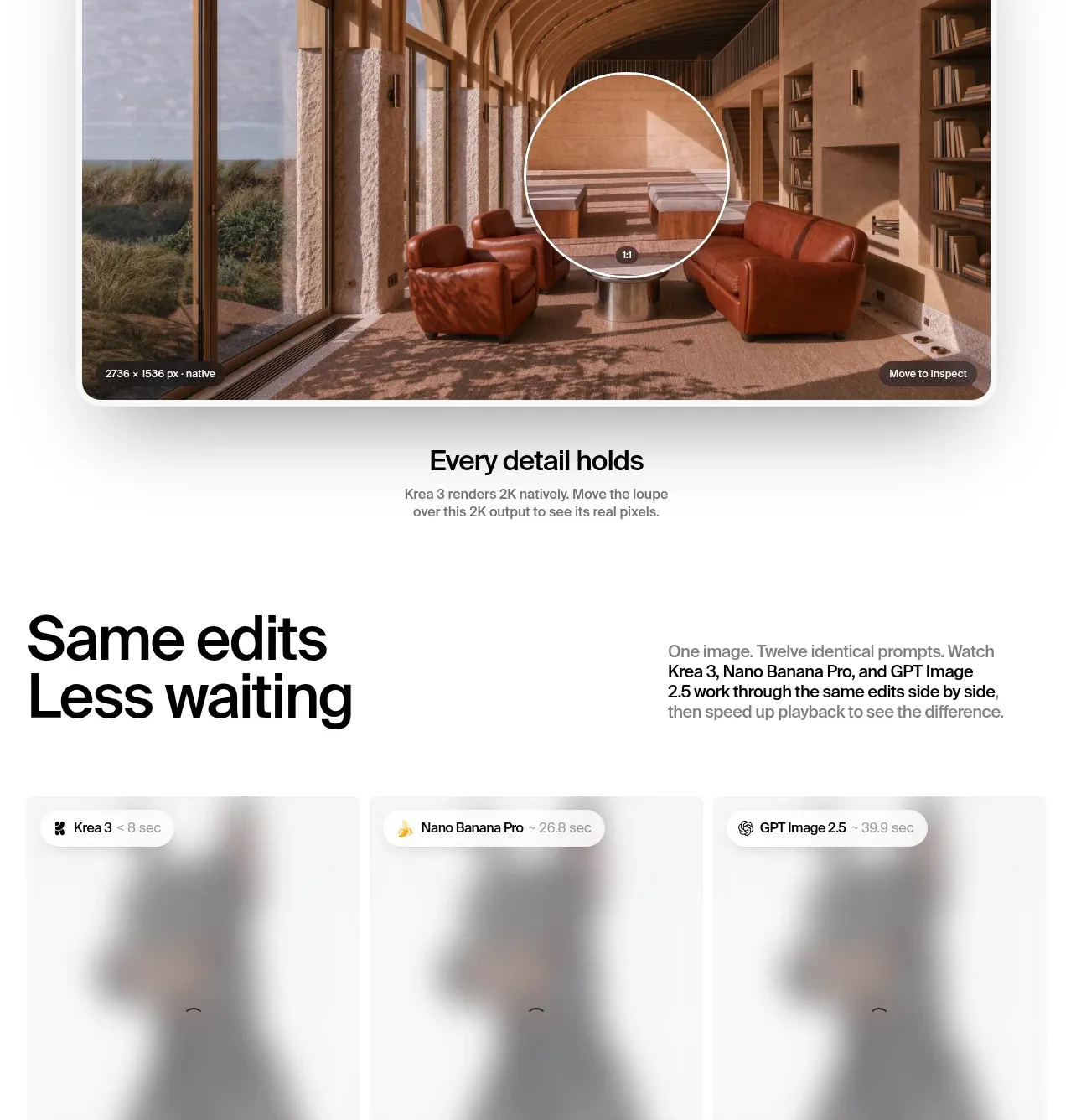
A giant resolution claim dominates the section, followed by a wide image with an interactive magnifier and a centered supporting caption.
Prompt preview
## Reference images

Study these alongside the description below: hierarchy, rhythm, spacing, colour. Build for the product you are asked about, using this design language.

- Component: https://kage-design-assets.t3.tigrisfiles.io/components/krea-3/dbe75373-d211-428a-9d9b-aa6c396006bc-1792389815-9.webp
- Full page it was cut from: https://kage-design-assets.t3.tigrisfiles.io/screenshots/krea-3/dbe75373-d211-428a-9d9b-aa6c396006bc-1792389704928-full.webp
- Component on Kage: https://kage.design/component/krea-3-feature-grid-3

## Before you start
Ask what the user's product and brand are, then apply the following principles to their resolution section rather than copying this reference.

Create a high-impact resolution feature. Start with an oversized headline such as a capability statement, using 88–132px responsive typography, tight line-height, and controlled overflow. Place a large rounded image panel below with a circular magnifying-glass overlay or draggable before/after lens. Use a warm neutral image frame, 18px radius, and a subtle shadow. Add a centered caption underneath with a bold short line and a small gray explanation. Keep interaction discoverable with a cursor or drag hint, preserve touch support, and ensure the giant type scales down cleanly.

Never:
- use the reference logo or product name
- copy the reference claim, copy, or imagery
- reuse its illustrations or media
- reproduce the exact layout or visual assets
More components

 Discover app directory
Composio Instant · Feature grid
Discover app directory
Composio Instant · Feature grid
 Connected apps workflow
Composio Instant · Feature grid
Connected apps workflow
Composio Instant · Feature grid
 Three-part product workflow
Composio Instant · Feature grid
Three-part product workflow
Composio Instant · Feature grid
 Spending controls
Composio Instant · Feature grid
Spending controls
Composio Instant · Feature grid

 Open hardware pathways
Asimov 1 · Feature grid
Open hardware pathways
Asimov 1 · Feature grid
 Capability overview and specification cards
Asimov 1 · Feature grid
Capability overview and specification cards
Asimov 1 · Feature grid