kage
kage
krea.ai
Design analysis
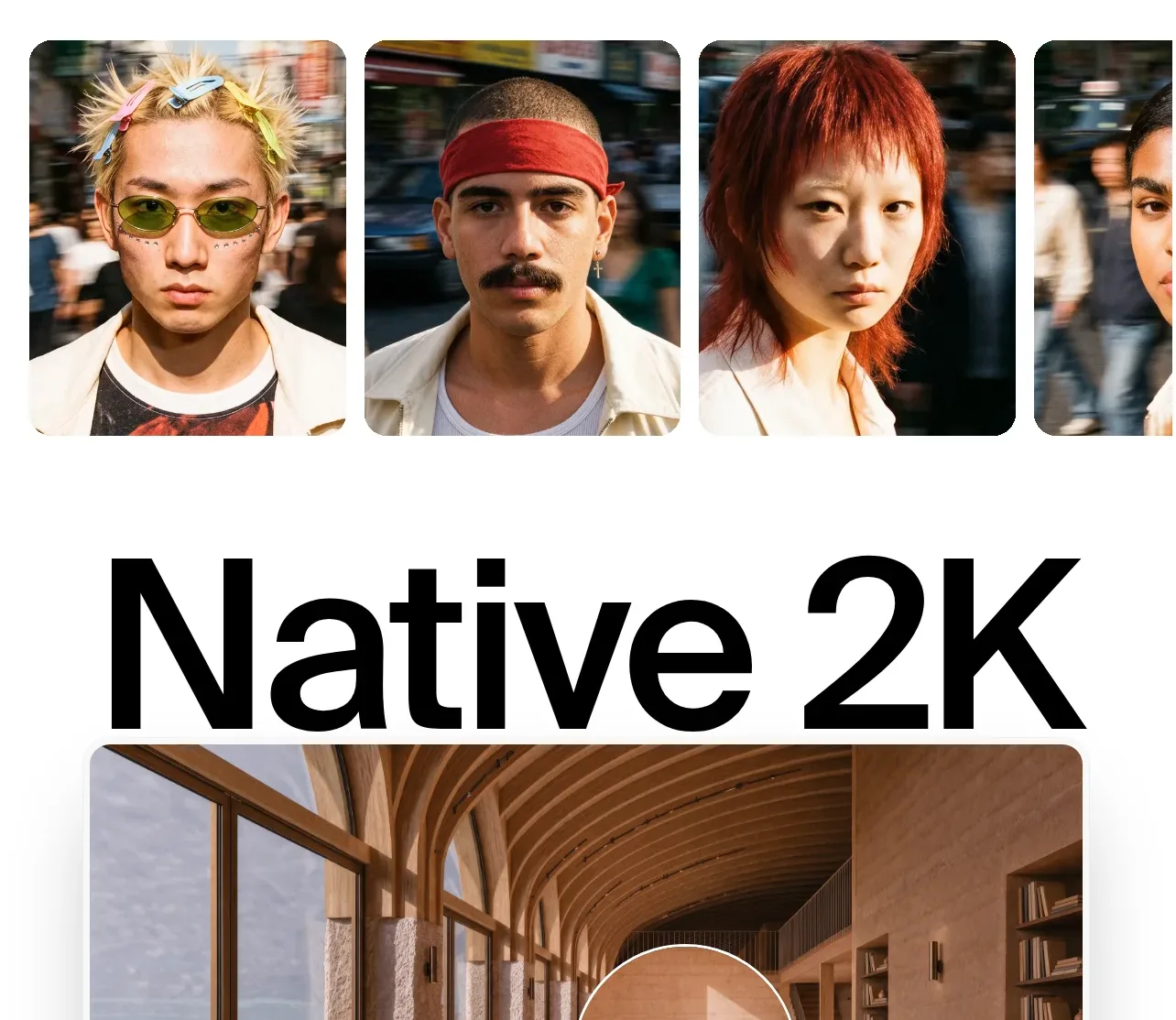
A bold heading and supporting text introduce a row of portrait variations that show consistency across different scenes or styles.
Prompt preview
## Reference images

Study these alongside the description below: hierarchy, rhythm, spacing, colour. Build for the product you are asked about, using this design language.

- Component: https://kage-design-assets.t3.tigrisfiles.io/components/krea-3/dbe75373-d211-428a-9d9b-aa6c396006bc-1792389814-8.webp
- Full page it was cut from: https://kage-design-assets.t3.tigrisfiles.io/screenshots/krea-3/dbe75373-d211-428a-9d9b-aa6c396006bc-1792389704928-full.webp
- Component on Kage: https://kage.design/component/krea-3-gallery-2

## Before you start
Ask what the user's product and brand are, then apply the following principles to their consistency gallery rather than copying this reference.

Build a light editorial gallery with a left-aligned two-line heading and a right-aligned explanation. Beneath, show four or five portrait or subject cards in a horizontal rail, with the first cards fully visible and the last card intentionally clipped. Use square or 4:5 media, 14–18px radius, consistent crop treatment, and 16px gaps. Keep the background white, typography near-black #0b0b0b, body copy gray #777, and section padding 72–96px 24px. Support drag, arrow buttons, keyboard navigation, and a responsive one-card mobile view.

Never:
- use the reference logo or product name
- copy its headline, copy, or people
- reuse its imagery or illustration
- reproduce the exact layout or visual assets