kage
kage
openship.io
Design analysis
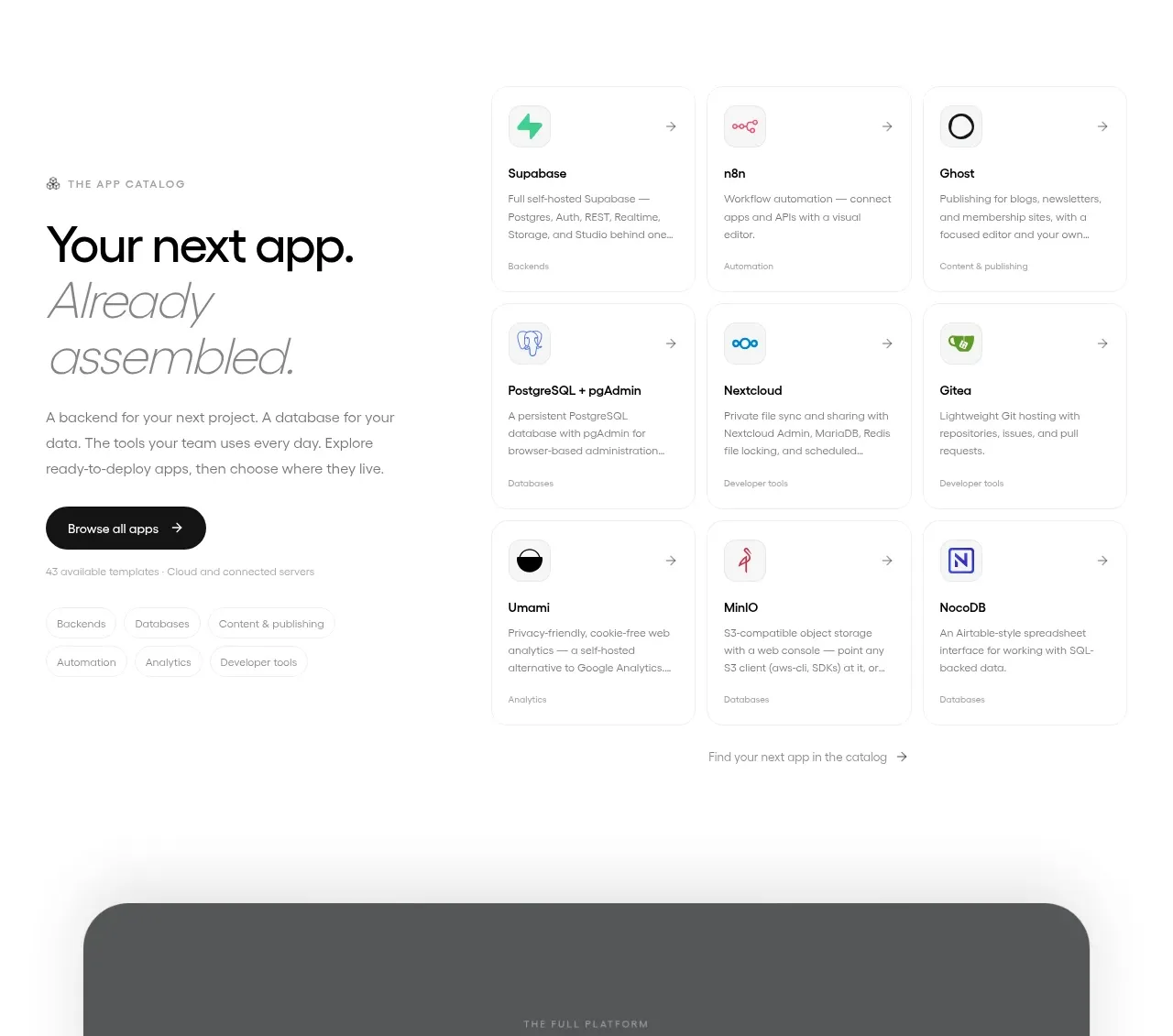
The catalog section combines a bold editorial introduction on the left with a dense grid of small app cards on the right and below.
Prompt preview
## Reference images

Study these alongside the description below: hierarchy, rhythm, spacing, colour. Build for the product you are asked about, using this design language.

- Component: https://kage-design-assets.t3.tigrisfiles.io/components/openship-cloud/9519eed9-0239-434c-a94e-7bf81cfc26ba-1792562629-7.webp
- Full page it was cut from: https://kage-design-assets.t3.tigrisfiles.io/screenshots/openship-cloud/9519eed9-0239-434c-a94e-7bf81cfc26ba-1792562575709-full.webp
- Component on Kage: https://kage.design/component/openship-cloud-gallery-2

## Before you start
Ask what the user's product and brand are, then apply the principles below to that product rather than copying the reference.

Design an app or integration catalog section with an editorial intro column and a responsive card grid. The intro should include a tiny eyebrow, a large two-line heading with a lighter italic or secondary line, a short paragraph, a dark pill CTA, and a small metadata line. The grid should use compact white cards with faint borders, small icons, title, short description, category label, and a subtle arrow affordance. Use a clean white canvas, 16–24px grid gaps, 12px card radii, near-black headings, and muted gray text. Make the grid denser on desktop and two columns on mobile where readable.

Never: use logos, product names, copy, illustrations, or imagery from the reference.