 kage
kage
loquime.com
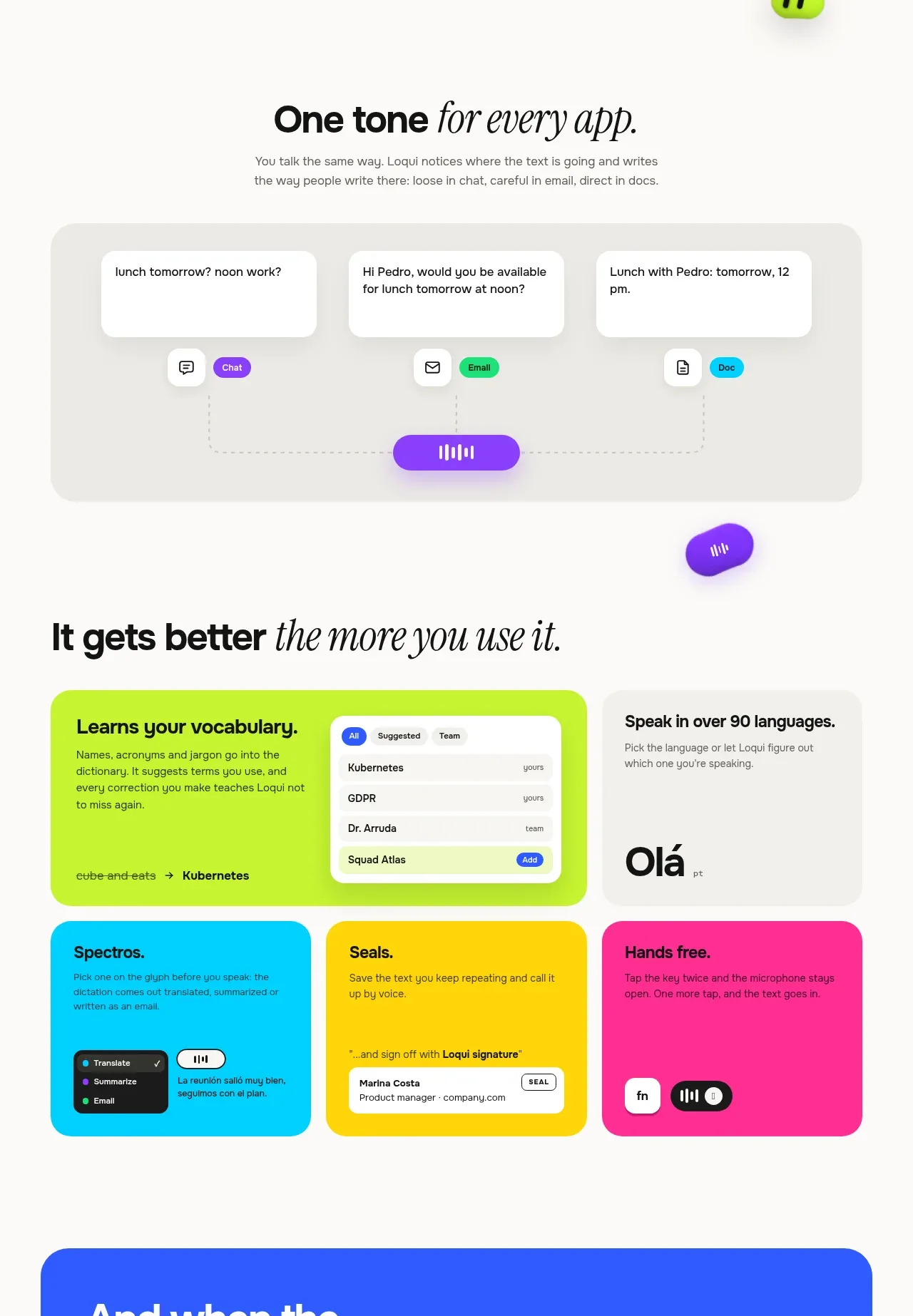
Design analysis
This band explains adaptive behaviour through a simple three-way routing visual followed by colourful capability cards. The visual language is playful, modular, and easy to scan.
Prompt preview
## Reference images

Study these alongside the description below: hierarchy, rhythm, spacing, colour. Build for the product you are asked about, using this design language.

- Component: https://kage-design-assets.t3.tigrisfiles.io/components/loqui/a3dfb9eb-3572-4db1-a73a-a6d0266fe180-1793081141-5.webp
- Full page it was cut from: https://kage-design-assets.t3.tigrisfiles.io/screenshots/loqui/a3dfb9eb-3572-4db1-a73a-a6d0266fe180-1793080985787-full.webp
- Component on Kage: https://kage.design/component/loqui-feature-grid-4

## Before you start
Ask what modes, audiences, or output styles the user's product adapts to. Use those concepts to design an original explanatory system.

Build a feature band with a centered headline about adaptability, a short supporting paragraph, a wide soft-grey diagram showing one input branching into three output modes, and a colourful grid of capability cards beneath.

Design rules:
- Use clear section spacing: heading, explanation, diagram, then cards with a deliberate visual pause between groups.
- Use a warm-white page #fbfaf8, a neutral diagram surface #eeece8, and three distinct accent colours such as purple #8b3dff, green #1ed878, and cyan #16c9e8.
- Cards should have 18–24px radii, minimal borders, dark text, and compact supporting copy.
- Make the branching diagram use thin dotted connector lines and a central control element; keep it understandable without animation.
- Use varied card colours, but maintain a consistent internal padding and heading hierarchy.
- Include hover emphasis on cards and optionally reveal a short example on focus.

Never:
- Never use logos, product names, copy, illustrations, or imagery from the reference.
- Never reuse the exact three modes, card titles, colours, or diagram geometry.
More components

 Rapid onboarding timeline
throxy · Feature grid
Rapid onboarding timeline
throxy · Feature grid
 Qualification workflow cards
throxy · Feature grid
Qualification workflow cards
throxy · Feature grid
 Why alternatives disappoint
throxy · Feature grid
Why alternatives disappoint
throxy · Feature grid
 Outbound partner benefits
throxy · Feature grid
Outbound partner benefits
throxy · Feature grid
 Cold-calling performance section
throxy · Feature grid
Cold-calling performance section
throxy · Feature grid
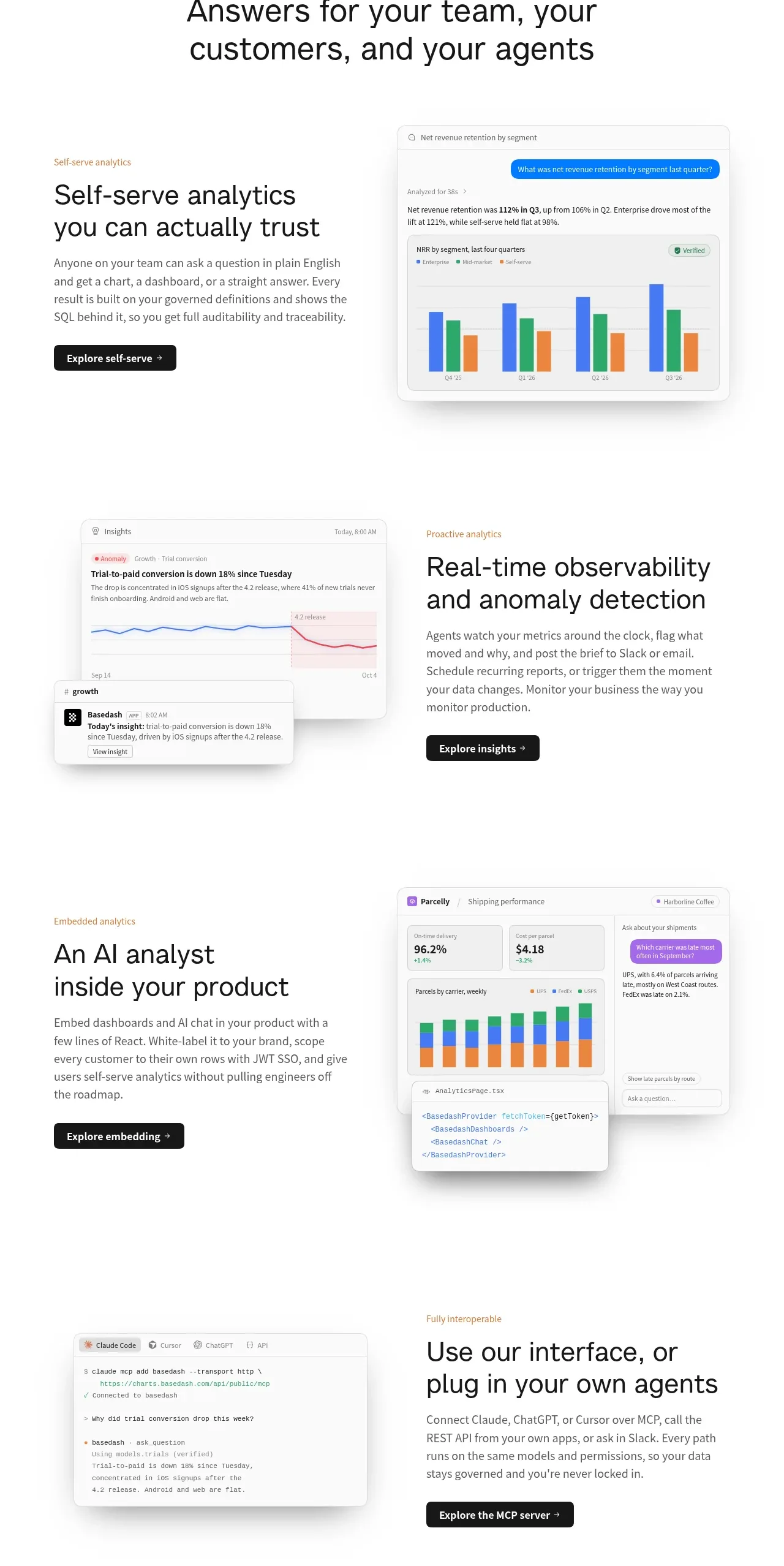
 Analytics capability showcase
Basedash View-only members · Feature grid
Analytics capability showcase
Basedash View-only members · Feature grid