 kage
kage
loquime.com
Design analysis
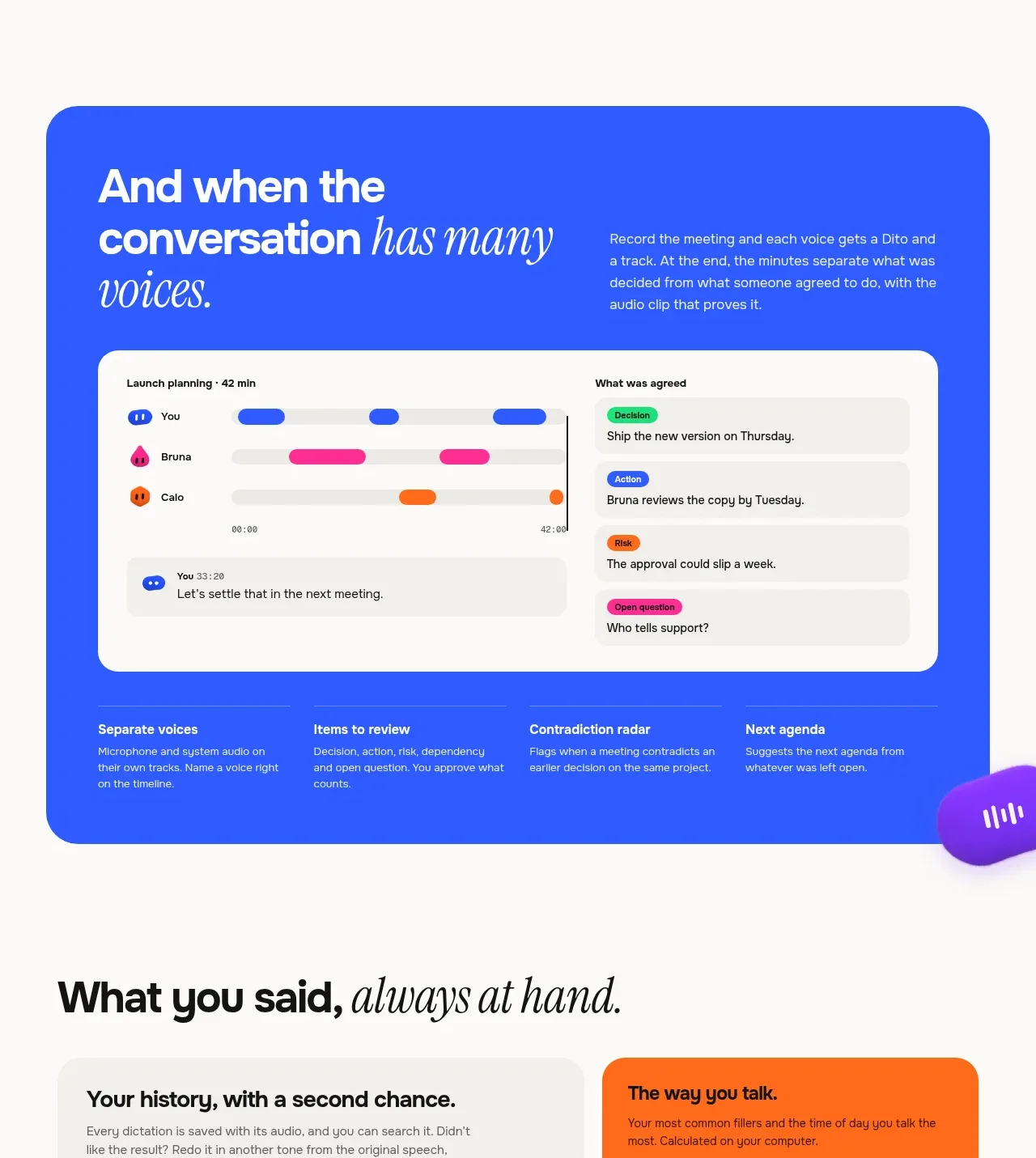
A full-width blue panel creates a strong tonal break and frames a meeting dashboard with speaker tracks and extracted decisions. Supporting benefits at the bottom reinforce that the visual is actionable, not decorative.
Prompt preview
## Reference images

Study these alongside the description below: hierarchy, rhythm, spacing, colour. Build for the product you are asked about, using this design language.

- Component: https://kage-design-assets.t3.tigrisfiles.io/components/loqui/a3dfb9eb-3572-4db1-a73a-a6d0266fe180-1793081142-6.webp
- Full page it was cut from: https://kage-design-assets.t3.tigrisfiles.io/screenshots/loqui/a3dfb9eb-3572-4db1-a73a-a6d0266fe180-1793080985787-full.webp
- Component on Kage: https://kage.design/component/loqui-feature-grid-5

## Before you start
Ask whether the user's product handles meetings, collaboration, or multi-person input, and identify the outcomes users need afterward. Build a dashboard section around those outcomes.

Create a large rounded blue feature panel with a two-column intro, a white meeting-analysis dashboard, and four concise benefit columns along the bottom. The dashboard should show speaker lanes, a timeline, and a right-side list of decisions, risks, or follow-ups.

Design rules:
- Use a saturated blue around #3158f5 for the outer panel and white #ffffff for the dashboard surface.
- Give the panel 28–36px radius and generous 36–48px padding; keep the dashboard 18–24px radius.
- Use white text for the intro, with an italic serif accent in the headline.
- Speaker lanes can use blue, pink #ff2f91, orange #ff741c, and purple markers; pair colours with names or labels.
- Use light neutral dashboard rows #f1f0ed and compact status pills to create hierarchy.
- Make the lower benefits use thin divider rules and 13–15px text.
- On mobile, stack the intro, dashboard columns, and benefit list.

Never:
- Never use logos, product names, copy, illustrations, or imagery from the reference.
- Never reproduce the exact transcript, speaker names, dashboard labels, or panel composition.
More components

 Rapid onboarding timeline
throxy · Feature grid
Rapid onboarding timeline
throxy · Feature grid
 Qualification workflow cards
throxy · Feature grid
Qualification workflow cards
throxy · Feature grid
 Why alternatives disappoint
throxy · Feature grid
Why alternatives disappoint
throxy · Feature grid
 Outbound partner benefits
throxy · Feature grid
Outbound partner benefits
throxy · Feature grid
 Cold-calling performance section
throxy · Feature grid
Cold-calling performance section
throxy · Feature grid
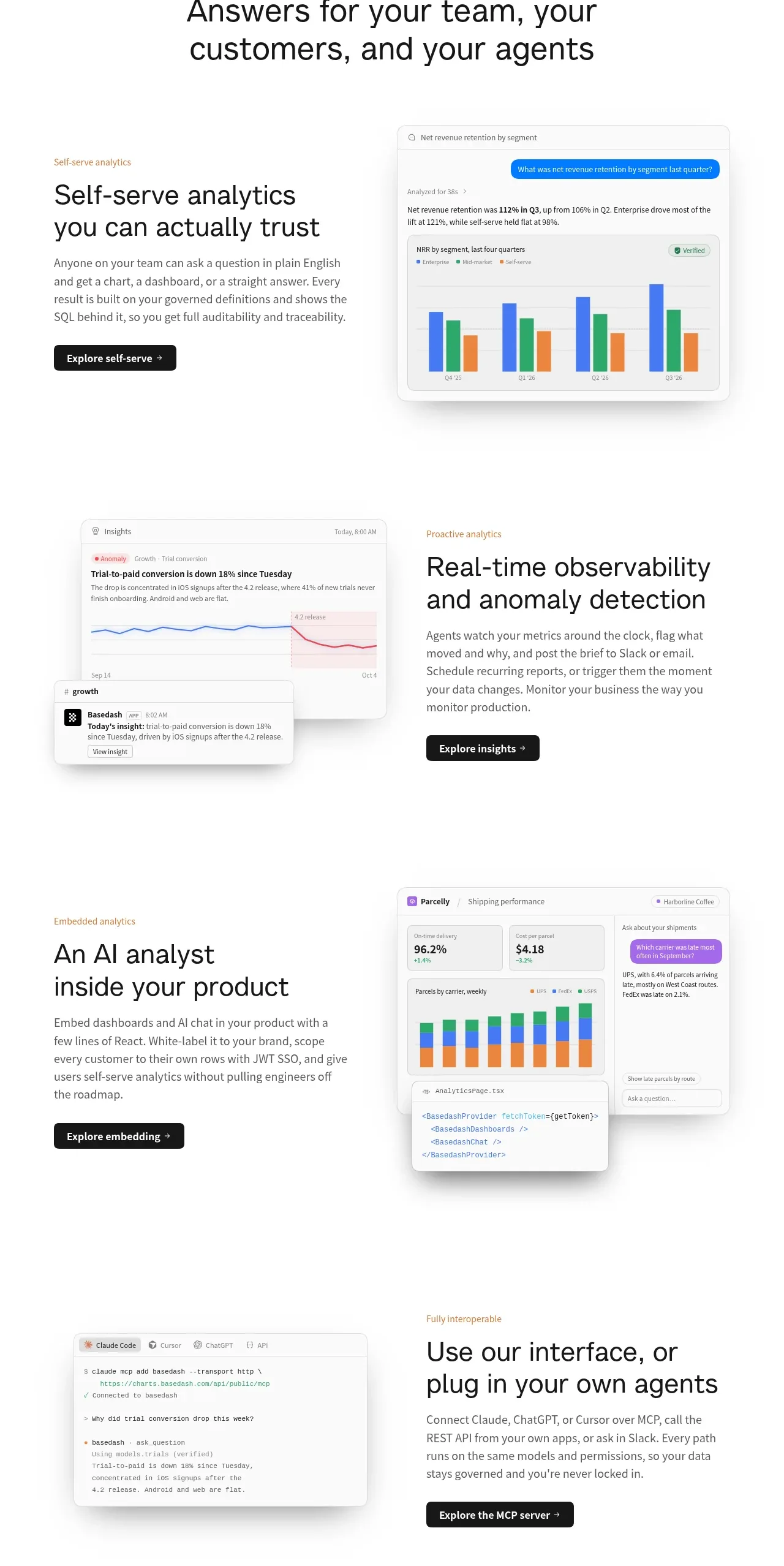
 Analytics capability showcase
Basedash View-only members · Feature grid
Analytics capability showcase
Basedash View-only members · Feature grid