 kage
kage
monish.cc
Design analysis
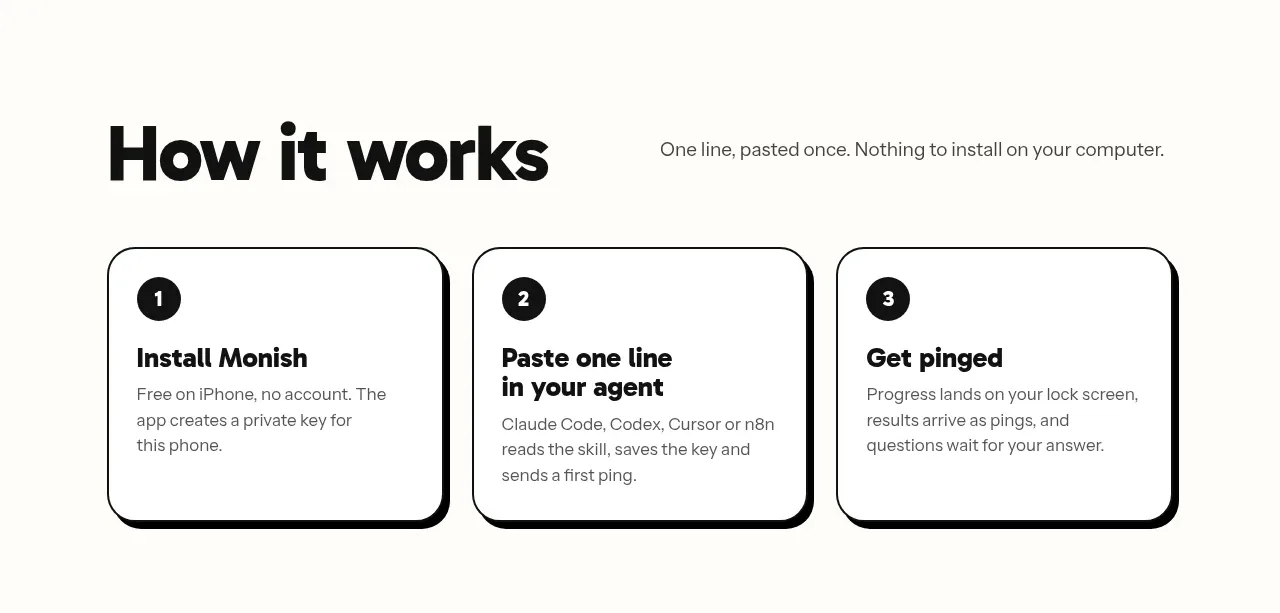
A strong section heading introduces three equal cards that explain installation, pasting the setup line, and receiving results.
Prompt preview
## Reference images

Study these alongside the description below: hierarchy, rhythm, spacing, colour. Build for the product you are asked about, using this design language.

- Component: https://kage-design-assets.t3.tigrisfiles.io/components/monish/5f3b5863-2239-4773-833d-591642a3d58f-1792821774-3.webp
- Full page it was cut from: https://kage-design-assets.t3.tigrisfiles.io/screenshots/monish/5f3b5863-2239-4773-833d-591642a3d58f-1792821722168-full.webp
- Component on Kage: https://kage.design/component/monish-feature-grid

## Before you start
Ask what the user's three most important onboarding steps are and what order makes the product easiest to understand. Apply the principles to those steps.

Create a three-column how-it-works feature grid inside a centered max-width container. Pair a large left-aligned section heading with a short explanatory sentence, then show three equal cards with numbered black circles, concise bold titles, and muted supporting text. Use an off-white #FFFDF8 canvas, black #080808 typography, thin 2px black borders, 20–24px rounded corners, and a subtle hard offset shadow in black. Cards should have equal height and consistent internal padding; number badges should be high contrast. Collapse to one column on narrow screens while retaining the numbering and reading order.

Never use logos, product names, copy, illustrations, or imagery from the reference.
More components

 Data-room education and security overview
Papermark Data Rooms · Feature grid
Data-room education and security overview
Papermark Data Rooms · Feature grid
 Advanced data-room features
Papermark Data Rooms · Feature grid
Advanced data-room features
Papermark Data Rooms · Feature grid
 Workflow demonstrations
Papermark Data Rooms · Feature grid
Workflow demonstrations
Papermark Data Rooms · Feature grid

 Lanyard use-case feature
Badgey · Feature grid
Lanyard use-case feature
Badgey · Feature grid

 Problem statement
Clips by Plastic · Feature grid
Problem statement
Clips by Plastic · Feature grid
 Effects and customization panel
Clips by Plastic · Feature grid
Effects and customization panel
Clips by Plastic · Feature grid