 kage
kage
monish.cc
Design analysis
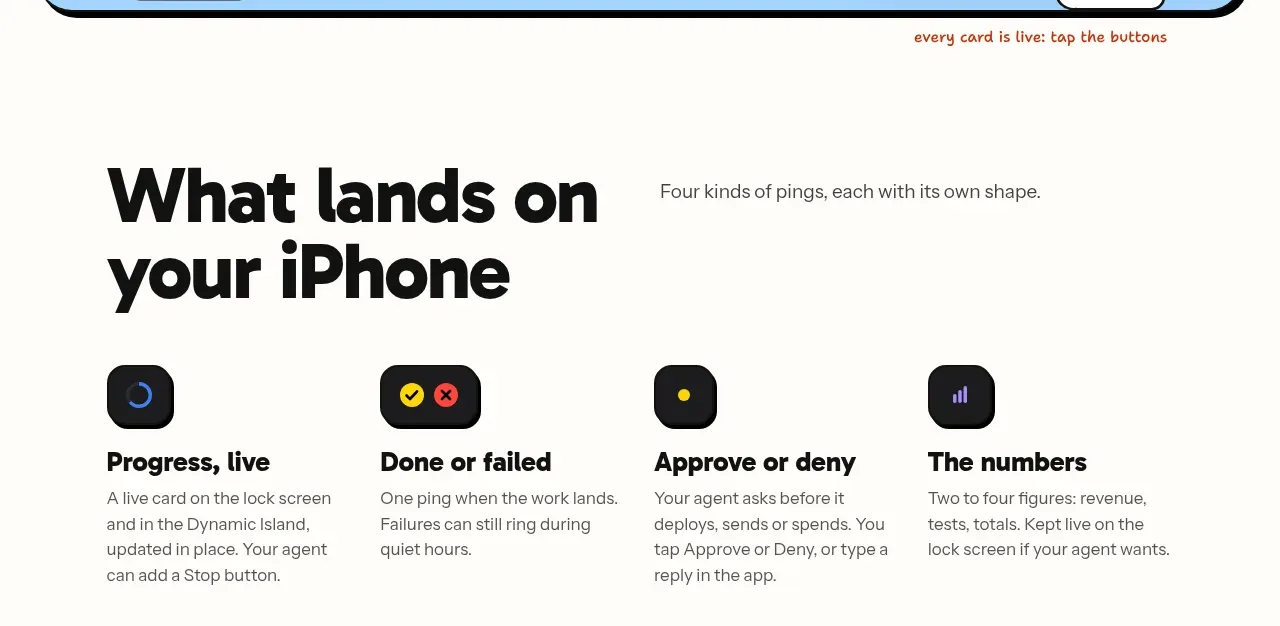
Four compact columns explain the main kinds of notifications, each with a small dark icon tile, bold title, and short description.
Prompt preview
## Reference images

Study these alongside the description below: hierarchy, rhythm, spacing, colour. Build for the product you are asked about, using this design language.

- Component: https://kage-design-assets.t3.tigrisfiles.io/components/monish/5f3b5863-2239-4773-833d-591642a3d58f-1792821775-5.webp
- Full page it was cut from: https://kage-design-assets.t3.tigrisfiles.io/screenshots/monish/5f3b5863-2239-4773-833d-591642a3d58f-1792821722168-full.webp
- Component on Kage: https://kage.design/component/monish-feature-grid-2

## Before you start
Ask what four notification or outcome categories matter most for the user's product. Use those categories and the product's own vocabulary.

Create a four-column benefits grid. Start with a large two-line heading at left and a one-sentence explanation at right, then align four feature items below. Each item uses a small dark rounded icon tile, a bold 18–20px title, and a 14–16px muted description. Keep the layout airy and editorial rather than card-heavy. Use #FFFDF8 background, #080808 text, muted #6E6E6E, and small accent colours such as #FFD91A, #477FF0, and #9A84FF. Icon tiles can be 48px with 14px radius; avoid excessive borders. Stack into two columns and then one on mobile.

Never use logos, product names, copy, illustrations, or imagery from the reference.
More components

 Data-room education and security overview
Papermark Data Rooms · Feature grid
Data-room education and security overview
Papermark Data Rooms · Feature grid
 Advanced data-room features
Papermark Data Rooms · Feature grid
Advanced data-room features
Papermark Data Rooms · Feature grid
 Workflow demonstrations
Papermark Data Rooms · Feature grid
Workflow demonstrations
Papermark Data Rooms · Feature grid

 Lanyard use-case feature
Badgey · Feature grid
Lanyard use-case feature
Badgey · Feature grid

 Problem statement
Clips by Plastic · Feature grid
Problem statement
Clips by Plastic · Feature grid
 Effects and customization panel
Clips by Plastic · Feature grid
Effects and customization panel
Clips by Plastic · Feature grid