 kage
kage
mylens.ai
Design analysis
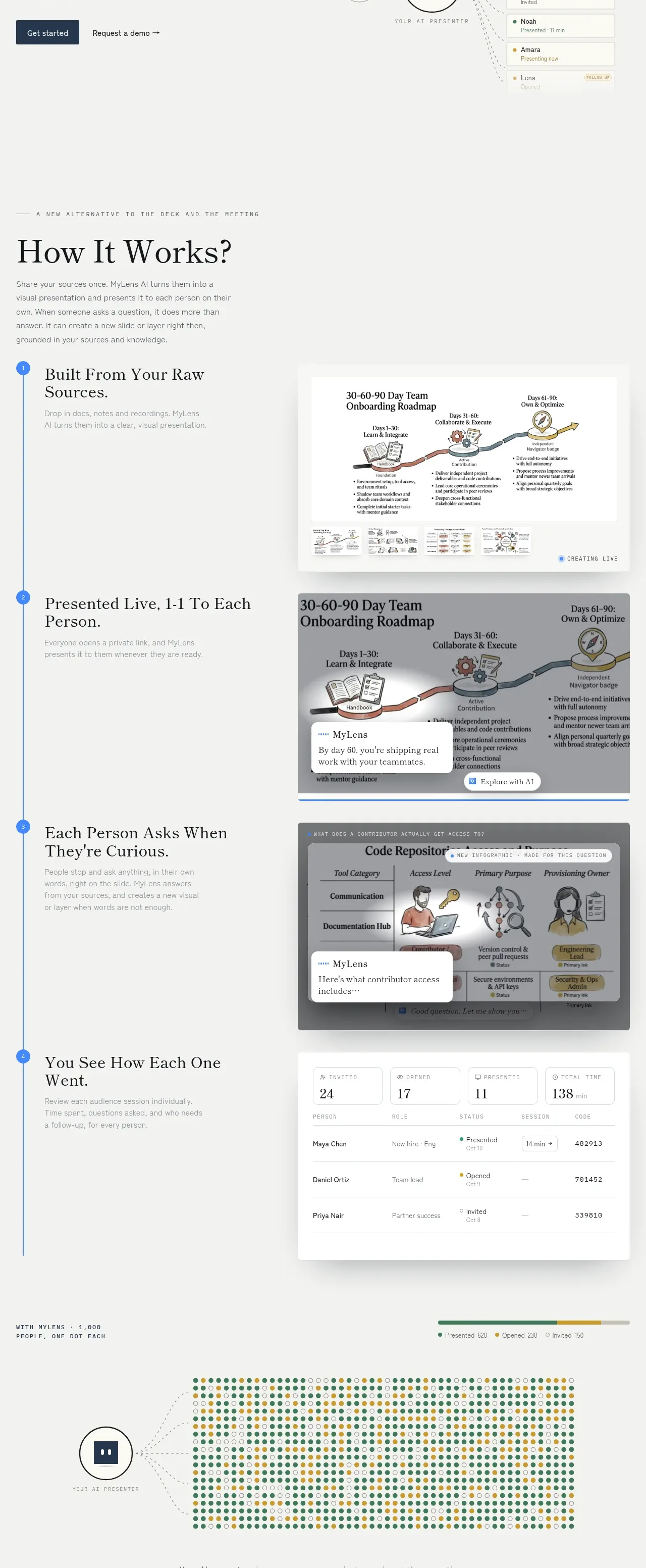
A large explanatory section uses a vertical numbered spine and alternating visual panels to turn a complex workflow into four digestible stages. Editorial headings and short copy sit opposite believable product artifacts.
Prompt preview
## Reference images

Study these alongside the description below: hierarchy, rhythm, spacing, colour. Build for the product you are asked about, using this design language.

- Component: https://kage-design-assets.t3.tigrisfiles.io/components/mylens/1ccd9fd0-0589-4047-afdb-6c3bf2f362f8-1792389752-2.webp
- Full page it was cut from: https://kage-design-assets.t3.tigrisfiles.io/screenshots/mylens/1ccd9fd0-0589-4047-afdb-6c3bf2f362f8-1792389647544-full.webp
- Component on Kage: https://kage.design/component/mylens-feature-grid

## Before you start
Ask what the user's product workflow is and which four moments matter most to a new visitor. Apply the structure to that workflow using original content and visuals.

Build a long “how it works” section with a small uppercase kicker, an editorial serif heading, and a short introduction. Below, create four vertically stacked steps. Connect them with a thin vertical line and numbered circular markers. Each step should have a text block on the left and a large product artifact on the right: choose original interface panels, documents, diagrams, or tables that demonstrate the step. Alternate visual treatment where useful, but keep the spine continuous and the rhythm consistent.

Design rules:
- Use a warm off-white background around `#f4f4f1` and a blue accent around `#4389e8` for markers and the spine.
- Use serif step headings around 22–28px, a 48–60px section heading, and sans-serif body copy around 13–15px with generous line-height.
- Use a two-column grid with roughly 38% text / 62% visual space and 72–120px vertical step spacing.
- Artifacts should be white or pale gray cards with 1px borders around `#e1e2dc`, 8–12px radius, and soft diffuse shadows.
- Include clear visual states such as highlighted rows, a tooltip, a chart, or a table, but keep them secondary to the narrative.
- On mobile, stack each text block above its artifact and move the spine to the far left.

Never:
- Never use logos, product names, copy, illustrations, or imagery from the reference.
- Never copy the four step titles, screenshots, diagrams, or exact numbered sequence.
- Never make every step a generic feature card with no workflow relationship.
More components

 Discover app directory
Composio Instant · Feature grid
Discover app directory
Composio Instant · Feature grid
 Connected apps workflow
Composio Instant · Feature grid
Connected apps workflow
Composio Instant · Feature grid
 Three-part product workflow
Composio Instant · Feature grid
Three-part product workflow
Composio Instant · Feature grid
 Spending controls
Composio Instant · Feature grid
Spending controls
Composio Instant · Feature grid

 Open hardware pathways
Asimov 1 · Feature grid
Open hardware pathways
Asimov 1 · Feature grid
 Capability overview and specification cards
Asimov 1 · Feature grid
Capability overview and specification cards
Asimov 1 · Feature grid