 kage
kage
openship.io
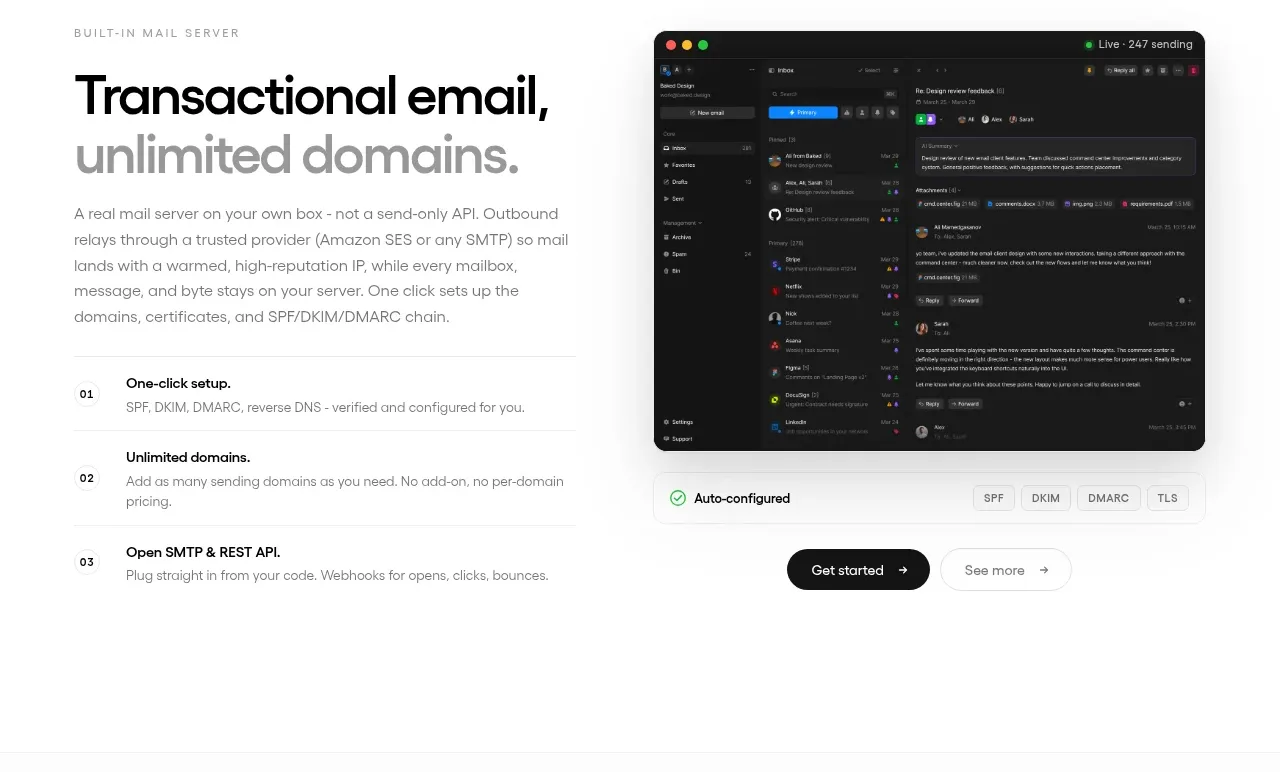
Design analysis
A split feature section pairs a detailed heading and numbered benefits with a dark email interface visual and supporting actions.
Prompt preview
## Reference images

Study these alongside the description below: hierarchy, rhythm, spacing, colour. Build for the product you are asked about, using this design language.

- Component: https://kage-design-assets.t3.tigrisfiles.io/components/openship-cloud/9519eed9-0239-434c-a94e-7bf81cfc26ba-1792562630-9.webp
- Full page it was cut from: https://kage-design-assets.t3.tigrisfiles.io/screenshots/openship-cloud/9519eed9-0239-434c-a94e-7bf81cfc26ba-1792562575709-full.webp
- Component on Kage: https://kage.design/component/openship-cloud-feature-grid-3

## Before you start
Ask what the user's product and brand are, then apply the principles below to that product rather than copying the reference.

Create a two-column feature section for a focused product capability. Put a small uppercase eyebrow, large two-line heading, short description, and three numbered benefit rows in the left column; place a dark, rounded product interface preview in the right column. Add a compact action row beneath the preview or copy. Use a mostly white background, a 40/60 or 45/55 split, 28–40px column gap, 12–16px image radius, and soft shadow. Keep headings near-black, body copy gray, and numbering small but clearly aligned. Stack the visual below the text on mobile.

Never: use logos, product names, copy, illustrations, or imagery from the reference.
More components

 Discover app directory
Composio Instant · Feature grid
Discover app directory
Composio Instant · Feature grid
 Connected apps workflow
Composio Instant · Feature grid
Connected apps workflow
Composio Instant · Feature grid
 Spending controls
Composio Instant · Feature grid
Spending controls
Composio Instant · Feature grid
 Three-part product workflow
Composio Instant · Feature grid
Three-part product workflow
Composio Instant · Feature grid

 Capability overview and specification cards
Asimov 1 · Feature grid
Capability overview and specification cards
Asimov 1 · Feature grid
 Open hardware pathways
Asimov 1 · Feature grid
Open hardware pathways
Asimov 1 · Feature grid