kage
kage
openswarm.info
Design analysis
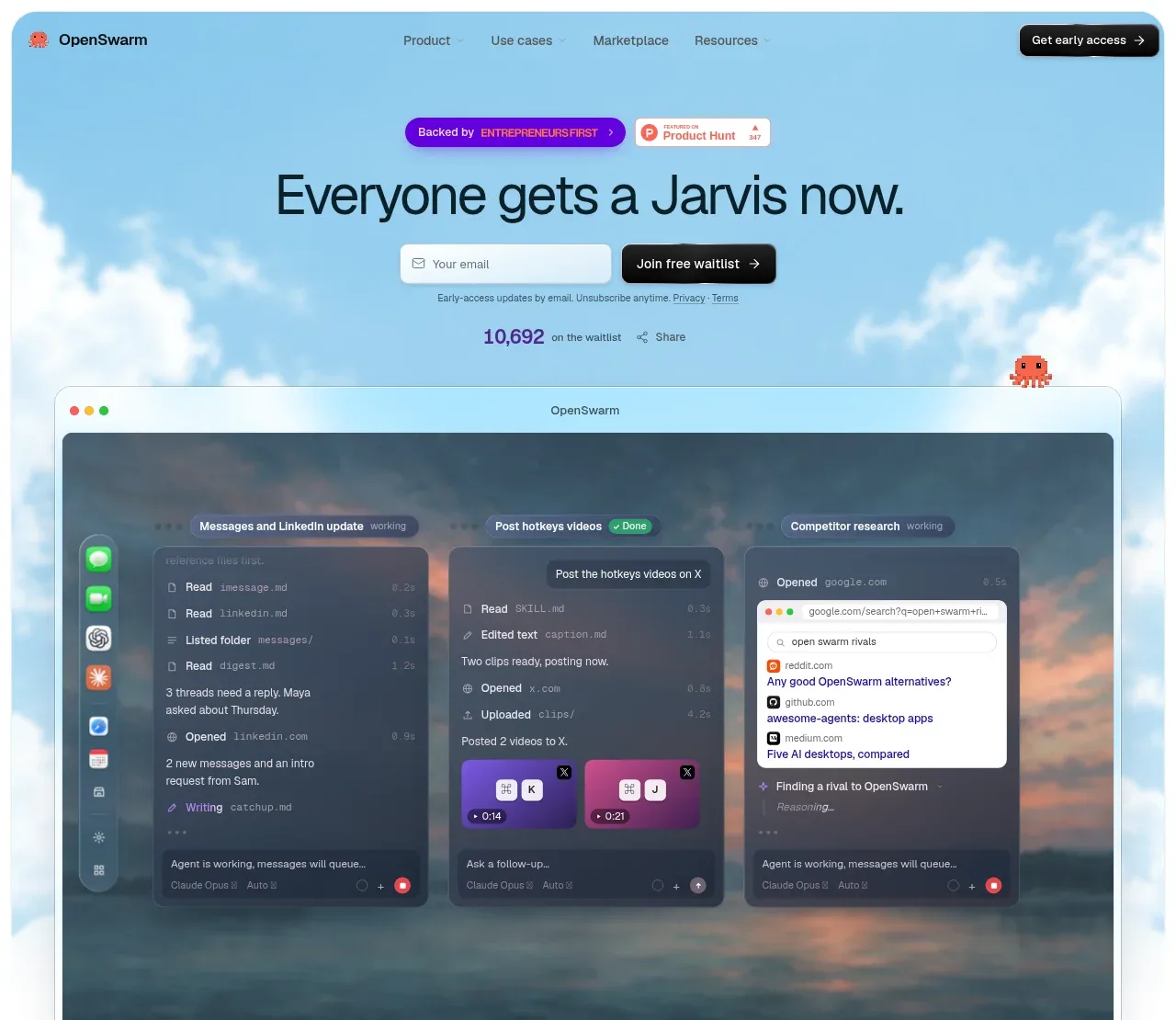
The hero combines a bold promise, social-proof badges, email capture, and a large framed product visual against a sky-and-cloud background, making the product feel tangible immediately.
Prompt preview
## Reference images

Study these alongside the description below: hierarchy, rhythm, spacing, colour. Build for the product you are asked about, using this design language.

- Component: https://kage-design-assets.t3.tigrisfiles.io/components/openswarm/378a218c-dbaf-492a-bc34-8c3bcee33f67-1791525665-1.webp
- Full page it was cut from: https://kage-design-assets.t3.tigrisfiles.io/screenshots/openswarm/378a218c-dbaf-492a-bc34-8c3bcee33f67-1791525640433-full.webp
- Component on Kage: https://kage.design/component/openswarm-hero

## Before you start
Ask what the user's product does, what promise matters most, and whether the conversion goal is signup, demo, purchase, or download. Apply these principles to that product and brand.

Create a full-width hero with a luminous atmospheric background using a soft sky gradient around `#9bd9f2`, white cloud-like texture or a user-provided abstract visual, and dark navy text `#071b2d`. Center a small pair of trust or announcement badges above a large concise headline, then place a horizontal email field and primary CTA beneath it. Add a tiny privacy/supporting line and a compact social-proof count below the form. The headline should be 42–64px on desktop, tightly tracked, with a 1.02 line height; supporting labels should be 11–14px. Below the copy, place a large rounded browser/product frame spanning most of the container, with a 1px translucent border, 14–20px radius, soft shadow, and a dark interface or product preview inside. Give the visual enough breathing room to feel like the payoff of the headline. On mobile, stack the form controls and let the preview crop or scroll horizontally. Use restrained motion only for badges or background atmosphere.

Never use logos, product names, copy, illustrations, or imagery from the reference.