 kage
kage
peras.vertias.eu
Design analysis
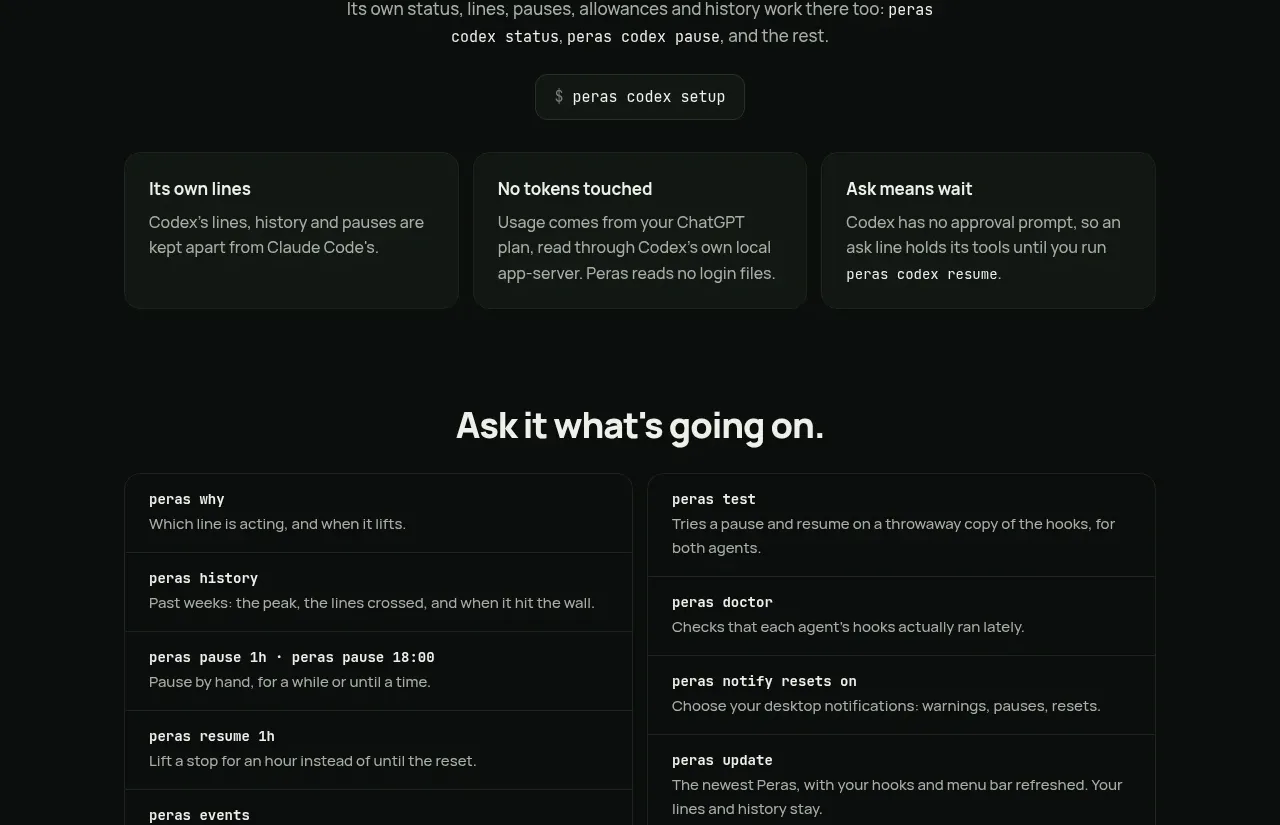
A two-column catalog organizes many commands into bordered list items, with brief explanations and a privacy-oriented note below.
Prompt preview
## Reference images

Study these alongside the description below: hierarchy, rhythm, spacing, colour. Build for the product you are asked about, using this design language.

- Component: https://kage-design-assets.t3.tigrisfiles.io/components/peras/2c988a48-c598-4fdf-86c9-23be8072f64d-1792821848-8.webp
- Full page it was cut from: https://kage-design-assets.t3.tigrisfiles.io/screenshots/peras/2c988a48-c598-4fdf-86c9-23be8072f64d-1792821751917-full.webp
- Component on Kage: https://kage.design/component/peras-feature-grid-5

## Before you start
Ask what commands, operations, or workflows your product exposes and group them into two useful categories. Apply this structure to the user's information architecture.

Build a section with a centered heading and a two-column command catalog. Each column is a bordered stack of rows; each row contains a bold monospace command name and a short muted explanation. Keep rows separated by low-contrast lines and align the columns to the same top edge. Add a centered reassurance note beneath the catalog. Use #080b0a background, #111613 panels, #242b25 dividers, #eef1eb command text, #939c94 descriptions, and lime only for selected emphasis. Use 13–15px typography, 16px row padding, 8–10px radii, and responsive single-column stacking. Let rows link to documentation or open details on click.

Never: copy logos, product names, copy, illustrations, or imagery from the reference.
More components

 Data-room education and security overview
Papermark Data Rooms · Feature grid
Data-room education and security overview
Papermark Data Rooms · Feature grid
 Advanced data-room features
Papermark Data Rooms · Feature grid
Advanced data-room features
Papermark Data Rooms · Feature grid
 Workflow demonstrations
Papermark Data Rooms · Feature grid
Workflow demonstrations
Papermark Data Rooms · Feature grid

 Lanyard use-case feature
Badgey · Feature grid
Lanyard use-case feature
Badgey · Feature grid

 Problem statement
Clips by Plastic · Feature grid
Problem statement
Clips by Plastic · Feature grid
 Effects and customization panel
Clips by Plastic · Feature grid
Effects and customization panel
Clips by Plastic · Feature grid